Subwoofers
Sonos Sub Mini Review: Compact Bass for Your Sonos System
A compact wireless subwoofer that adds deep bass and clearer dialogue to most Sonos setups, with a few compatibility and room-size caveats worth knowing first.
Introduction
Sonos owners have been asking for a more affordable subwoofer ever since the company’s first subwoofer arrived in 2012. The Sonos Sub Mini answers that request: a small, round, wireless subwoofer that joins an existing Sonos system and adds the low end that soundbars and compact speakers cannot reach on their own.
This overview covers what the Sub Mini is, how it integrates with Sonos components, which systems it suits best, and where the larger Sonos Sub Gen 3 remains the better answer.
Who the Sonos Sub Mini Is For
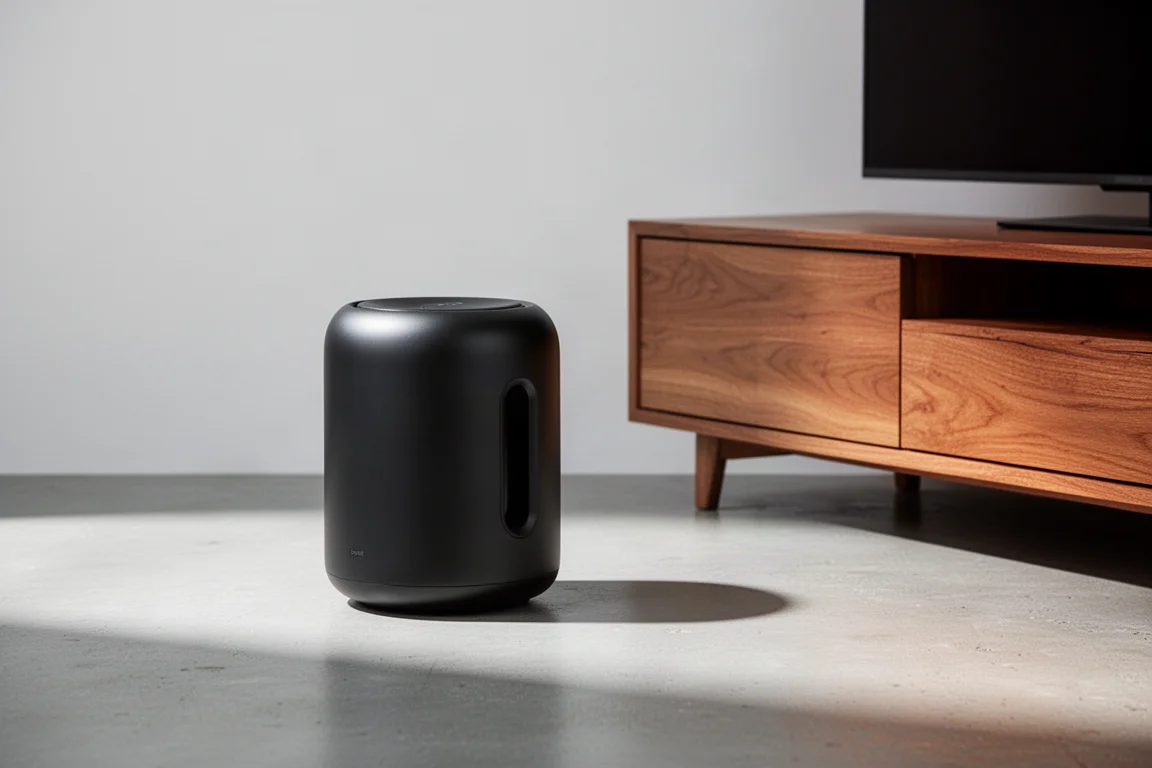
The Sub Mini is built for listeners who already own a Sonos soundbar or set of speakers and want deeper bass without surrendering floor space. It measures only 9 inches in diameter and 12 inches tall, and it weighs about 14 pounds, so it slips beside a sofa or into a corner far more easily than a full-size subwoofer.
It comes in a matte black or matte white finish, which helps it settle into a room rather than draw attention to itself.
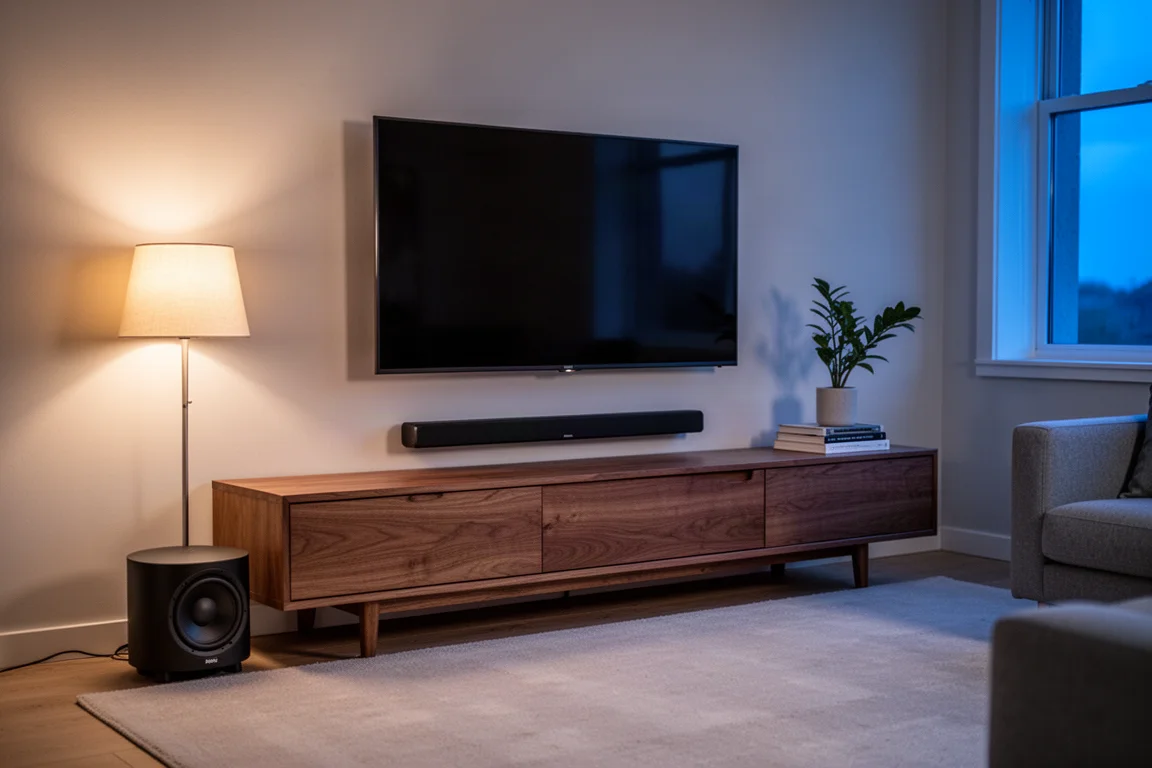
The case for adding one is strongest with a Beam or Beam Gen 2. That pairing is the most straightforward upgrade path available, and the audible change is substantial. The Sub Mini is also a natural match for a single Sonos Five, for a stereo pair of Ones or One SLs, and for a Sonos Amp driving in-ceiling or in-room speakers where a bigger subwoofer would simply be too large.
Design and Build Quality
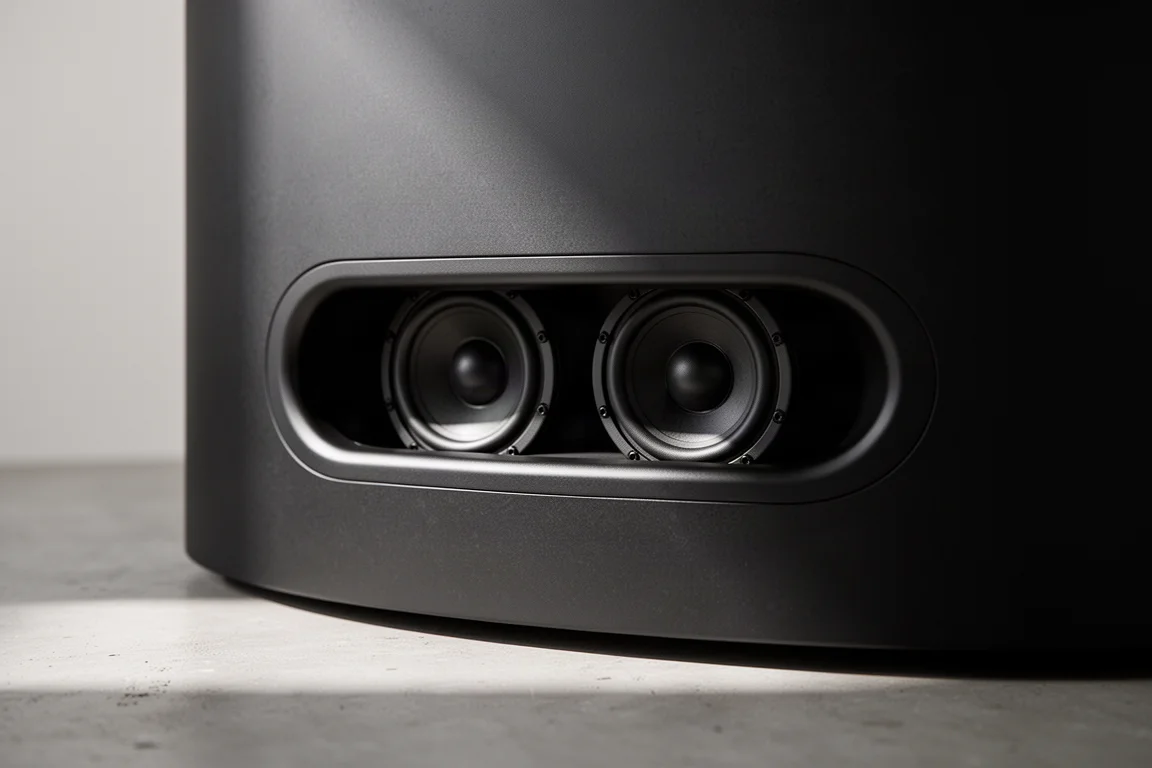
The Sub Mini is a sealed, round enclosure with an oval-shaped slot on each side. Look closely into those slots and you can see the two bass drivers mounted facing each other just a few inches apart.
Force-Cancelling Dual-Driver Design
That opposed layout is a force-cancelling design, and its purpose is practical: the drivers push against one another so the cabinet stays composed, which minimises resonance and vibration. Each woofer has its own amplifier inside the sealed cabinet, which keeps the bass controlled rather than loose or boomy.
Setup is deliberately simple. The only cable you need is the power cord. Everything else happens wirelessly through the Sonos system, so there is no subwoofer cable to route across the room.
Sound and Room Calibration
Where a high-performance home theater subwoofer usually demands careful crossover tuning, Sonos handles that step in software. The system knows which speakers the Sub Mini is paired with and sets the crossover point exactly where the subwoofer should take over from them.
Something else changes at the same time. Once a Beam detects that a Sub Mini is in the system, Sonos adjusts how the Beam itself behaves, because the soundbar no longer has to produce deep bass. The result is clearer dialogue from the soundbar.
Room correction is handled by Trueplay, which lives inside the Sonos app. Using an iOS device, the app listens to the acoustic character of the room and then adjusts the output accordingly. Bass is where rooms differ most, so this step matters more than it might first appear.
Pairing It With Your Sonos System
Most Sonos components from roughly the last decade can work with the Sub Mini, but there are genuine exceptions. The portable Roam and Move speakers are not compatible, and the older Connect and Port are not capable of working with it either. You also need to be running the S2 version of the Sonos app, and some very old components cannot be upgraded to S2. The app will tell you which version you are running, and Sonos offers a trade-up program for hardware that has reached that point.
One limitation is worth flagging early: unlike the Sub Gen 3, only one Sub Mini can be added to a system.

The pairing that gains the most is a Beam or Beam Gen 2. The Beam series is capable, but it does not dig deep into the low end, and adding the Sub Mini changes the character of the whole system. Explosions and special effects land the way they should, and music sounds closer to what you would expect from a decent pair of speakers.
With the Arc, Sonos’s flagship Dolby Atmos soundbar, the same logic applies. The Arc places Atmos effects convincingly but does not reach far into the bottom end, and the Sub Mini fills that gap in a way that is worth the spend.
A stereo pair of Fives already reaches fairly deep on its own, yet the Sub Mini still extends the low end further and takes bass demand away from the main speakers, which helps vocals come through more clearly.
Things to Consider Before Buying
The Sub Mini’s main limitation is headroom, and that is where the larger Sonos Sub Gen 3 comes into the picture. Room size is the clearest dividing line. In a space larger than roughly 20 by 25 feet, or when movies are played at high volume, the bigger subwoofer delivers noticeably more impact and shows no sense of strain as the volume climbs. On music, the gap between the two shows up most in the fullness and richness of the bass tones.
Price relative to the rest of the system matters too. With the entry-level Ray soundbar, which sells for under $300, a subwoofer at the Sub Mini’s price is out of step for most buyers, even though it improves the Ray noticeably. The exception is a Ray bought because it fits inside a cabinet opening where other Sonos soundbars cannot go. In that case the Sub Mini makes far more sense.
For Sonos Amp owners driving in-ceiling or in-room speakers, the Sub Mini is often the practical choice simply because the Sub Gen 3 may be physically too large for the space. Be aware that this setup requires setting the crossover point manually in the Sonos app, and that Wi-Fi bonding can occasionally need some patience during setup.
Buying Advice
The honest answer to whether the Sub Mini is worth it comes down to the system it is joining, your ears, and your budget.
If you own a Beam or Beam Gen 2, the decision is close to automatic. The Sub Mini is the right amount to spend on a subwoofer for that soundbar, and the improvement is large. The same holds for the Arc in a normal-sized room, for a single Five, for a stereo pair of Ones or One SLs, and for most Amp-based setups.

Step up to the Sub Gen 3 if you have a very large room, if you watch movies at high volume, or if you run a stereo pair of Fives and like to play them loud. Those are the situations where the extra output and headroom of the larger subwoofer justify the higher cost. For everyone else, the Sub Mini is the better-balanced purchase: it supplies the deep bass foundation most Sonos systems are missing, and it does so without taking over the room.
Conclusion
The Sub Mini is exactly what Sonos owners asked for: a compact, wireless subwoofer that adds meaningful low end and improves dialogue clarity across a wide range of systems, at a price that makes sense for anything above the most basic setup. If your room is not unusually large and your listening does not demand concert-level volume, this is the subwoofer to add first.
Product link
View more details for Sonos Sub Mini
This product is mentioned in the review. Check the specifications, options, and compatibility before buying.
View more details for Sonos Sub MiniFurther reading
Related Reviews
Subwoofers
Arendal 1961 Subwoofer 1S Review: Beautiful Build, Modest Punch at $1,000
A sealed $1,000 subwoofer with a gorgeous cabinet, plus three lower-priced alternatives that deliver more impact for movie nights.
Subwoofers
Arendal Sound 1723 2V Subwoofer Review: Dual 13.8-Inch Drivers Under $3,000
A flagship ported subwoofer with dual opposing 13.8-inch drivers, a 1,200W RMS amplifier, app-based DSP, and a 10-year warranty.
Subwoofers
Ascendo 16 Sub Active Sealed Review: Sealed Bass Built on Real Engineering
A close look at the Ascendo 16 Sub Active Sealed, a 16-inch sealed home theater subwoofer with independently verified measurements, a purpose-built driver, and genuinely controlled output.