Satellite Communicators
Motorola Defy Satellite Link Review: Low-Cost Backcountry Messaging and SOS
A compact satellite communicator that sends messages and SOS alerts without cellular coverage, with low device and plan costs to weigh against regional coverage.
Introduction
The Motorola Defy Satellite Link is a small, lightweight device that sends and receives messages and can trigger an SOS alert in places with no cellular or Wi-Fi coverage, such as the backcountry. It fills the same role as a satellite messenger, but it costs considerably less, and it reaches orbit through a different type of satellite network. The obvious question is whether the lower price hides compromises that matter when you are far from help.
It is worth setting expectations early. This is a messaging and emergency device, not a navigation tool, and its coverage is regional rather than worldwide. For the right user, that combination is exactly what makes it appealing.

What follows is a practical look at what the device does well, where it falls short, and the situations where a more expensive communicator still makes more sense.
Who the Motorola Defy Satellite Link Is For
The Defy Satellite Link suits hikers, backpackers, trail runners, climbers, and anyone else who spends long days in areas where cell service disappears. It is built for people who want a simple way to check in with family, send a message when plans change, or call for help in an emergency, without paying for a full-featured backcountry device.
It is also a good fit for people who travel mostly within their own region. The device works in parts of Europe and the mainland United States, with Canada and Alaska planned for later and wider rollout expected over time. If your trips stay inside those areas, the coverage limits rarely matter.
The other group this suits is anyone who has been putting off buying a satellite communicator because of cost. A device priced around $150 with a year of basic service included, and about $5 per month after that, removes most of that hesitation. It also means you can call for help on behalf of someone else you meet on the trail, not just for yourself.
Design and Everyday Handling
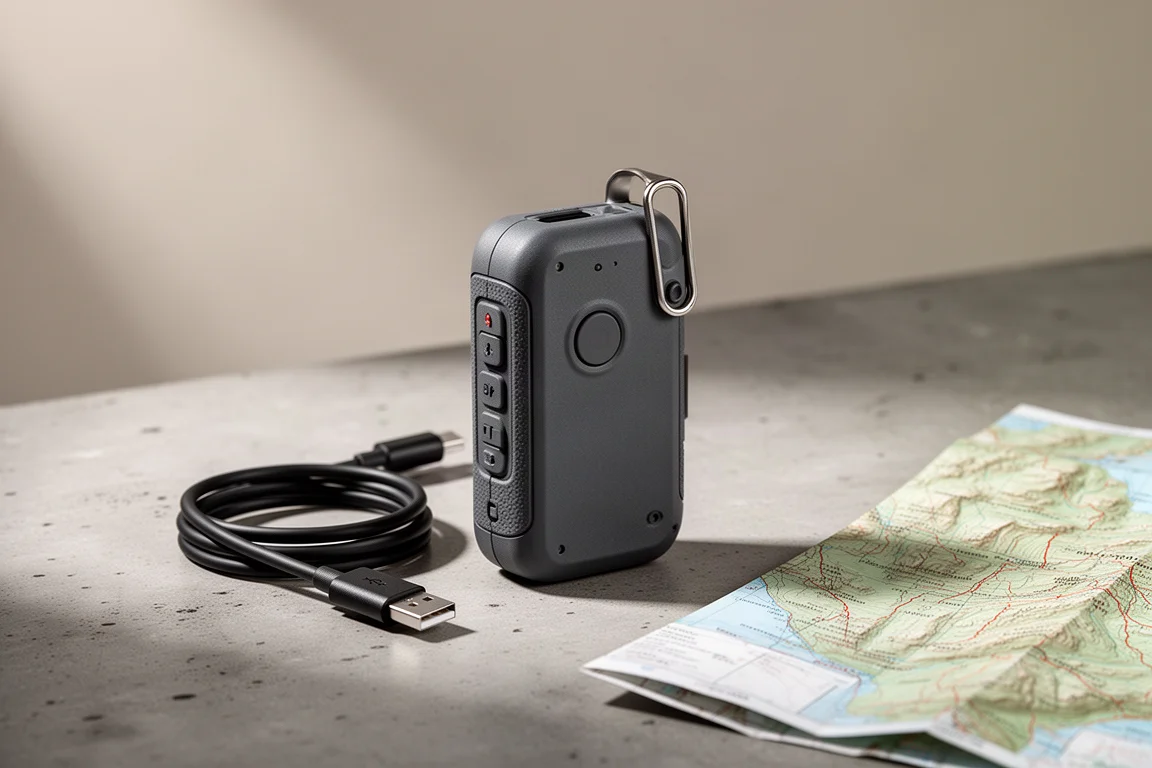
The hardware is genuinely pocketable. The unit weighs under 70 grams and is smaller than a deck of cards, yet it is built for outdoor use with a rugged body, buttons that have a clear click feel, and a short haptic buzz to confirm each press. It carries a MIL-spec durability rating and IP68 water and dust protection.
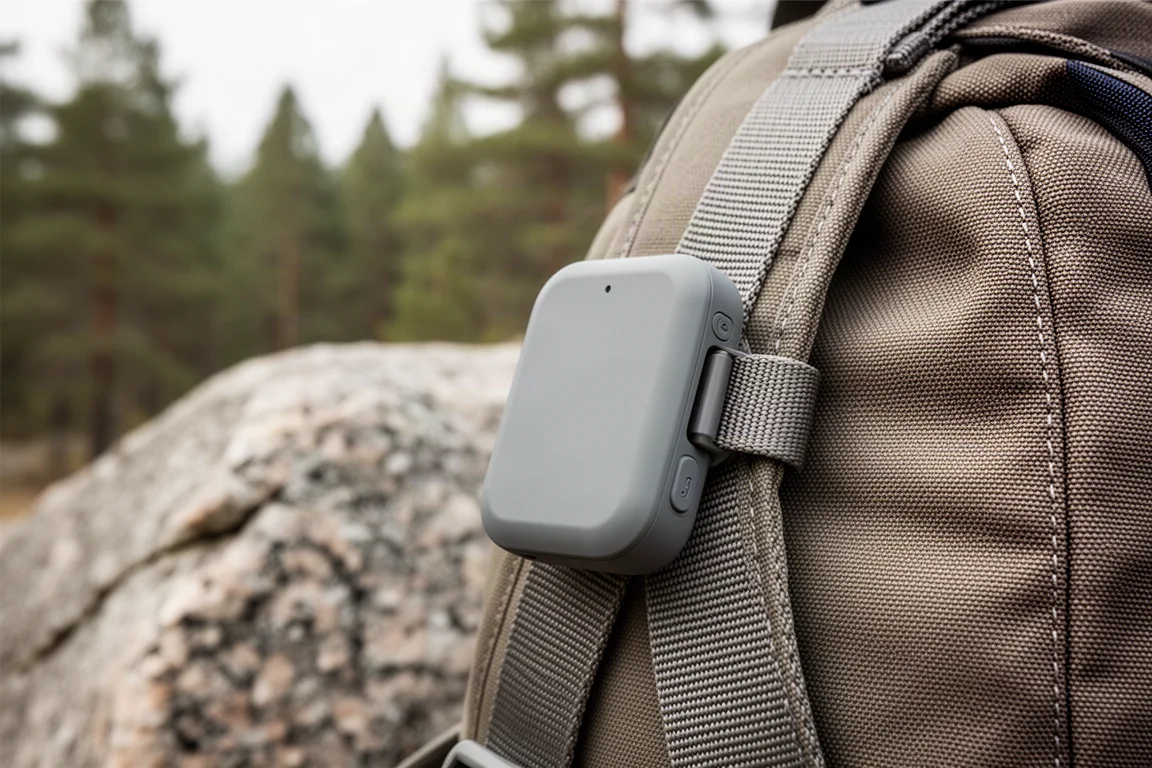
Charging is handled over USB-C, and the box includes a USB-C to USB-A cable. That matters more than it sounds: the same cable and power bank used for a headlamp, phone, or camera will keep the device topped up. There is no carabiner in the box, only a small clip on the top edge, so adding your own carabiner and attaching the unit to a backpack strap is the practical way to carry it.
What Works Well on the Trail
Fast Satellite Messaging When the Sky Is Clear
When the device holds a satellite connection, messages move at the speed of a normal text message. That is noticeably quicker than the minute or two that satellite messages often take on other networks, and it changes how the device feels in use. Replies come back quickly enough that a real conversation is possible rather than a series of delayed exchanges.
The app also looks for Wi-Fi or cellular first whenever either is available, and messages sent that way do not count against the monthly allowance. The device only falls back to satellite when there is no other connection.
Battery Life That Covers Long Days and Weekend Trips
The stated battery life is up to four days, and that figure understandably depends on how much you use the device. Across six to ten hour days with three or four messages sent and received each day, the unit delivered roughly 60 to 70 hours. For a device this small, that is a strong result, and it comfortably covers long day hikes and weekend backpacking trips.
If you would rather not manage a charge at all, switching the unit off between check-ins extends runtime considerably. Power it on when you want to send a message or need the SOS function, then turn it off again.
Simple, Low-Cost Plans
Messages are the currency of the service, so a check-in, a custom message, and a received message each count as one message against the allowance. The entry plan includes 30 messages per month. The device is currently sold at about $150 with a year of that basic plan included, and the plan continues at around $5 per month afterward. That is lower than comparable plans on other satellite messengers, which makes the ongoing commitment easy to justify.
How Messaging and SOS Work
Sending a message is straightforward. In the companion app you pick a recipient, type the message, and optionally attach your location as latitude and longitude in decimal form. The app then checks for Wi-Fi or cellular, sends over that connection if it can, and otherwise uses the satellite link.
Messages that travel over satellite look different in the app, marked with an orange tab and a check mark confirming the satellite has received them and is forwarding them. Connection status is easy to check as well: a button in the app shows the current state, and the unit itself blinks green when connected and red when it is not.
A dedicated check-in button on the device sends one of a set of preset messages when it is held down, which is the fastest way to let someone know you are fine. On the receiving end, someone with the app gets a notification and can reply for free, whether or not they own a satellite device themselves. Someone without the app receives a standard text message containing a link to download the app, which is free to use, so they can reply. Location links open in whatever mapping app is set as the default, which keeps the process familiar for the person at home.
What Happens When You Press SOS
Pressing SOS connects you to a monitoring service that works out which first responder is the right one for your location, so an incident inside a national park goes to the park service rather than a distant coast guard station. The service behind the device is operated by Focus Point International, which runs 24/7 coverage with offices in multiple countries.
A short questionnaire appears when an SOS is triggered, giving responders useful context about the situation before contact is established. From there, communication runs both ways as text through the app, so you can describe your condition or update responders if things change. The SOS function itself has not been put through a live emergency test, so confidence in it rests on the speed and reliability of the messaging system and on the monitoring service behind it.
Things to Consider Before Buying
Coverage Is Regional, Not Global
The Defy Satellite Link uses geostationary satellites positioned more than 22,000 miles above the Earth, rather than the low earth orbit networks used by some other communicators. Coverage today includes parts of Europe and the mainland United States, with Canada and Alaska expected and wider rollout planned over time. There is no worldwide footprint, so anyone heading to remote regions outside those areas will want a device on a global satellite network, such as the Garmin inReach Mini 2.
Signal Depends on the Sky
Because the satellites sit in fixed positions above the equator, the southern horizon matters for users in the United States. The connection dropped at times when the unit was clipped to the body with a back turned to the south, blocking the line of sight to the satellite. Powering the device off, facing south, and switching it back on restored the connection immediately, even in a deep canyon. In short, carrying the unit where it can see open sky, rather than against your back, is worth the small effort.
No Navigation, Weather, or Breadcrumb Trail Yet
There is no mapping, no weather reporting, and no breadcrumb location sharing at launch. Location sharing has been announced as a plan add-on for later, which will make the device more useful for people following along at home. Until then, anyone who needs navigation, weather, and continuous tracking should look at more expensive options. The Zoleo remains relevant mainly for people who specifically want a dedicated phone number and email address for their communicator.
The SOS Button Is Uncovered
The SOS button has no cover, so it can be pressed accidentally when the unit is loose in a pack. A protective case or a deliberate carry position solves this, but it is worth knowing before the first trip.
Setup Needs a Data Connection
Account setup runs through the companion app and requires a cellular or Wi-Fi connection, so it has to happen before you leave for the trailhead. Following the quick start code rather than setting things up from memory avoids most of the friction. Pairing is over Bluetooth and works with both iPhone and Android. The device uses your phone number as the account identifier, so recipients see a message from a familiar number rather than an unfamiliar one.
Buying Advice
If the reason you have not bought a satellite communicator is price, this is the point where that reason mostly disappears. Around $150 for the device with a year of basic service included, and roughly $5 per month after that, is a modest amount for a tool that can summon help in an emergency or let you assist someone else who needs it.

The decision really comes down to where you travel and what you expect from the device. If your trips stay in supported regions and you mainly want messaging, check-ins, and SOS, the Defy Satellite Link covers that ground at a low ongoing cost. If you need worldwide coverage, on-device navigation, weather reports, and breadcrumb tracking, a device on a global satellite network such as the Garmin inReach Mini 2 remains the better choice, at a higher purchase price and a higher monthly cost. The Zoleo’s main draw today is a dedicated number and email address for your communicator.
It is also worth planning around the parts that are still in progress. Location sharing is promised as an add-on, and the coverage map is expected to grow, so the device is likely to become more useful over time rather than less. If your travel plans already sit inside the supported regions, there is little reason to wait.
Conclusion
The Motorola Defy Satellite Link does the essentials well. It is tiny, light, rugged, quick to send and receive messages when it has a clear view of the sky, and inexpensive to own and operate. Its limits are real but clearly defined: regional coverage, no navigation or weather, and no breadcrumb tracking at launch.
For hikers, backpackers, and trail runners who stay within supported regions and want a dependable way to check in and call for help, it is an easy recommendation. For travellers who need global coverage and full backcountry features, spending more on a device built for that job is the smarter move.
Product link
View more details for Motorola Defy Satellite Link
This product is mentioned in the review. Check the specifications, options, and compatibility before buying.
View more details for Motorola Defy Satellite LinkFurther reading
Related Reviews
Satellite Communicators
Garmin inReach Messenger vs inReach Mini 2: Which Satellite Communicator Belongs in Your Pack
A practical comparison of two compact Garmin satellite communicators, covering navigation, screen size, battery life, reverse charging and price.
Satellite Communicators
Garmin inReach Messenger vs Zoleo: Which Satellite Communicator Is Right for You?
A practical comparison of two satellite communicators, covering price, battery life, messaging, apps, satellite coverage, and standalone SOS use.
Satellite Communicators
Garmin inReach Mini 2 vs inReach Mini: Is the Newer Satellite Communicator Worth It?
A practical comparison of the Garmin inReach Mini 2 and the original inReach Mini, covering battery life, USB-C charging, navigation, app support, and upgrade advice.