Monitor Reviews
LG 27GM950B Review: A 5K Gaming Monitor That Tries to Do It All
The LG 27GM950B brings native 5K resolution, a 165Hz refresh rate, and a 1440p dual mode at 330Hz to a single 27-inch IPS panel. Here is how it performs.
Introduction
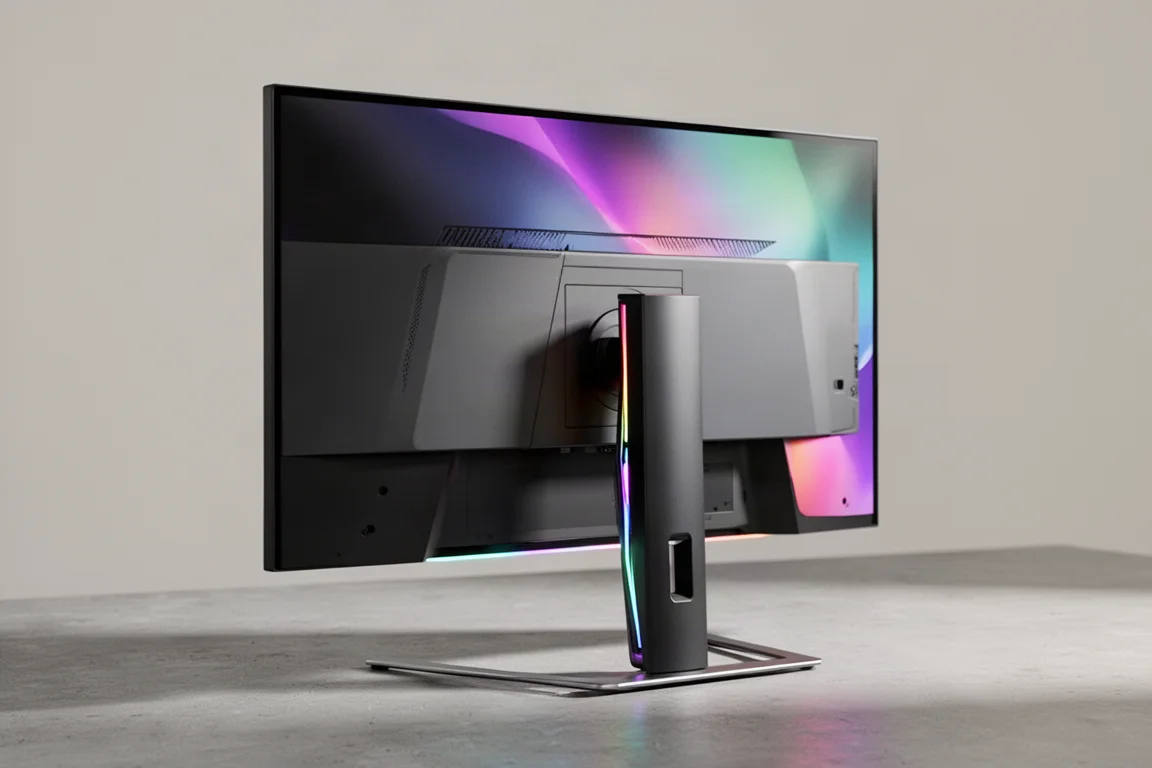
The LG 27GM950B is the first 5K gaming monitor to hit the desk, and it is attempting to do it all. A native 5120x2880 resolution on a 27-inch panel, a 165Hz refresh rate at 5K, a 1440p dual mode that jumps to 330Hz, true HDR through a miniLED backlight, and modern connectivity like DisplayPort 2.1. At an MSRP of $1,200, this display competes at the very top of the monitor market.
This LG monitor uses an IPS LCD panel enhanced with 234 miniLED local dimming zones, giving it genuine HDR capabilities. However, it is nearly twice as expensive as a 27-inch 4K 240Hz QD-OLED. Not quite the same product, of course, 5K LCD versus 4K OLED, but the price difference makes things interesting.
The 5K Resolution Advantage
The star feature of the 27GM950B is its resolution. This panel has a native 5120x2880 resolution, true 5K, which at a 27-inch size equates to a pixel density of 218 PPI. In comparison, a standard 3840x2160 monitor at 27 inches is 163 PPI. The increase from 4K to 5K leads to a 33% higher pixel density, going from 8.3 to 14.8 million pixels.
The big question is whether going from 4K to 5K on a screen of this size actually makes a noticeable difference. Having used this display extensively, it depends on what you are doing. The least noticeable improvement is while gaming. This is a great-looking screen for games, sharp and crisp, and games with great texture quality look excellent. But it is not a transformative experience compared to 4K. At best, it is a minor improvement visually. 4K at this size already looks pretty sharp, and modern 3D game visuals are not the best showcase of what 5K can do.
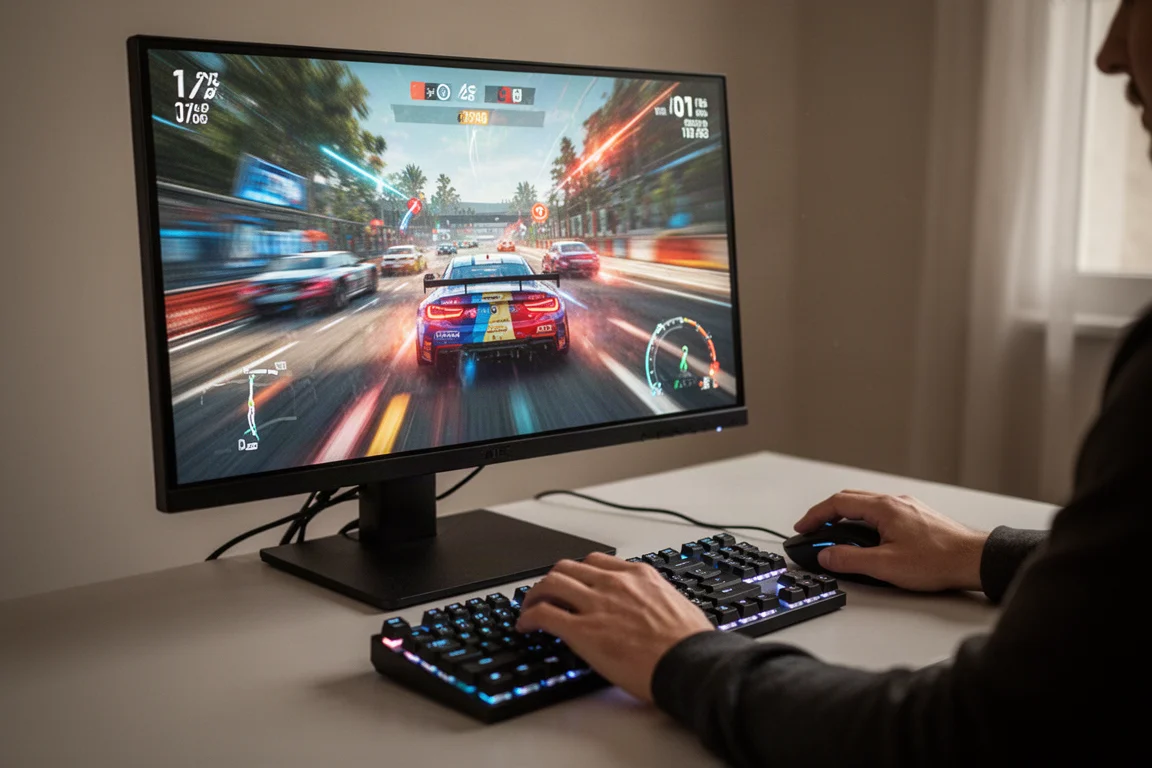
The other consideration while gaming is performance. 5K is a lot more taxing on your GPU hardware. For example, playing Cyberpunk 2077 at 4K using DLSS quality mode achieved around 130 fps. Increasing the resolution to 5K while continuing to use DLSS quality upscaling decreased performance to 80 fps. Dropping the upscaling mode to DLSS performance bumped it back up to 105 fps, but that is still short of the original 4K result. While there is a small increase in sharpness, the performance loss offsets the overall gain while gaming.
There are types of games where a higher resolution is beneficial and the performance cost is not a significant factor. Anything heavy on interfaces and menus, such as strategy games and city builders, looks great at 5K. Lightweight 2D games and indie titles are also a great use for 5K.
The big benefit from the 5K resolution is using desktop apps, especially for productivity. Text quality is noticeably improved relative to a 4K monitor of the same size. Used side by side with a 27-inch 4K LCD, the 5K monitor was instantly identifiable as higher density, providing sharper, better-looking text. Image quality is also better, with high-resolution photos displayed with increased detail.
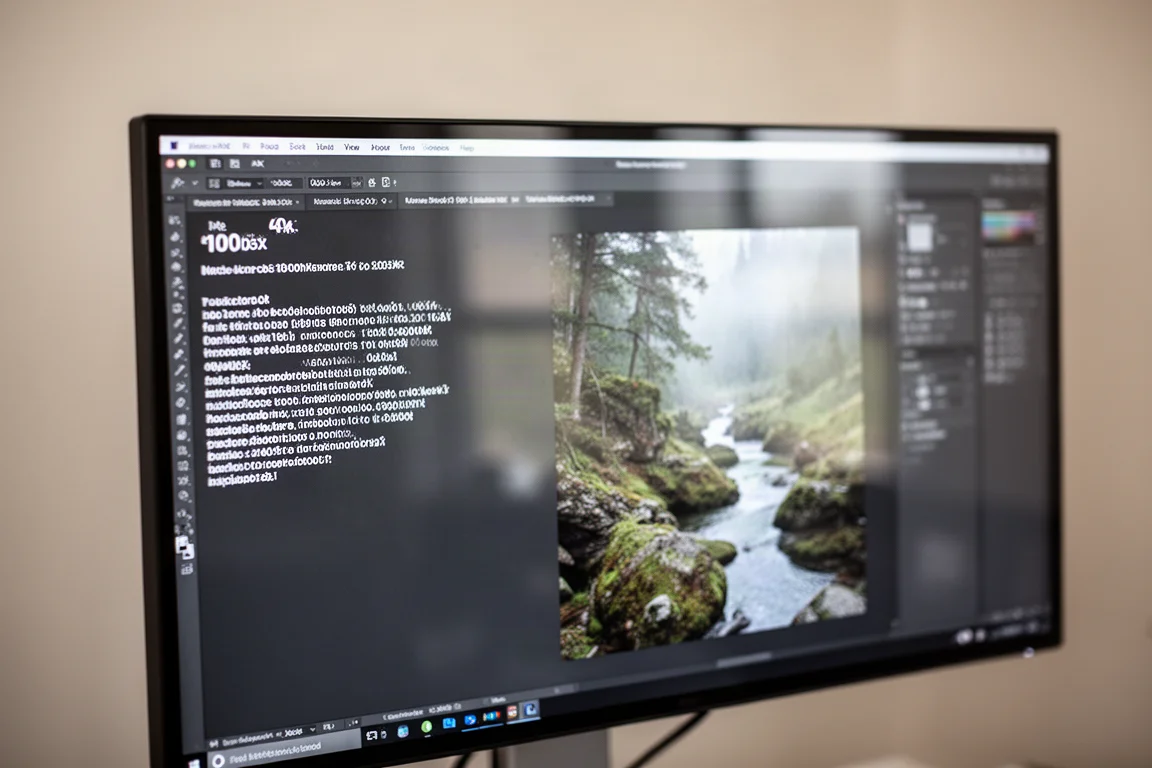
The other benefit for productivity is the increased pixel real estate, especially when working with high-resolution assets. For example, editing a 4K image in Photoshop on a 4K screen requires a 66% scale to fit the entire image on screen. On a 5K screen, you can view the 4K image at full resolution with a 100% scale while still having 44% of the display available for the interface. Viewing the image at 100% scale is better because it means you will not see any scaling artifacts. For these types of use cases, 5K is genuinely a much better experience.
Dual Mode: 1440p at 330Hz
The 5K resolution also enables a crucial improvement to dual mode functionality. Dual mode is a feature where the monitor runs at a lower resolution, typically one quarter native, but at an increased refresh rate, typically double native. On 4K displays, the dual mode configuration is 1080p, a pretty sizable downgrade in resolution and sharpness. On the 27GM950B, the dual mode configuration is 1440p, which is far more suitable for gaming without such a significant loss to visuals.
The benefit is an increased refresh rate from 165Hz to 330Hz. And 1440p is an easier resolution to run, so you will get better performance and higher frame rates in the game you are playing. Like on other monitors, dual mode works seamlessly here. You enable the option in the OSD menu, the resolution drops, and the refresh rate increases. There are no other limitations. Color performance, response times, input lag, and HDR support are all preserved in the exact same way as the 5K mode. There is even a dedicated button along the bottom edge of the display that quickly activates or deactivates dual mode.
The 27GM950B does not use integer scaling for its 1440p dual mode. One 1440p pixel is typically made up of between four and six native pixels depending on the situation. This means the 1440p dual mode does not look identical to a native 1440p panel. The 1440p mode is obviously not as sharp or detailed as the 5K mode, and enabling dual mode exacerbates the difference a bit. If you have been using the 5K mode for a while and are used to its sharpness, 1440p does feel like a downgrade. It is not the best idea to use the 1440p mode for desktop apps as text quality is not nearly as good as the 5K mode.
However, it is a perfectly fine and very usable mode for gaming. 1440p dual mode is a massive improvement over 1080p dual mode on 4K displays. 1440p is simply a much better resolution on this size of screen. You do not lose nearly as much detail, and the in-game UI still looks good in most cases. After about 10 minutes of gaming, you quickly forget you are not getting the full resolution experience.
This is probably the first time dual mode has been impressive enough to actually recommend using for gaming full-time. With 1080p dual mode monitors, using dual mode only really made sense for fast-paced games that benefited from the higher refresh rate. This 1440p dual mode, though, is usable for all types of games and actually might be the preferred way to play games given its much lower performance cost relative to the native 5K mode. It gets close enough to a normal native 1440p monitor in image detail, and 1440p has been a decent resolution for gaming on a 27-inch panel for years now.
This makes the 27GM950B a fantastic versatile monitor for multiple use cases. There is the native 5K mode providing excellent text clarity and detail sharpness for desktop apps and productivity use, and the 1440p mode for high-performance gaming, avoiding the large hit associated with running games at 5K. Neither mode feels overly compromised. You are getting the best of both worlds, and this allows dual mode to finally live up to its promise.
HDR Performance and MiniLED Backlight
HDR is obviously a big feature of this monitor. The display comes with a full array local dimming miniLED backlight featuring 234 zones. LG claims up to 1250 nits of peak HDR brightness as well as DisplayHDR 1000 certification. There are two further hardware features designed to improve the HDR on LCD experience: 9,216 individual LEDs, four per zone, so each LED does not need to spread light as far across the backlight, and a zero optical distance construction. LG says this brings the backlight closer to the panel to reduce light bleed and help minimize blooming.
These capabilities immediately put the 27GM950B ahead of most other miniLED monitors of this size. Previous 27-inch 4K HDR LCDs mostly used 1,152 zone backlights. This new 5K monitor doubles the zone count. And while the native contrast of the LCD is still somewhat limited due to the use of IPS technology, the zero optical distance design helps to mitigate bloom and improve real-world contrast in tricky HDR scenes.

The 27GM950B is quite conservative in how it deploys brightness, almost always utilizing a shadow-based dimming approach. This means contrast and black levels are typically excellent on this display. The backlight does not blast out brightness to raise black levels, but the high number of zones and zero optical distance design help to reduce the spread of blooming. In fact, blooming was rarely seen on this display at all. Light bleed is excellently controlled, and in situations where there is some bloom, its impact is minimal. This is a fantastic result from an IPS LCD, given this technology is the most prone to blooming issues. It is the best IPS ever seen in this regard.
The trade-off is that in scenes with small bright elements, those elements do not get very bright. Fireworks, stars in the night sky, street lamps in a dim city, none of these elements reach high levels of brightness in an attempt to control bloom and maintain black levels. This is especially noticeable when a bright light is otherwise surrounded by dark elements. There is not very much punch to those highlights, especially compared to an OLED with per-pixel control. Where you start to see high levels of highlight brightness is when bright elements are larger or are not surrounded by shadows.
The overall approach taken here does look pretty good in most scenes. And being an LCD, you get loads of brightness in brighter content. There are, of course, edge cases where it can struggle, but on the whole, this HDR hardware delivers impressive image quality.
Color performance is excellent with fantastic saturation numbers. This is paired with an enormous 89% coverage of Rec. 2020, the highest coverage of this HDR color space recorded across gaming monitors. So if the content requests it, this display can produce stunning color vibrance. HDR color volume is also excellent, coming in with an MDC of 22.6, putting it in the upper bracket of monitors tested. This is a couple of notches higher than the best QD-OLEDs, owing to slightly higher brightness and a wider color gamut.
Synthetic brightness tests show full-screen brightness is very good, producing 1120 nits sustained. The unit hit 1100 nits at a 10% window size, which is on the lower end for a miniLED LCD, some of which achieve around 1500 nits, though this result is still higher than OLEDs. At a 2% window, the 27GM950B is unimpressive at just 930 nits. That is sufficient for HDR, but beaten by OLEDs that have per-pixel control and no dimming constraints with small bright elements. LG advertises 1250 nits of peak brightness, and the results fall short of that number. However, 1120 nits is just 10% under what LG claims, which is not particularly unusual. And the difference between 1120 and 1250 nits is negligible in practice.
This monitor is brighter than a typical OLED. On average across eight test scenes, it is 60% brighter than a 27-inch 4K QD-OLED and about 30% brighter than tandem W-OLED. But the amount of brightness output does vary between scenes. Bright scenes are much brighter on this LCD, but darker scenes with small bright highlights are brighter on OLED.
With tight control over blooming, best-case local contrast is effectively infinite. You can have a bright element in one part of the screen and pure black in another part, provided there is sufficient distance between the two elements. In terms of contrast where a bright and dark element are close together, the 27GM950B performs very well with a result around 7,000 to 1. This is roughly twice as good as a typical 4K LCD with 1,152 backlight zones. In checkerboard contrast, the 27GM950B is excellent, producing a contrast ratio of 16,775 to 1 in the medium local dimming mode. This puts the display firmly into the VA LCD range despite using an IPS LCD.
Response Time and Motion Performance
LG offers four overdrive settings. The first is off, which gives native panel performance with an average response time of 9.6 milliseconds. Enabling the first overdrive option labeled normal increases to an 8.4 millisecond average, also with no overshoot. The first mode suitable for the 165Hz refresh rate at 5K is the fast mode. This option has a 6.3 millisecond average response time, which is much better and has good refresh compliance. There is minimal overshoot in this mode and okay cumulative deviation results. The faster mode pushes things too far and produces a lot of inverse ghosting artifacts at 165Hz.
If you are gaming in the 5K mode with variable refresh rates enabled, the fast overdrive setting offers a great experience. Response times slightly improve at lower refresh rates, and while overshoot increases as well, it is manageable and not a significant issue while gaming, even at 60Hz. A classic single overdrive mode experience, you can set and forget fast and enjoy good artifact-free gaming.
In the 1440p 330Hz dual mode, overdrive tuning is the same as in the 5K mode, so you get the same results at the same refresh rates. However, the refresh rate range is extended. At 330Hz, off and normal are still slow. In the fast mode, we get a result of 8.7 milliseconds with no overshoot. This is not fast enough to support the 330Hz refresh rate. The faster mode is much better for 330Hz gaming with an average response time of 5.1 milliseconds and minimal overshoot issues. However, refresh compliance falls slightly short of what is ideal. At 300Hz, the results are better, and the faster mode is also okay at 240Hz, but at any refresh rate below this, overshoot becomes too problematic.
This puts the 27GM950B into an interesting position. The 5K mode does deliver a single overdrive mode experience, but the 1440p mode does not, which is a bit disappointing given how well suited the 1440p mode is for gaming. At higher refreshes, the faster mode is best, but outside of that, the fast mode is optimal. If LG had implemented variable overdrive, the 1440p dual mode would have been better, but it is not a total disaster because the most commonly used parts of the refresh range have good performance using fast overdrive.
The monitor supports backlight strobing through LG’s motion blur reduction feature, provided adaptive sync is disabled. This mode actually works quite well with minimal strobe crosstalk and similar clarity from the top to bottom of the screen. It seems LG is making use of the miniLED backlight to pulse the screen in sections, maintaining great clarity as the scan out occurs. Brightness is also maintained at a high level, though there are no options to reduce the strobe length for a further clarity boost.
There are some downsides to this mode though. Disabling variable refresh is one of them. You also cannot use this feature in the 1440p dual mode configuration at all. It also does not work at refresh rates below 120Hz, though you can use it with HDR enabled if you would like. Given this feature delivers decent image quality, it is certainly a setting you might want to explore using. However, it is not something recommended for full-time use as you have to sacrifice variable refresh and can only use it in the 5K mode.
Input lag is low with a processing delay less than 1 millisecond in the 5K and 1440p SDR modes. This provides a similar level of responsiveness to other 165Hz displays in the 5K mode and increased responsiveness in the 1440p 330Hz configuration as lag attributable to the refresh rate is reduced. However, 240Hz OLEDs still have the edge in this test due to much faster transition times and higher refresh rates when comparing the 5K to 4K configurations. In HDR, input lag is higher at around 7 milliseconds, though this processing delay varies depending on the content.
SDR Color and Calibration
Out of the box, this display has average grayscale accuracy. The color temperature was slightly too warm and gamma slightly elevated. Due to massive 89% coverage of Rec. 2020 along with 100% coverage of DCI-P3, it is significantly oversaturated out of the box as it does not use sRGB gamut emulation by default. SDR content uses the sRGB/Rec. 709 color gamut which is much smaller than Rec. 2020. So without proper color management, colors are expanded to fill the gamut and oversaturated. This can make skin tones look very red, for example.
However, the 27GM950B works nicely with Windows auto color management, limiting the gamut to 99% sRGB and significantly reducing oversaturation, creating a more natural presentation. LG also offers an sRGB mode which has partially adjustable settings such as the ability to change white balance. By default, the sRGB mode is pretty good. It has better gamut and color temperature than the default mode, reducing grayscale delta E. It also properly emulates the SDR sRGB gamut, preventing oversaturation. A color checker delta E of below five indicates a good level of factory calibration in this mode.
You can improve performance through a full calibration. This can be achieved either through the usual software methods that create an ICC profile or through hardware calibration, as like other LG monitors, hardware calibration through the LG Studio app is supported.
Maximum SDR brightness is extremely good, hitting 800 nits, which is more than sufficient for normal usage and is able to cut through glare in bright environments. Minimum brightness is okay at 55 nits, so there is a good range on offer here. The native contrast ratio of this 5K IPS LCD panel with local dimming disabled, the default SDR configuration, is 1116 to 1. This is a standard normal IPS panel, nothing amazing about its native contrast whatsoever. This is obviously not a very good result for SDR use, falling behind VA LCD and especially OLED competitors. However, if you did want increased contrast, you would probably just enable dimming or use the HDR mode.
Power consumption is relatively high for a 27-inch IPS LCD at 46W. While this is still lower than OLEDs showing full white, it is outside the normal range seen from LCDs, likely due to the higher LED count in the backlight. In typical gaming scenarios, this display is on the hungrier end of the chart and is actually going to be similar or slightly worse in power efficiency than similar spec OLEDs.
Viewing angles are very good, above average for an IPS LCD, so you should not have any issues viewing this display at odd angles. Even blooming with HDR enabled is lower than normal at off angles. Uniformity on the unit is good for the most part, though the left side of the screen is slightly darker than the rest. This is not noticeable outside of full-screen uniform images.
Design, Ports, and Build Quality
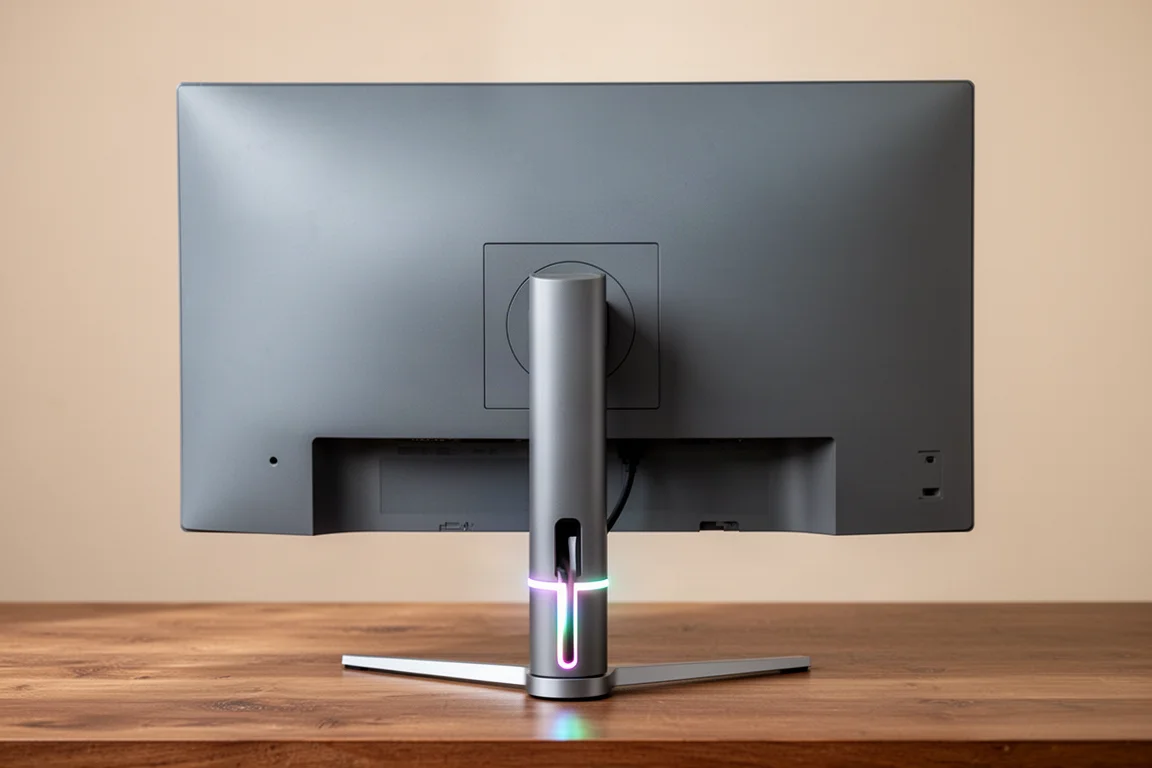
This is a good-looking monitor with similar aesthetics to previous LG UltraGear designs. On the front, you have the display panel with a standard matte LCD coating, slim bezels on three sides, and a relatively small chin along the bottom edge. The rear is simple and looks great with large gray plastic panels and a slightly protruding element that connects to the stand. Around this element is an RGB LED strip, which does not get especially bright but looks decent enough.
The stand base is excellent. It is a thin, flat piece of metal, which gives you the flexibility to put items on top of it. The stand pillar is compact with a plastic outer and it supports all of height, tilt, swivel, and pivot adjustment. The maximum level of height on offer is fine, and the overall stand assembly is sturdy with an acceptable amount of wobble. General build quality is good as well.
There are a couple of small downsides though. The monitor is thicker than OLED screens, so if you like that super thin aesthetic, you are not getting that here. Also, there is an internal cooling fan that constantly operates at a low speed. It is not very loud, in fact it is silent from a normal viewing distance, but it is worth noting for those who dislike monitors with active cooling.
As for ports, there is one DisplayPort 2.1 UHBR20, two HDMI 2.1 48 Gbps ports, a USB-C supporting DP Alt mode and 90W of power delivery, and two USB-A 5 Gbps downstream ports. The USB-C port is used for PC upstream. The maximum 165Hz refresh rate is available at 10-bit 5K over both DisplayPort and HDMI. If you use DP 2.1, it will not use DSC, whereas with DP 1.4 or with HDMI 2.1, it will use DSC. There is no toggle to disable DSC in the OSD.
LG offers a couple of other features worth talking about. One is that firmware updates are supported over USB, which is essentially a requirement to use this display. At launch, LG stuffed up the firmware, creating a bug where the left and right sides of the screen could have different sharpness levels in some situations. You will need to install the latest firmware to fix this issue through the LG Switch software. The problem with this, outside the obvious stuff of LG launching this display with busted firmware, is that the LG Switch software is rubbish. On a normal display testing PC using the provided USB-C cable in the box, LG Switch refused to identify the monitor, which is a requirement to run the update. It was only after another 10 plus attempts on a different PC did it get working, which is not a good user experience at all.
And just generally, this display is a bit buggier than would be ideal. A couple of times, the screen has taken an absurdly long amount of time to turn on after being plugged into a GPU, talking multiple minutes of a black screen before it finally displays something. This only happens rarely, but when it does happen, it makes you think the monitor has died. There have also been occasional bits of corrupted output in the 5K mode. These are all bugs experienced since running the firmware update to fix the sharpness issue.
The OSD is controlled through a directional toggle on the rear. For the most part, you get a standard feature set: multiple picture modes, black stabilizer, crosshairs, FPS readout, various color controls, local dimming settings, and a few other things. Interestingly, you do not get a picture-in-picture mode or a KVM switch.
There is also the AI stuff which is advertised prominently on LG’s product page. AI scene optimization is a feature that is instantly disabled as it dynamically adjusts colors depending on the content, reducing accuracy. The headline feature of AI upscaling is designed to upscale non-native signals to the native 5120x2880 using a more advanced algorithm than traditional upscalers. Think a console that only outputs 1080p and cannot be used at 5K. In this sort of circumstance, it works well enough. The 1080p to 5K AI upscaled output looks better than with it disabled. But when using it for say 4K to 5K upscaling, it delivers a much smaller improvement.
On PC though, it is basically useless for a number of reasons. Firstly, Windows prefers to send the monitor a native active signal and use GPU scaling. So AI upscaling might not work at all, even if you lower the resolution. And secondly, display-side upscaling is not optimal for modern PC games. If you are struggling with the performance requirements of 5K gaming, you would be much better off using game-side upscaling like DLSS than lowering the output resolution and using the AI upscaling in this monitor. DLSS, even on lower modes, looks far better.
Buying Advice
The LG 27GM950B is a good, highly versatile gaming monitor. For the most part, LG has succeeded in their goal to create a jack-of-all-trades product. There is the native 5K resolution on an IPS LCD panel, which is an excellent combination for desktop productivity work. There is the 1440p dual mode for gaming at a higher 330Hz refresh rate. And there is even true HDR capabilities thanks to a 234-zone miniLED backlight and decent peak brightness.
To me, the most impressive aspect to this monitor is how well the dual mode works. Dual mode is not a new feature, but on previous monitors, the secondary resolution has always been a bit low. Going from 4K to 1080p or even worse 1440p to 720p is a pretty significant downgrade that has previously made this mode rather niche. But on this new 5K monitor, the dual mode resolution is 1440p which is highly usable on a 27-inch screen. As this mode is much less taxing on your hardware compared to running games at 5K and you get a higher refresh rate, in a lot of cases it will be the go-to mode for gaming. In a way, this is the first monitor that actually delivers on what dual mode set out to achieve.
Outside the 1440p dual mode, you have access to a fantastic native 5K resolution for productivity work. Relative to a 4K monitor, the higher pixel density delivers sharper text and enables productivity apps to show more assets at native resolution without scaling. The sharpness and detail this monitor provides is excellent. Though, of course, not all users will benefit from the resolution upgrade compared to 4K.
The HDR capabilities of this monitor are quite impressive as well. The 234-zone miniLED backlight combined with a zero optical distance design significantly reduces blooming compared to previous IPS miniLED monitors tested. This results in a higher contrast experience, very good dimming capabilities, and beautiful HDR imagery. The only main downside to the HDR mode is brightness, which is not especially high for an LCD. Peak performance only just exceeds 1,000 nits.
Other areas of performance are solid. This display has an extremely wide color gamut, decent SDR factory calibration, high SDR brightness, a good selection of ports, and an attractive design. Motion performance is pretty good as well. The 5K mode has good response time tuning, and while the 1440p mode could have benefited from variable overdrive, it is still usable enough. The speed of this panel is very much in line with other modern IPS LCDs.
So, what are the downsides and drawbacks? This monitor is buggier than usual, and the fact it requires a firmware update out of the box to avoid a sharpness issue is not ideal. The other downside is the price. $1,200 US is extremely expensive for what this monitor offers, even considering it is a 5K panel with HDR capabilities. While LG are first to market with a 5K miniLED gaming monitor, they are not the only manufacturer making this sort of display. Other variants coming this year are set to be several hundred cheaper than this LG model. So it could pay to wait and see how those options perform.
Secondly, $1,200 is a hefty price to pay for any 27-inch monitor. For reference, 27-inch 4K QD-OLEDs start at $650 US and are a genuine alternative for gamers. Yes, the native resolution is lower, but these QD-OLED panels are faster, offering a 240Hz refresh rate at 4K with elite response times, and offer fantastic HDR with per-pixel control. The 1440p dual mode on this LG monitor is neat, but overall, playing games on a 4K QD-OLED is preferable, especially given it is nearly half the price.
Essentially, you are paying a huge premium for this panel’s 5K capabilities. In some cases that will be easy to justify, especially if you use your monitor for both work and play, but it is difficult to recommend to a general gamer that just wants a nice high-end screen.
Conclusion
The LG 27GM950B is a genuinely versatile monitor that delivers on its promise of doing it all. The native 5K resolution provides excellent text clarity and productivity benefits, the 1440p dual mode at 330Hz is the best implementation of dual mode yet, and the miniLED backlight delivers impressive HDR with minimal blooming. It is not without its flaws, including a high price, some firmware bugs, and a less-than-ideal update process. But for users who want a single monitor that excels at both productivity and gaming, the 27GM950B is a compelling, if expensive, option.
Product link
View more details for LG 27GM950B
This product is mentioned in the review. Check the specifications, options, and compatibility before buying.
View more details for LG 27GM950BFurther reading
Related Reviews
Monitor Reviews
ASUS ROG Swift PG27UCWM Review: A 27-Inch 4K WOLED With a Serious Price Problem
The ASUS ROG Swift PG27UCWM brings a new RGB stripe WOLED panel to 27 inches, but its $1,200 launch price is hard to justify against cheaper QD-OLED rivals.
Monitor Reviews
Dell Alienware AW3926QW Review: A 39-Inch 5K2K OLED That Redefines Value
Dell's first 39-inch OLED gaming monitor brings an RGB stripe panel, glossy finish, and a price that undercuts its main rival by a wide margin.
Monitor Reviews
Samsung Odyssey G80HS Review: A 6K Gaming Monitor That Finally Makes Sense
The Samsung Odyssey G80HS pairs a sharp 6K productivity panel with a 3K 330Hz dual mode for gaming. We break down the strengths, trade-offs, and who should consider it.