Outdoor GPS
Garmin GPSMAP H1i Plus Review: What to Know Before You Buy
A redesigned handheld GPS with a 3.5-inch hybrid touchscreen, satellite messaging, cameras, and voice control, plus the trade-offs worth knowing first.
Introduction
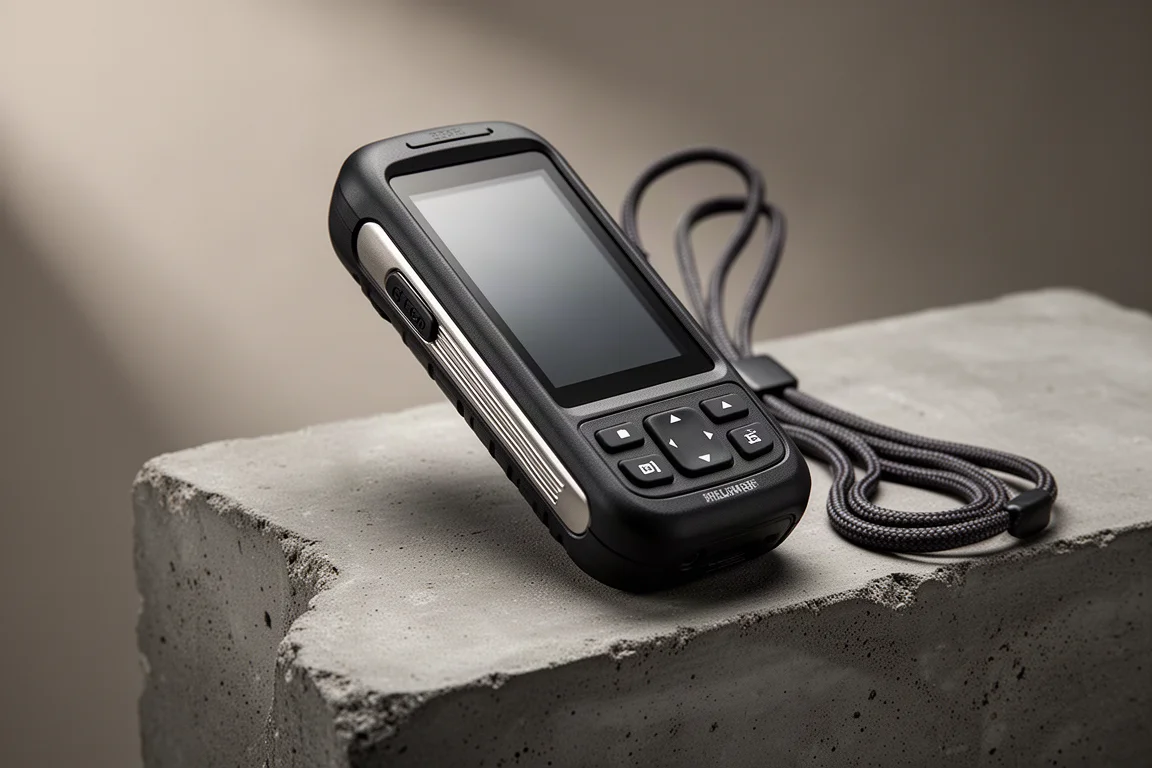
The Garmin GPSMAP H1i Plus is the most significant redesign of Garmin’s outdoor handheld line in years, and it arrives with a much longer feature list than the GPSMAP 67 it sits above. There is a larger 3.5-inch hybrid touchscreen, a faster processor, a customizable action button, front and rear cameras, voice notes, spoken navigation prompts, and inReach satellite messaging.
That combination makes it an appealing single-device solution for hikers who want navigation and emergency communication without leaning on a phone. It also makes the H1i Plus a more complicated purchase than it first appears, because several of the most important details only become clear after time on the trail.
Who This Handheld GPS Is For
This is a device for hikers, backpackers, and backcountry travellers who want a dedicated handheld that can navigate, record tracks, and send messages over satellite. The satellite side runs on the Iridium network, which Garmin lists as 100% global coverage, and the H1i Plus uses the same protocol as the Garmin Messenger Plus.
It also suits people who want richer communication than plain text. Photos, voice notes, and transcribed voice messages are all supported, which is unusual for a handheld in this size class.
The H1i Plus is a less obvious fit for professionals who depend on precise waypoint and track data, such as land management work. Anyone upgrading purely in the hope of better positioning accuracy should look carefully before committing.

Design and Handling: What Changed
The H1i Plus is slightly heavier and larger than the GPSMAP 67, and the shape is different, though it still sits comfortably in the hand. The back is not flush, so it shifts around a little more than the 67 when clipped to a backpack strap with a carabiner.
The bigger practical change is the new Spine Mount 2 system. Existing spine mount accessories do not carry over, and at the time of testing there were not many of the new accessories listed, so this is worth checking before you buy if you already own mounts.
Garmin kept the front button layout from earlier models and made the buttons light up more at night. Metal appears in a few places: the spine itself, and a new spring-loaded cover over the SOS button. On the opposite side there is a new customizable action button with three modes, single press, double press, and long press, and it works well as a shortcut once configured.
Touchscreen and Buttons in Daily Use
The screen has grown to 3.5 inches and is now a hybrid touchscreen. The touch layer can be switched off entirely, and every function remains reachable with the buttons alone, which is a sensible fallback.
The interface borrows from smartphones. You scroll left and right through pages, swipe down for settings, and swipe up to browse and close apps. It is designed to work with gloves, and that holds up in practice. In genuinely wet conditions the touchscreen becomes less reliable, so button-only mode earns its place.
Haptics are the weakest part of the interaction. Even with feedback enabled for things like keyboard input, the vibration is very faint and often imperceptible, which looks like something a firmware update could address.
Brightness is another compromise. The H1i Plus is not as bright as the GPSMAP 67. Turning off automatic brightness and pushing the backlight to maximum makes it usable in direct sun, but it still trails the older unit.
Customization is more limited than expected. Home pages can be added and rearranged across several layouts, and data fields generally link to an app below, sometimes showing a live value and sometimes only an icon. Navigation sits as its own top-level function rather than an app, and its screen is locked to a two-column layout that you configure one side at a time. Compared with the layout freedom of a Garmin cycling computer, the options here feel narrow.
The new processor is a clear improvement. Panning the map is much quicker than on older units, and routes built on the device calculate almost instantly instead of stalling on a percentage. There is a setting to make map movement faster still, at the cost of battery.
Starting an activity is straightforward, with presets that can begin a hike with live tracking already enabled. Navigation data is now organised through collections that sync with the Explore app and Garmin Connect. The older track manager is gone, though a course builder remains.

Satellite Messaging, Cameras, and Voice Notes
Messaging runs on the Iridium network using the same protocol as the Garmin Messenger Plus, and there are two modes: a performance mode that keeps the connection alive, and a low power mode that attempts a connection once an hour. Transmit power is lower than the Messenger Plus and the antenna design differs, but messaging worked as expected in general use. Heavy canopy conditions were not part of this testing.
Weather is the one part of the satellite feature set that did not behave. Garmin has consolidated weather into a single app that tries Wi-Fi or a paired phone first and then offers satellite as a fallback. Satellite weather requests timed out repeatedly with a no internet connection message, although forecasts arrived once the device was back in range. This looks like a firmware issue rather than a hardware limit.
The two cameras, one front-facing and one rear-facing, are not high quality, but they are good enough to photograph a trail junction or a water source. Images are geotagged and can be sent to another person, who sees the coordinates along with the picture. The voice recorder is genuinely useful: record a note, send it over satellite, and the recipient gets both the audio and a transcription.
Voice works in both directions. Spoken turn prompts and off-trail warnings play through the device with accompanying vibration, and volume can be adjusted or muted. Voice commands, similar in spirit to those on the Garmin Fenix 8, are launched deliberately rather than always listening, and the action button is a natural place to bind them. Recognition handles natural phrasing rather than requiring exact wording. There is no speech to text, so messages and waypoint names still have to be typed.
GPS Accuracy and Track Recording
The satellite screen was concerning at first. With automatic satellite selection the accuracy reading sat around 12 to 18 feet, and with all systems plus multiband it improved to roughly 10 to 14 feet. The GPSMAP 67 showed 6 to 10 feet in the same conditions.
Actual recorded tracks told a more nuanced story. Compared against the GPSMAP 67, the Fenix 8, and the Apple Watch Ultra 3, the H1i Plus performed better than its accuracy readout suggested, and in some places it beat the 67. It still drifted off the trail in spots where the Fenix 8 stayed on it, and overall it did not match the Fenix 8 or the Apple Watch Ultra 3.
Track recording is where the redesign costs the most. Older GPSMAP units let you record by distance or by time and change track fidelity, which matters for anyone documenting trails. The H1i Plus offers only two choices: automatic or every second, the same pairing found on the Fenix 8. Waypoint averaging has also moved out of its own app into the waypoint menu, and proximity alarms are not yet available.
Battery Life in Real Use
Garmin’s published battery figures are usually close to reality, but they were not matched here. With 10-minute satellite tracking, active navigation, and a recorded hike in automatic satellite mode, drain ran at about 4% per hour. Moving to 2-minute tracking, or enabling all satellite systems with multiband, pushed consumption higher, sometimes sharply.
The device does not show a battery percentage by default, only a graphical battery icon. A third-party app can add percentages for anyone who wants a clearer picture.
The battery is internal and not easily replaceable by the user. There is no snap-out battery like the one on the Montana line, so longer trips mean carrying an external power bank and recharging as you go.

Things to Consider Before Buying
The H1i Plus shipped with a noticeable set of software issues. Nothing catastrophic happened during navigation in this testing, but the device locked up once and became unresponsive, and there are reports of more serious problems elsewhere. Garmin is likely to resolve these over time, and the number of bugs is smaller than at the Fenix 8 launch, but early buyers are effectively living with unfinished software.
Accessory compatibility is another practical hurdle. The move to Spine Mount 2 means older mounts will not fit, and the new ecosystem was thin at launch.
Finally, consider what you are giving up. The H1i Plus is faster, more connected, and more capable than the 67 in several ways, but it offers less control over how tracks are recorded and, in this testing, less consistent positioning accuracy.
Buying Advice
If you want a handheld that can send photos and voice notes over satellite, navigate with spoken prompts, and move through maps quickly, the H1i Plus delivers those things. The cameras, voice notes, and satellite messaging are the features that genuinely separate it from the GPSMAP 67.
If you already own a 67 and your priority is accurate tracks and fine control over recording, there is little reason to upgrade. The same applies to professional users who depend on the precision of older GPSMAP hardware.
At around $1,000, this is a premium purchase, and it is worth waiting for the software issues to settle if you do not need the new communication features right away.

Conclusion
The Garmin GPSMAP H1i Plus is a well-built, thoughtfully redesigned handheld with a fast interface, capable satellite messaging, and genuinely useful voice and photo features. It is also held back by dimmer screen brightness, weak haptics, limited track recording options, battery drain that outpaces the published figures, and accuracy that trails the Fenix 8 and Apple Watch Ultra 3 in this testing.
Buy it for the communication features and the faster interface. Wait if your priority is precision track recording, or if you want a device you can rely on without firmware caveats.
Product link
View more details for Garmin GPSMAP H1i Plus
This product is mentioned in the review. Check the specifications, options, and compatibility before buying.
View more details for Garmin GPSMAP H1i PlusFurther reading
Related Reviews
Outdoor GPS
Garmin GPSMAP 66sr Review: Multi-Band Accuracy for Serious Backcountry Navigation
A field-tested look at the Garmin GPSMAP 66sr handheld, covering multi-GNSS and multi-band positioning accuracy, battery life, maps, and the trade-offs worth knowing before you buy.
Outdoor GPS
Garmin GPSMAP 67i Review: Multi-Band GPS in a Familiar Handheld
The GPSMAP 67i adds multi-band GNSS, USB-C charging, and longer battery life to a rugged handheld that is otherwise almost identical to the GPSMAP 66i.

Backpacking Gear
Building a 10 lb Base Weight: An Ultralight Backpacking Gear List
A practical walkthrough of the ultralight pieces behind a 10 lb base weight, from a 765 g pack and a roomy one-person tent to a full camp chair and a dependable water filter.