E-Readers
Boox Go 10.3 Gen II Classic Review: A Non-Front-Lit E-Reader With Trade-Offs
The Boox Go 10.3 Gen II Classic offers a sharp 300 PPI display and lighter build, but ghosting and pen precision issues are worth considering.

Introduction
The Boox Go 10.3 Gen II Classic is the non-front-lit sibling of the Go 10.3 Gen II Lumi. For all practical purposes, it is the same device as the Lumi version, minus the front light. That single omission brings a few meaningful differences: a slightly lighter body, potentially better battery life, and a screen that feels closer to the surface.
This first-impressions review covers what makes the Classic worth considering, where it stumbles, and who should think twice before buying.
Who This Product Is For
The Go 10.3 Gen II Classic is aimed at readers and note-takers who want a large 10.3-inch e-ink display without paying for a front light they may not need. If you mostly read in well-lit environments and prefer a device that feels lighter in hand, this version has clear appeal.
It also suits people who value the Boox ecosystem: Android 15, built-in Google Play Store, and access to the full range of Android apps. The device runs the latest Boox OS 4.2, which brings a number of fixes and refinements over earlier versions.

That said, this is not a device for anyone who needs a front light for reading in the dark. Without it, you will rely entirely on ambient lighting.
Display Quality and Reading Experience
The Go 10.3 Gen II Classic uses a 300 PPI screen that delivers crisp, sharp text. In HD mode, even very small italic fonts remain perfectly legible. The grayscale differentiation is handled well, and the device manages to interpret color documents into clean grayscale without losing detail.
One of the most immediately noticeable improvements over the Lumi version is the reduced surface-to-screen distance. Because there is no front light layer, the content feels closer to the surface, which improves the sense of immersion and contact with the page. This also tends to improve readability, clarity, sharpness, and contrast.
The refresh method in HD mode is soft and gentle, which is a pleasant change from devices that blink aggressively when turning pages. The image quality is strong, and the overall reading experience feels refined.

However, the screen appears to be the same Carta 1200 panel used in the original Go 10.3 Gen 1. Boox has not been entirely clear on this point, and conflicting information exists. Regardless of the exact panel, the performance is similar to the Gen 1, which means ghosting is present.
Ghosting and Refresh Modes
Ghosting is the most significant issue on this device. When navigating through documents with high-contrast elements, such as icons or graphics-rich pages, residual images linger on the screen. This is especially noticeable when switching between pages with strong contrast differences.
In HD mode, ghosting accumulates over time, and a manual full refresh is often needed to clear the screen. Even after switching to a full refresh on every page flip, the ghosting persists. It took three full refresh cycles to clear out the remnants on a particularly problematic page.
Speed mode offers a different trade-off. It uses a software-based de-ghosting algorithm that cleans up the screen more aggressively, but at the cost of image quality. Content appears paler and lower resolution, and gradients become pixelated and dirty. For graphics-rich content, the image degradation in speed mode is severe enough to make the content look unappealing.
The core problem is that neither mode fully solves the ghosting issue. HD mode delivers beautiful image quality but suffers from ghosting, while speed mode cleans up the screen but degrades the image. For text-heavy reading, HD mode works well, and the ghosting is manageable. For graphics-heavy documents, the device struggles.
Writing Experience With the New Pen
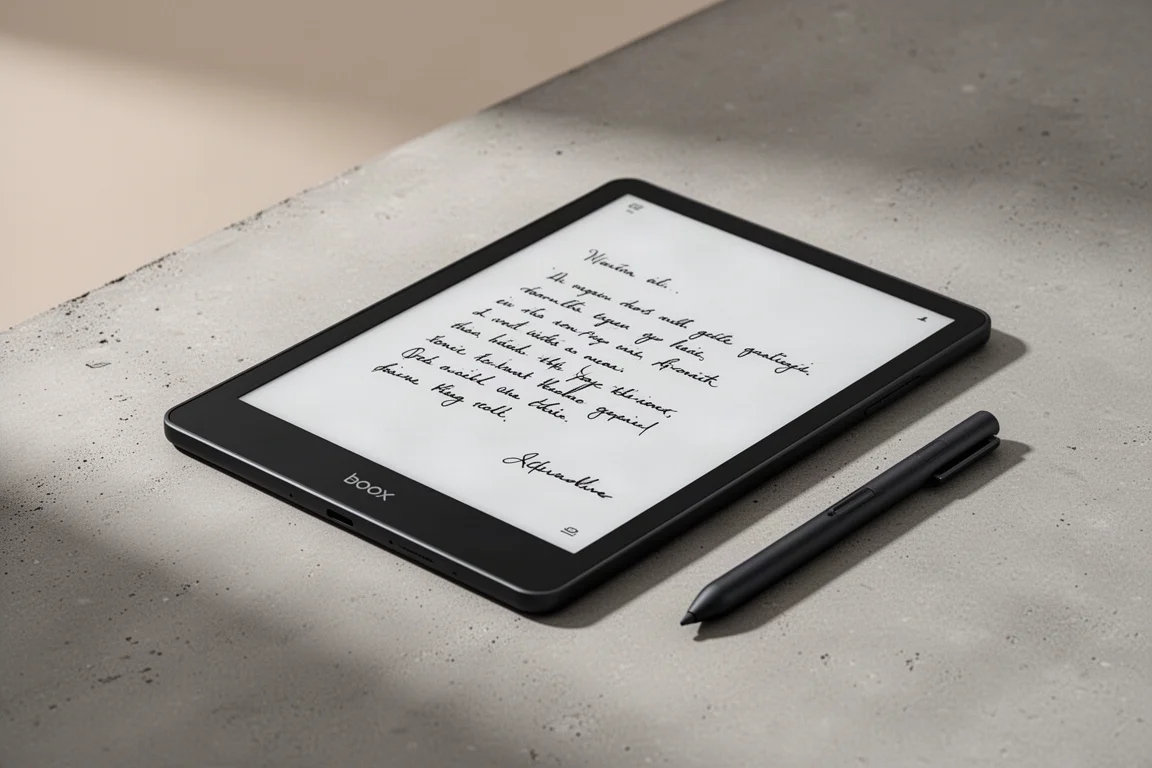
The Go 10.3 Gen II Classic ships with the new Boox InkSense Plus pen, a USI active pen. This replaces the EMR pen used on the Gen 1. The writing experience is largely the same as on the Lumi version, and it is the best writing feel Boox has achieved with an active pen so far.
There is a pleasant level of friction between the nib and the screen, and the overall feel is decent for a USI pen. However, the pen has notable drawbacks. The all-metal body has an oval shape that is not particularly comfortable, and the hard edges can cause finger fatigue during extended writing sessions.

Precision is a bigger concern. The pen relies on software interpretation and optimization, which means it does not always capture fine details accurately. Small curves can come out wavy, and very small handwriting loses its finesse. The calibration can drift over time, and there is no manual recalibration option like there was with EMR pens.
The pen also needs to be charged separately, and it does not charge from the device. If it runs out of power, it will not work until recharged. This adds a maintenance burden that EMR pens did not have.
For casual note-takers, the writing experience is acceptable. For serious writers who rely on precise input, the active pen limitations may be frustrating.
Design, Build, and Portability
The Go 10.3 Gen II Classic shares the same housing as the Lumi version. The design improvements over the Gen 1 are present, including the removal of the logo on the front. The only external difference is that the metal housing on the side is darker on the Classic, matching the darker tint of the included pen.
At 350 grams, the Classic is lighter than the Lumi version, which weighs 364 grams. The weight difference is noticeable in hand, and the device feels comfortable to hold for extended reading sessions. The thickness is around 4.88 mm, which is the same as the Lumi version.
The device includes dual speakers on the bottom, USB-C connectivity, microphones, and auto-rotation support. It has 4 GB of RAM and 64 GB of non-expandable storage, as there is no SD card slot. The 3,700 mAh battery is expected to last a bit longer than the Lumi version because there is no front light to power.

The build quality is solid, and the device feels premium in hand. The magnetic case support is retained, and the overall design remains one of the stronger points of the Go 10.3 line.
Buying Advice
The Boox Go 10.3 Gen II Classic is a good device with clear strengths: a sharp 300 PPI display, a lighter build, and a refined reading experience in HD mode. At $399 with the full package, it offers solid value for those who do not need a front light.
However, the ghosting issue is real and noticeable, especially with graphics-rich content. The active pen, while better than previous Boox attempts, still falls short of EMR precision and requires separate charging. And as with all Boox devices, software updates are an ongoing uncertainty.
If you already own a Go 10.3 Gen 1, this is a marginal update. The improvements are subtle, and the switch from EMR to USI pen technology introduces new compromises. For new buyers who want a large e-ink display for reading and note-taking in well-lit environments, the Classic is worth considering, provided you can live with the ghosting and pen limitations.
Conclusion
The Boox Go 10.3 Gen II Classic delivers a sharp, pleasant reading experience in a lighter package than its Lumi sibling. The reduced surface-to-screen distance improves clarity and immersion, and the build quality remains excellent.
But the ghosting issues and the active pen’s precision problems are significant caveats. This is a device that works well for text-focused reading and casual note-taking, but it struggles with graphics-heavy content and demanding writing tasks. If those limitations align with your expectations, the Classic is a capable choice. If not, it may be worth waiting to see how Boox addresses these issues in future updates.
Product link
View more details for Boox Go 10.3 Gen II Classic
This product is mentioned in the review. Check the specifications, options, and compatibility before buying.
View more details for Boox Go 10.3 Gen II ClassicFurther reading
Related Reviews
E-Readers
Boox Go 10.3 Gen 2: A Deep Dive Into the Writing Experience, Screen Quality, and Everyday Trade-Offs
A detailed look at the Boox Go 10.3 Gen 2, covering the active pen, front light options, ghosting behavior, and how it compares to the Gen 1 and Note Max.

E-Readers
Boox Go 10.3 After OS 4.1: A Detailed Look at What Changed
A hands-on look at the Boox Go 10.3 after the OS 4.1 update, covering the new features, the frustrating bugs, and whether the upgrade is worth the risk.

E-Readers
Boox Go 6 Gen II Review: A Pocket-Sized Reader With Surprising Writing Power
The Boox Go 6 Gen II brings a refined design, a usable stylus experience, and a few notable trade-offs to the compact e-reader segment.