Astrophotography Software
Best Astro Stacking Software Compared: 8 Options for Deep Sky Astrophotography
Eight deep sky stacking programs tested with the same data, compared on cost, usability, features, speed, and final image quality.
Introduction
Image stacking is an essential technique for deep sky astrophotography, and there are many different software packages that can stack your images. Some are free, some are paid, some are fairly easy to use, and some are far more complex. To find out which ones actually deliver, eight stacking programs were put through the same test: identical data, identical settings, and a systematic comparison across six categories.
The Evaluation Criteria
Each program was scored in six categories: cost, operating systems, user interface and user experience (UI/UX), features, speed, and final result. The categories are weighted differently, so the final result is worth ten points while most other categories are worth between three and five points, giving a perfect total score of thirty points.
The same dataset was used for every program, and each stacked result received the same basic processing afterward (photometric color calibration and a histogram stretch) to keep the comparison as fair as possible.
Affinity Photo
Affinity Photo is something like a Photoshop clone, but the interesting part is that current versions include astrophotography stacking built right in under File, New Astrophotography Stack. You can calibrate and stack, then continue working on the result as if it were a normal document in a Photoshop-style editor.
The stacking interface is clean and intuitive: adding light frames is quick, you can examine and reject individual frames with a click, and mono camera shooters can load different filters all at once. The feature set is thinner than dedicated stackers, though. There was no clear explanation of how the “best light frames” percentage evaluates and rejects frames, and multi-night stacking was not obvious. Speed was middle of the pack at 16 minutes 46 seconds for 100 light frames without full calibration. The main issue with the final result was that it did not come out linear, which meant photometric color calibration did not take correctly.
It costs $55 at current pricing, runs on macOS and Windows, and even at full price it is excellent value if you want an editor and stacker in one package.
Astro Pixel Processor
Astro Pixel Processor is one of those programs you either love or hate, and the interface feels decidedly old school with unusual terminology throughout. What it does well is lead you through pre-processing step by step: load your lights, flats, darks, and bias, then calibrate, analyze stars, register, and so on.
The downside of that guided approach is that you have to click through each stage individually rather than setting everything up and pressing one button. It is also the slowest of the eight, taking 34 minutes 23 seconds to calibrate, register, and stack 100 lights with full calibration. On the plus side, the feature set is outstanding with normalization, easy mosaic building, and detailed frame analysis, and the final result was solid at a level comparable to Siril, though with more visible noise than the leaders.
An owner’s license costs $165 with a cheaper rental option, and it runs on macOS, Windows, and Linux. For stacking alone it is hard to justify over faster alternatives, but it remains a strong tool for mosaic building.
ASTAP
ASTAP is the sleeper hit of this comparison. It opens on a rather intimidating blank screen full of unfamiliar options, but click Stack at the top and a much clearer window appears with tabs for lights, darks, flats, flat darks, or bias frames. You can blink and analyze frames if you want to, or simply load your files and hit Stack.
It is completely free, covers all the major operating systems, keeps things easy for basic workflows while offering extras like image analysis and live stacking, and the final result was the second best of all eight programs, just a hair under the leader. The only real criticism is a slightly busy interface where tools like pixel math and photometry could arguably live elsewhere.
At 27 minutes 38 seconds it was on the slower side, but given the outstanding result and zero-dollar price, this is a program more people should check out.
DeepSkyStacker
DeepSkyStacker is the well-known classic, and its genius is consistency. The interface looks exactly the same as it has for years, which means any older tutorial still works, and it stays free. You simply work down the left-hand side of the window, and the defaults are sensible.
It has one of the easiest multi-night interfaces around: adding files to the main group creates a new group tab for each night, and you can calibrate and stack them all together in one go. It also warns you if you have forgotten something, like checking dark flats and offset frames before stacking. Features are basic stacking done well rather than a deep toolbox.
Speed was middle of the pack at 10 minutes 30 seconds, and the final result was on par with Astro Pixel Processor, though zooming in revealed slightly bloated stars compared to the very best outputs. It runs on Windows only.
PixInsight
PixInsight is the most expensive program of the bunch at $230, but it has enormous depth beyond stacking. The test focused on the Weighted Batch Pre-processing script under Script, Batch Processing, which is what most people should be using today. You can point it at a directory and it auto-finds your calibration frames, the calibration page includes helpful flow diagrams, and there are presets for maximum quality or faster runs.
It also includes a genuinely useful diagnostic system that flags errors and warnings before you run, including telling you the estimated working space needed, which matters because PixInsight creates many large intermediate files. The UI has improved so much that it scores well, though it changes often enough that it is not fully consistent. Speed is not its strength at over 20 minutes, but the final result was the favorite of the bunch: sharp with low noise, where most other programs delivered one or the other.
It covers all major operating systems, and if you want advanced stacking options and full manual control, PixInsight has it all.
RegiStar
RegiStar has long been known more as a registration tool for mosaics than a full stacking program, and that impression did not really change. Stacking a set of images required digging through the help files to find sample scripts, copying them into text files, and running separate scripts for pre-processing, registration, and stacking.
The interface was not intuitive even after reading the documentation, and the biggest missing feature was any mention of bias or offset frames or dark flats, with only flats, darks, and lights supported. It cost $99, runs on Windows only, and was middle of the road on speed at around 15 minutes. Most importantly, the final result showed problems with flat fielding on this data, which is disqualifying for deep sky stacking work. For mosaics it may still have a place, but for stacking it is hard to recommend.
Sequator
Sequator is brilliant for landscape Milky Way work where you often stack without calibration frames, but for deep sky it falls short. The interface is easy, with clear prompts to add star images, and it is by far the most beginner-friendly of the paid-and-free field in terms of just getting going.
The problems are the missing features and the result. There is no way to use bias frames, no advanced stacking options, and non-standard naming for darks and flats that takes some decoding. The final output was the least favorite of all eight: it came out stretched rather than linear, and it did not apply darks and flats correctly, showing heavy vertical banding that none of the other programs produced with the same data. It is impressively fast at 2 minutes 34 seconds, free, and Windows only, but for deep sky stacking it cannot be recommended. For Milky Way landscapes it remains a nice tool.
Siril
Siril is under very active development, and its version one release overhauled the interface into a unified modern layout with a nice central viewer and a console that tells you what the program is doing. There are a couple of things to know when you first launch it: you have to set a working directory, and the easiest way to stack is through the scripts.
Once you know how it works, it works well and can be quite easy, but it is not intuitive without some instructional material. Feature-wise, what is missing is a built-in GUI pre-processing system like other programs offer, though the sample scripts do work very well, and some users actually prefer the script approach. Speed was outstanding: fastest of all eight at 2 minutes 25 seconds.
The final result scored on par with Astro Pixel Processor, sharp but with more visible noise than the top two. It is completely free and runs on all the major operating systems, which makes it an easy program to try.
Final Rankings and Recommendations
With all eight programs tested, the totals told an interesting story. PixInsight squeaked out the win: the final result was very impressive and the feature set is unmatched, and even though it is a little slow, for many people stacking in PixInsight is worth it, though not everyone will find it worth the price for stacking alone.
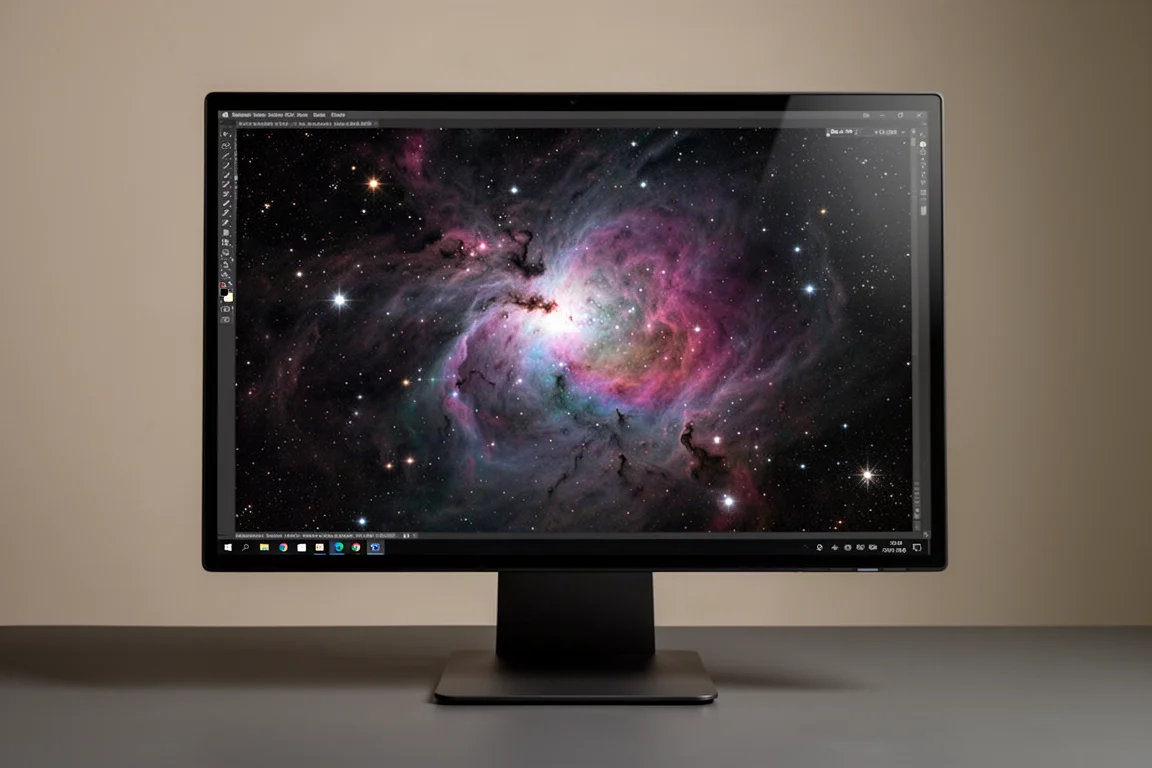
Siril scored very highly as expected because it covers a lot of bases well, and DeepSkyStacker also ranks near the top. The big surprise was ASTAP, a free program many people know only as an offline plate solver, which delivered an amazing result across the board.
Astro Pixel Processor was slow and produced a result on par with Siril, which was roughly ten times faster, so it is harder to recommend purely for stacking even though it excels at mosaic building. Affinity Photo is a cool all-in-one package if you already like Photoshop-style editing. The two that are not recommended for deep sky stacking are RegiStar and Sequator, which simply did not deliver good results with this data, even accounting for the possibility of user error.
Conclusion
If you want the best results and maximum features and can accept the price and learning curve, PixInsight is the leader. If you want outstanding results for free, ASTAP and Siril are the standouts, with DeepSkyStacker still a dependable classic for simple stacking. Match the tool to your workflow: mosaics favor Astro Pixel Processor, all-in-one editing favors Affinity Photo, and landscape Milky Way shots favor Sequator, but for serious deep sky stacking, the top of this list is where to look.
Product link
View more details for Affinity Photo
This product is mentioned in the review. Check the specifications, options, and compatibility before buying.
View more details for Affinity PhotoFurther reading
Related Reviews
Astrophotography Software
AstroWizard vs Siril vs PixInsight: A Practical Comparison for 2026
We compare three astrophotography processing tools across real images, looking at ease of use, control, and final results.
Astrophotography Software
RC Astro Tools Standalone: Blur, Noise, and Star Exterminator Explained
RC Astro's Blur Exterminator, Noise Exterminator, and Star Exterminator are now available outside PixInsight, bringing advanced processing to free software like Siril.
Astrophotography Software
Affinity V3 for Astrophotography: A Free Photo Editor That Takes Deep Sky Processing Seriously
A hands-on look at the new free Affinity by Canva for deep sky astrophotography, including stacking, star removal, and noise reduction workflows.