Audio Equipment
Rode Wireless Pro Review: Dual Microphones and 32-Bit Float Recording for Content Creators
The Rode Wireless Pro adds separate audio level control, 32-bit float backup recording, and dual lavalier microphones. A detailed look at what works, what doesn't, and who should consider it.
Introduction
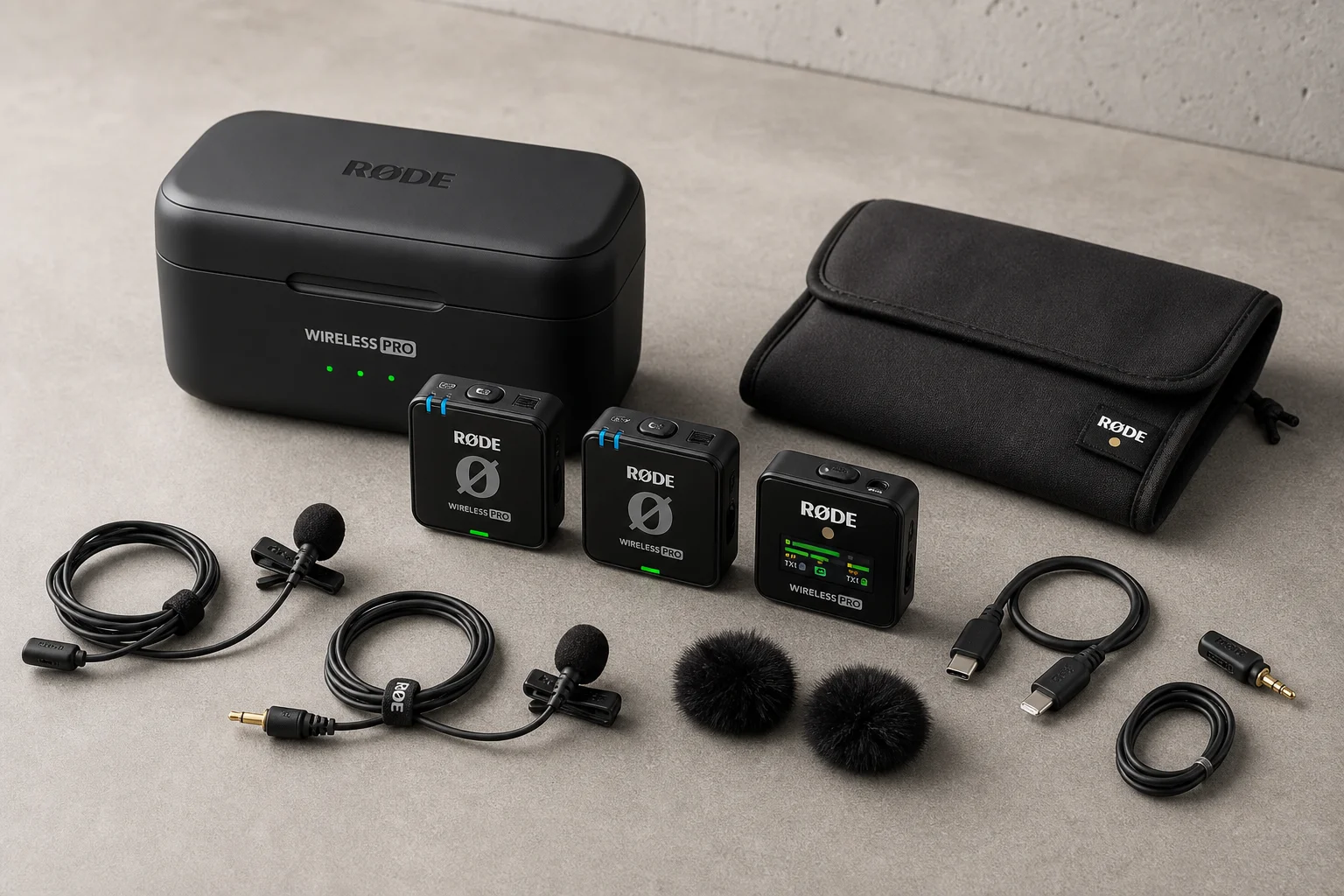
The Rode Wireless Pro represents a significant update to Rode’s wireless microphone lineup. Building on the foundation of the Wireless Go and Wireless Go II, this system introduces features that address long-standing requests from content creators: separate audio level control for each microphone channel, 32-bit float internal recording, and a more comprehensive accessory package. For creators who rely on wireless audio capture, these additions merit serious consideration.
Dual Microphone Setup and Separate Audio Level Control
The most practical improvement in the Wireless Pro is the ability to set independent audio levels for each of the two included lavalier microphones. Previous Rode wireless systems lacked this fundamental control, forcing users to manage both channels at the same level or adjust audio in post-production.

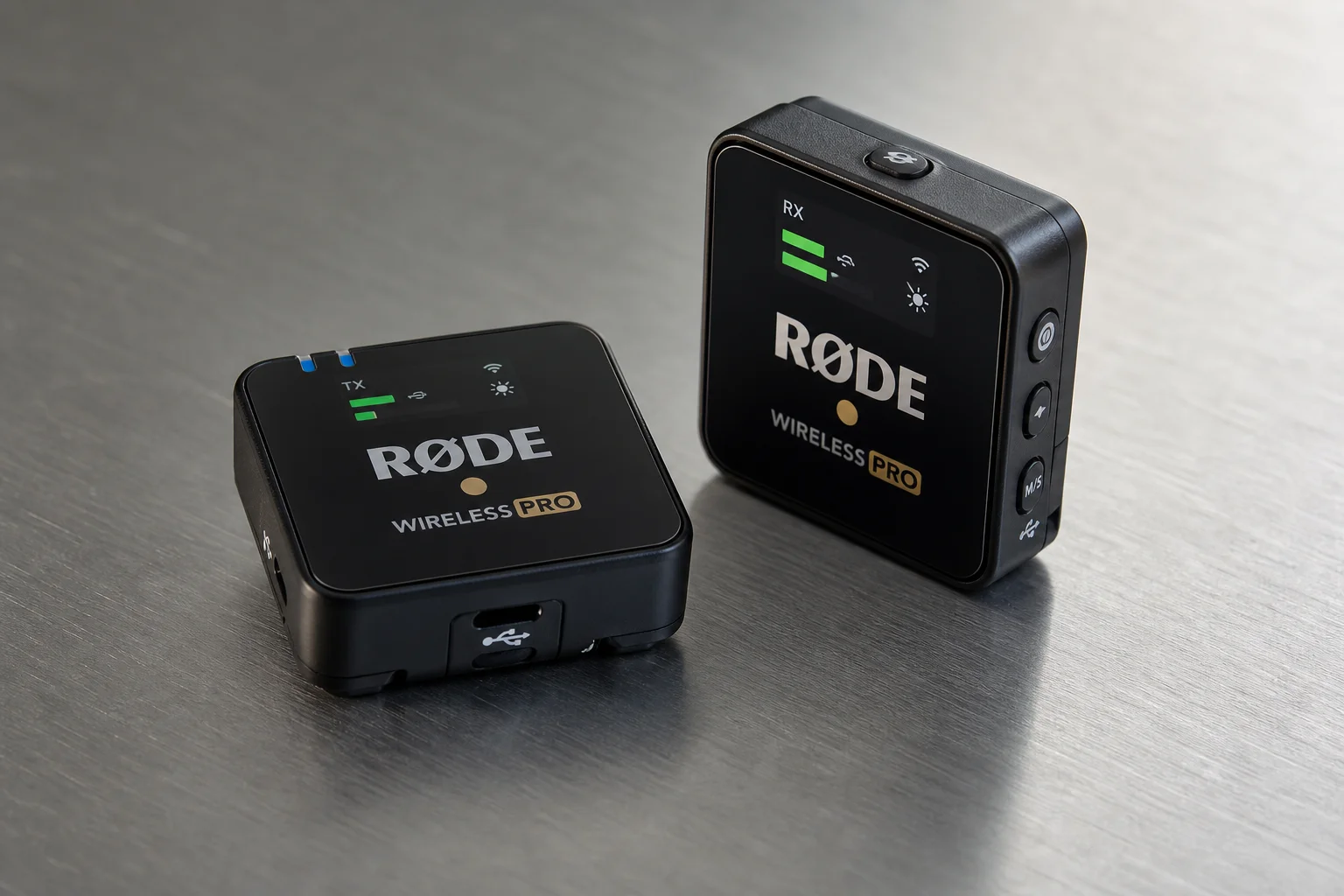
With the Wireless Pro, you can set Channel 1 to 20dB and Channel 2 to 10dB directly on the receiver, or adjust levels via the companion app. This flexibility proves invaluable when recording two speakers with different microphone placement or voice projection. The receiver also allows you to adjust the output level sent to your camera, giving you control at both the source and output stages.
The dual microphone setup itself is straightforward: two wireless transmitters pair with a single receiver that connects to your camera via a 3.5mm jack. Each transmitter can be clipped to talent or positioned as needed, and both feed into the same receiver unit.
32-Bit Float Recording and Backup Audio
The Wireless Pro records internally at 32-bit float resolution, a feature that fundamentally changes how you approach backup audio. Unlike standard 16-bit or 24-bit recording, 32-bit float captures audio with such a wide dynamic range that clipping becomes nearly impossible. If your camera’s audio clips during recording, you can recover clean audio from the Wireless Pro’s internal backup recording and adjust the level in post-production without audible noise degradation.
This is particularly valuable for unattended recording or situations where you cannot monitor audio levels in real time. Set your camera audio to a safe level, and let the Wireless Pro capture a full-resolution backup. If your camera clips, you have a failsafe. If your camera’s audio is too quiet, you can boost the backup recording in editing with minimal noise penalty. The previous Wireless Go II included internal recording but lacked the 32-bit float advantage.
The 32-bit float recording is stored internally on the transmitters and receiver. You can access these files by connecting the charging case to your computer via USB, which mounts as an external drive.
Accessories and Charging Case Design
Rode has significantly expanded the accessory package. The Wireless Pro ships with a soft charging case, two lavalier microphones, a magnetic clothing clip, a cleaning cloth, and a USB-C cable. The charging case can power all three units (two transmitters and one receiver) twice over, providing up to 21 hours of total recording time across multiple charging cycles.
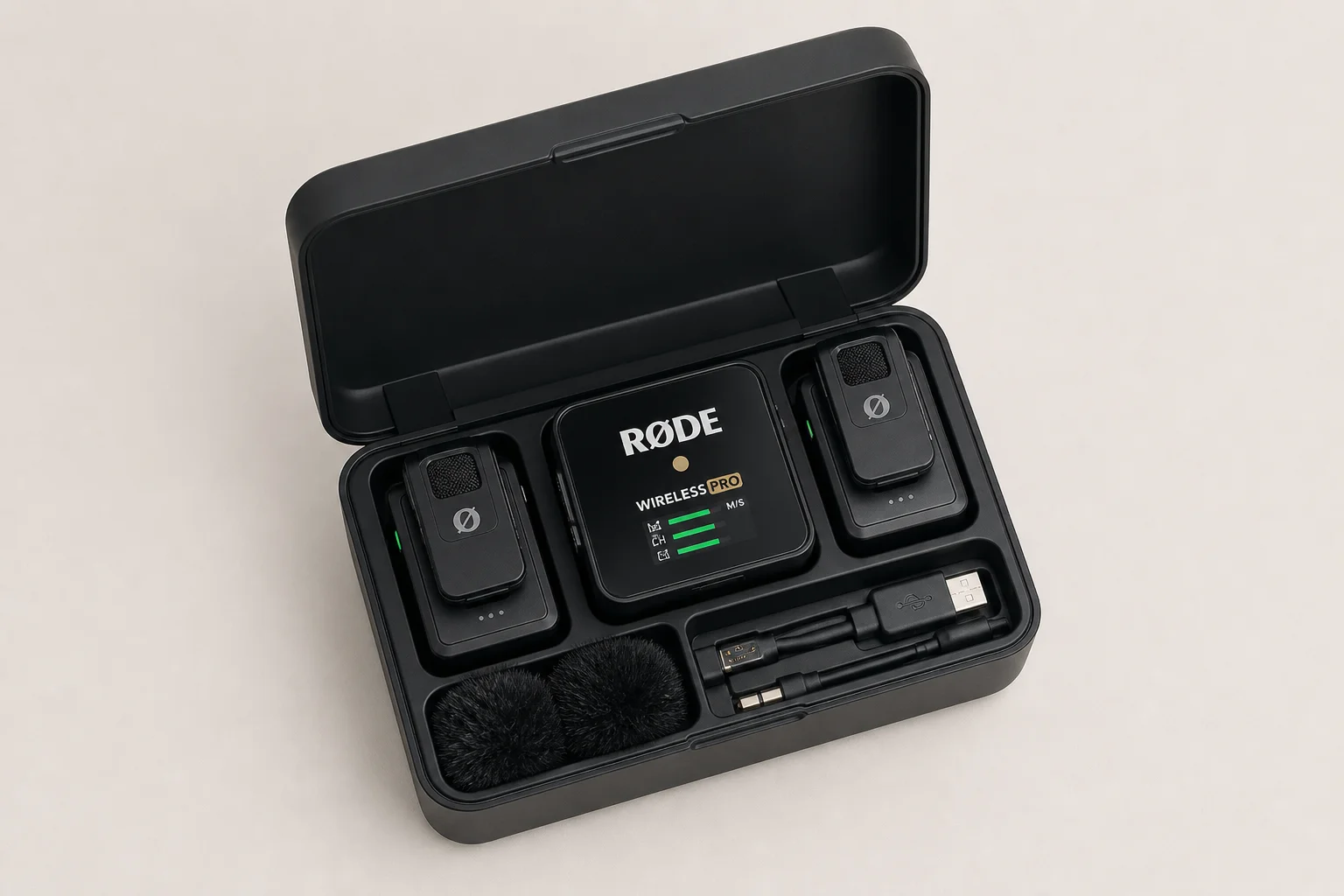
However, the charging case has a notable design quirk: after inserting the transmitters and receiver, the camera connection cable does not fit inside. You must carry the cable separately, which undermines the convenience of an all-in-one case. This appears to be an oversight from the previous generation, which used a flat cable that fit inside the case. The current telephone-style coiled cable does not.
The included lavalier microphones are described as “low profile,” though their appearance with the phone pop filter is bulkier than expected. The locking plug pin mechanism, intended to secure the microphone connection, proved difficult to engage reliably during testing. For most users, simply plugging the microphone in without the locking mechanism is likely sufficient.
Timecode Synchronization and Advanced Features
The Wireless Pro includes timecode generation capability, allowing you to embed timecode into your audio recordings and synchronize it with your camera via the audio cable. This is useful for multi-camera productions where precise synchronization is critical. However, timecode setup requires a computer or smartphone app; you cannot configure it directly on the receiver.

The receiver also features automatic power-on when your camera supplies phantom power, eliminating the need to manually power on the receiver before recording. Additional controls include LED brightness adjustment, marker buttons, and record/pause functions accessible via the receiver’s buttons or the companion app.
For most content creators, timecode is an advanced feature that adds complexity without immediate practical benefit. If you are not already working with timecode-enabled cameras, this feature can safely be ignored.
Battery Life and Longevity Considerations
Each transmitter and the receiver offer 7 hours of continuous battery life on a single charge. The included charging case extends this significantly, providing two full charge cycles for all three units. Based on real-world usage of the previous Wireless Go II over 2.5 years, battery capacity degrades over time; expect the 7-hour rating to decline to 3-4 hours after 2-3 years of regular use.
The internal battery design means eventual replacement will require sending the unit to Rode for service. This is a trade-off for the compact form factor; alternative systems using AA batteries avoid this issue but are bulkier and less refined.
Comparison and Value
The Wireless Pro is positioned between the more affordable Wireless Go II and premium alternatives like the DJI Mic. It costs approximately $70 more than the DJI Mic but includes two lavalier microphones (each worth $99 separately), making the overall value proposition competitive. The Wireless Go II remains a solid budget option at $30 less than the DJI Mic, though it lacks the separate level control and 32-bit float recording of the Pro.
Rode’s commitment to manufacturing in Australia and maintaining a focused product lineup dedicated to audio equipment distinguishes it from competitors who have recently entered the wireless microphone market. The Wireless Pro represents an incremental but meaningful evolution of a proven design.
Conclusion
The Rode Wireless Pro delivers on the features that content creators have requested: independent audio level control for each microphone and 32-bit float backup recording. These additions make it a more capable system than its predecessors, particularly for multi-speaker scenarios and unattended recording. The expanded accessory package and charging case add practical value, though the case design oversight is frustrating.
The system is best suited for creators who regularly record multiple speakers, need reliable backup audio, or want the flexibility of separate level control. If you are already satisfied with the Wireless Go II or prefer a simpler, more affordable option, the Wireless Pro’s additional features may not justify the upgrade. For new buyers prioritizing audio reliability and control, it is a thoughtful choice.
Product link
View more details for Rode Wireless Pro
This product is mentioned in the review. Check the specifications, options, and compatibility before buying.
View more details for Rode Wireless ProFurther reading
Related Reviews
Audio Equipment
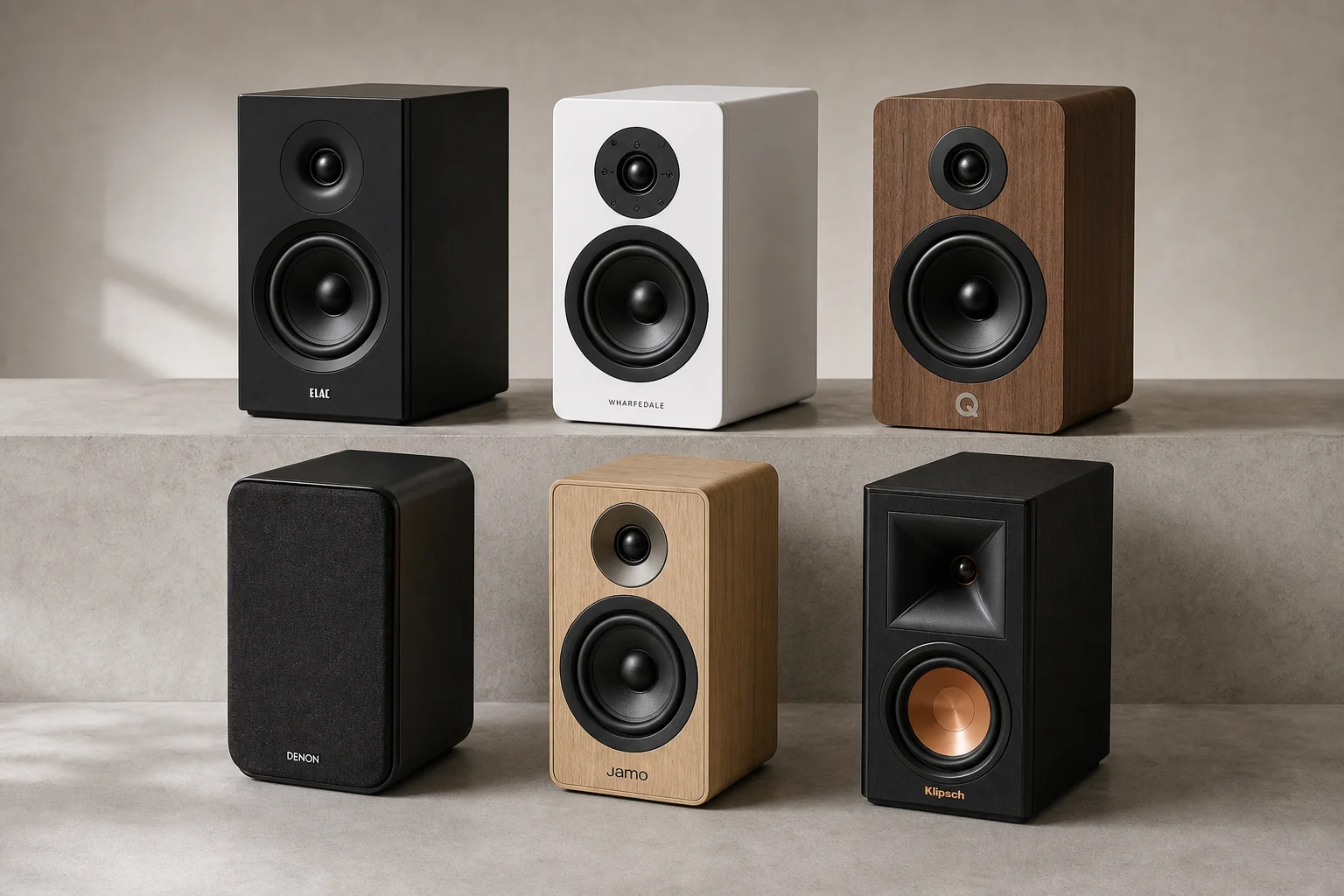
Best Bookshelf Speakers Under $1,500: Six Standout Models for Every Priority
Six passive bookshelf speakers under $1,500 that deliver premium build quality, meaningful sound improvements, and real value across vocals, bass, home theater, detail, design, and overall performance.
Audio Equipment
Best Bookshelf Speakers Under $500: Six Versatile Options for Any Room
A practical guide to six bookshelf speakers under $500, each suited to different listening priorities and room setups, from compact desktop systems to home theater configurations.
Audio Equipment
Best Budget Bluetooth Speakers: 5 Models That Actually Sound Good
Five affordable Bluetooth speakers tested for real-world sound quality, durability, and value. From ultra-portable to feature-rich, find the right speaker for your budget and use case.