3D Printing
Qidi Q2 3D Printer Review: Solid Entry-Level Performance with Multimaterial Complexity
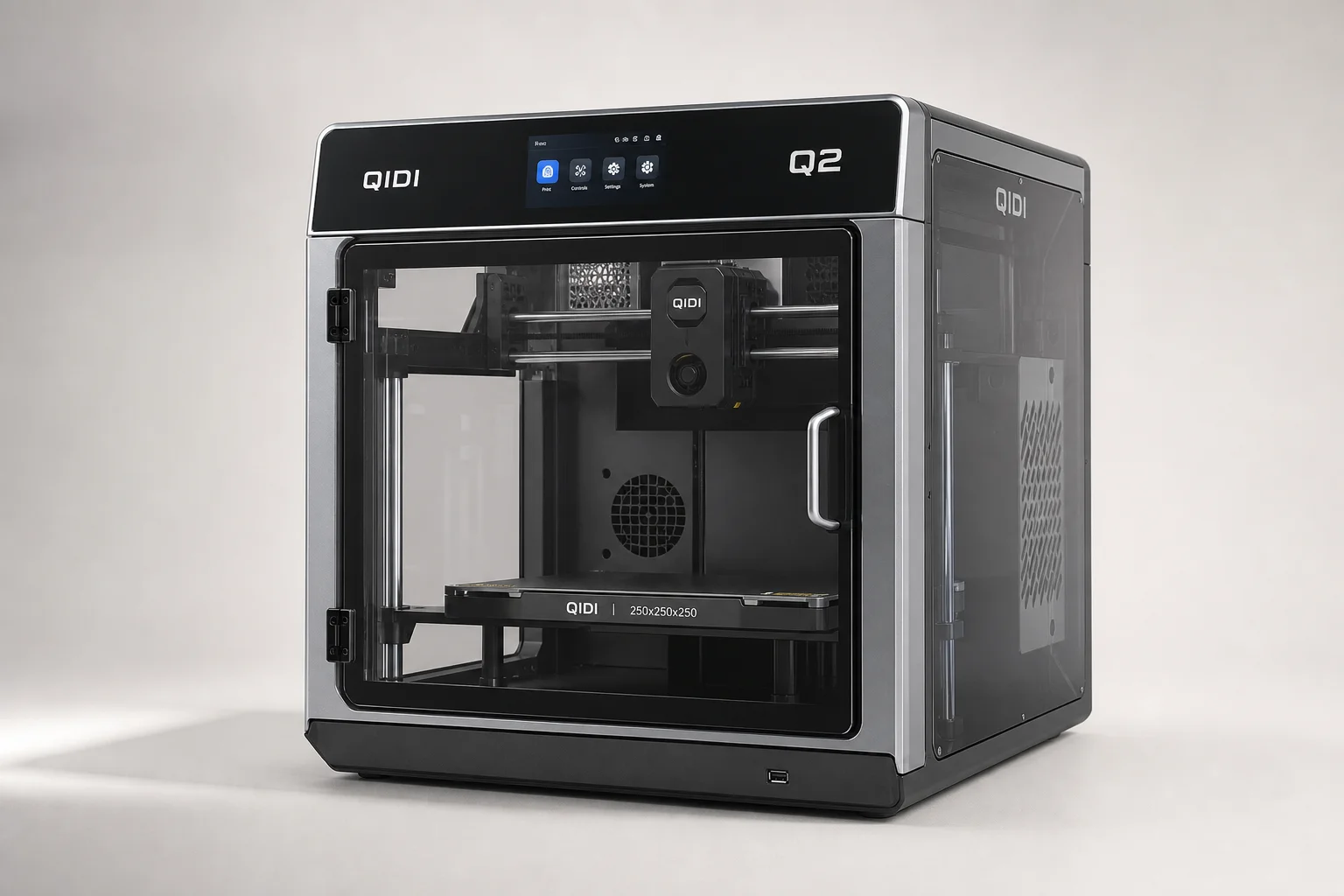
The Qidi Q2 is a capable enclosed CoreXY printer with good build quality and a responsive interface. Adding the Qidi Box multimaterial unit works but requires significant hardware modifications that complicate the setup experience.
Introduction
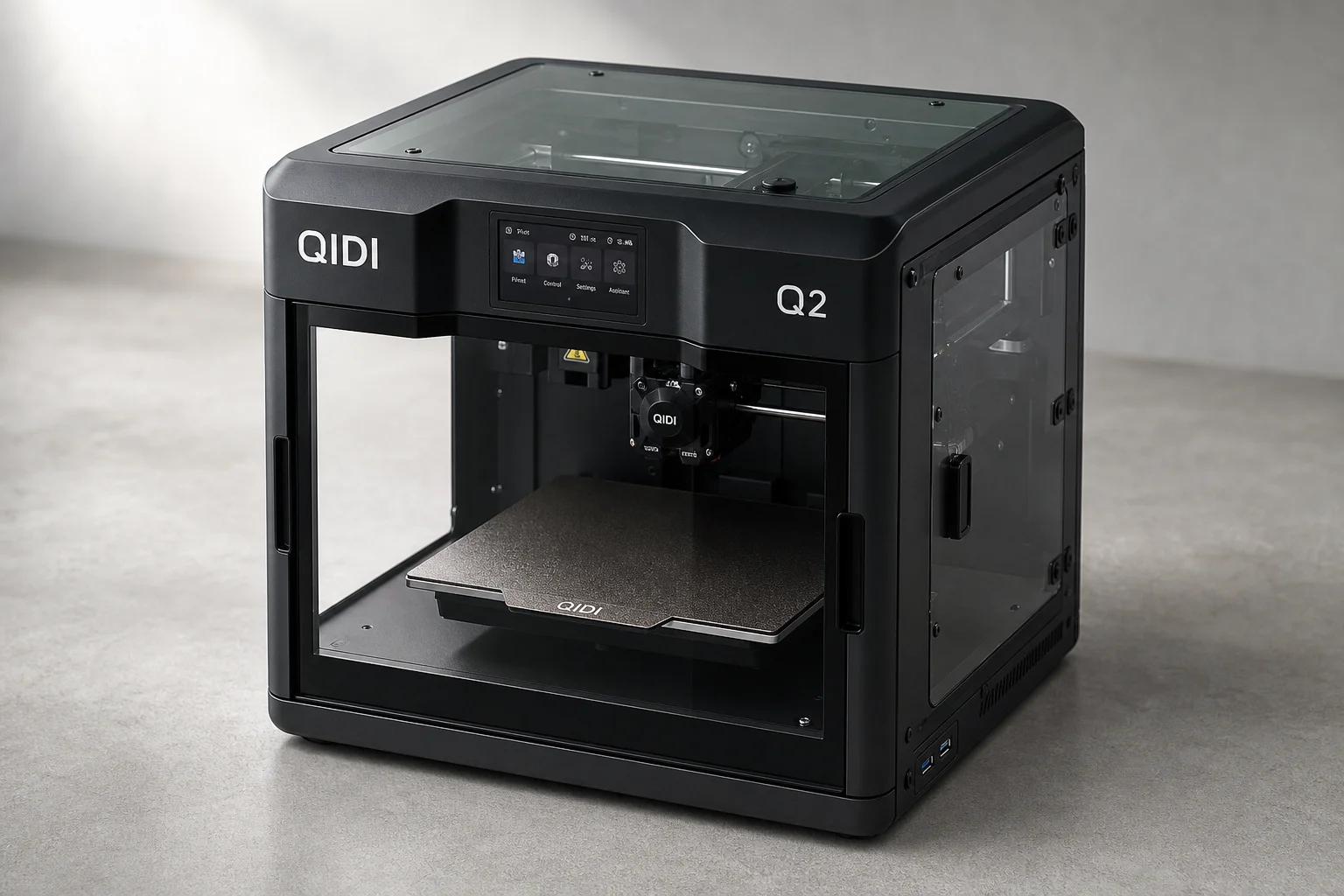
The Qidi Q2 is a fully assembled enclosed CoreXY printer designed as an entry-level machine. It ships with a responsive touchscreen interface, active enclosure heating, and an internal camera for monitoring. The optional Qidi Box adds multimaterial capability, turning the Q2 into a four-color system with integrated filament drying. After several days of testing both the printer and the multimaterial unit, the Q2 proves to be a capable machine with straightforward operation, but the Qidi Box installation process introduces unexpected complexity that undermines the plug-and-play experience.
Setup and First Impressions
Getting the Q2 running is straightforward. The printer arrives fully assembled, requiring only the removal of four bed-holding screws, connection of the screen cable, and power connection. A First Run wizard guides you through language selection, bed raising for packing foam removal, and tool head preparation. The printer then runs an 18-minute self-test and calibration cycle that includes input shaping, which produces audible vibration measurement noise as the system learns to counteract vibrations during high-speed printing. Wi-Fi connectivity is offered during setup, and the process is accessible even for users new to 3D printing.
The touchscreen is a 4.3-inch color display that feels responsive and well-organized. Navigation through menus for print control, filament management, and system settings is intuitive. The printer supports both Wi-Fi and wired Ethernet connectivity, which is a practical addition for users who prefer stable network connections.
Print Quality and Test Results
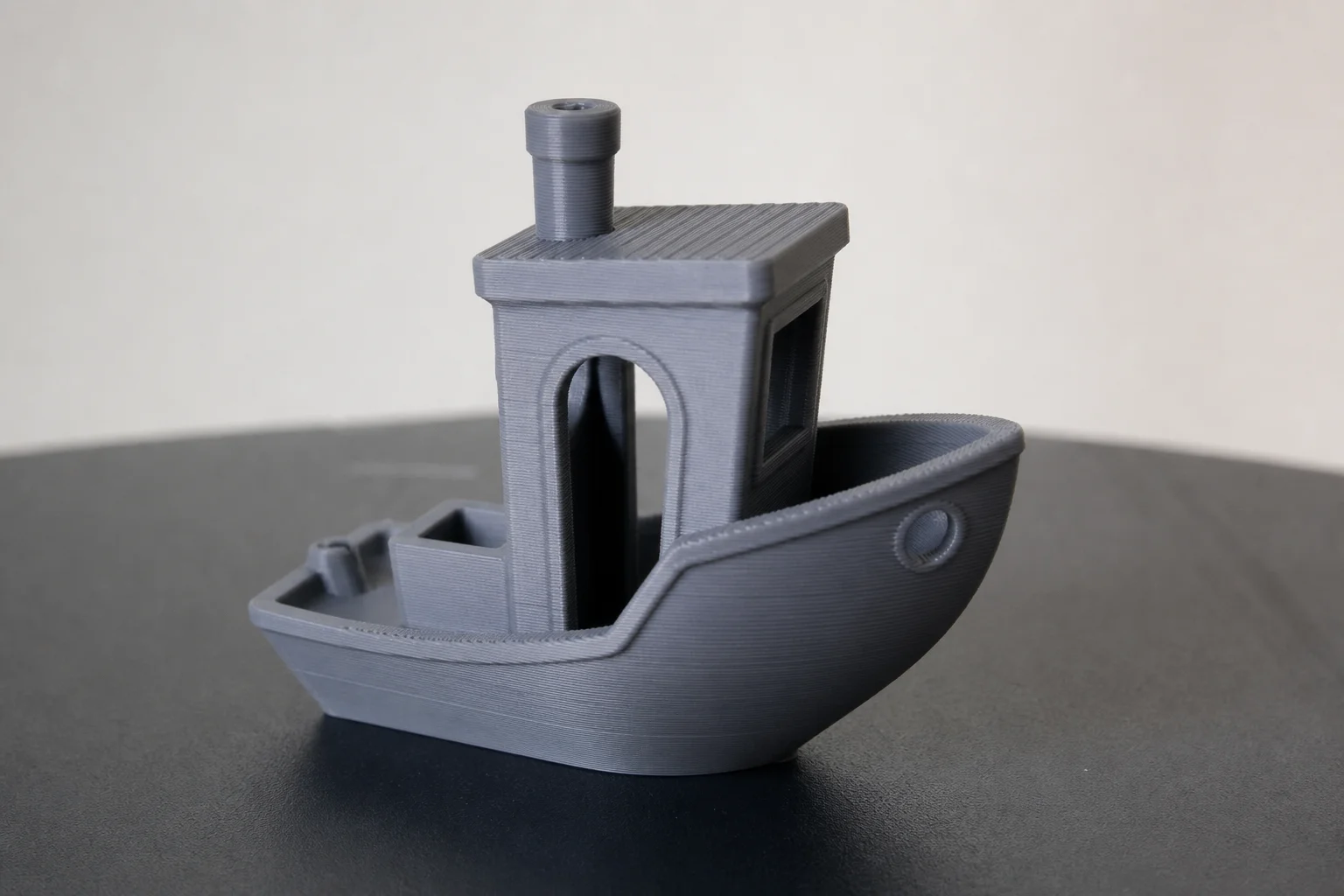
The first test print was a 17-minute Benchy from the printer’s onboard file library. The print completed in 26 minutes when accounting for preheating and bed probing. The result shows minor ringing and stringing typical of speed-optimized slicing, with a noticeable Z-seam on the stern. For a rapid test print, the quality is acceptable and demonstrates that the printer’s first-layer calibration works reliably.
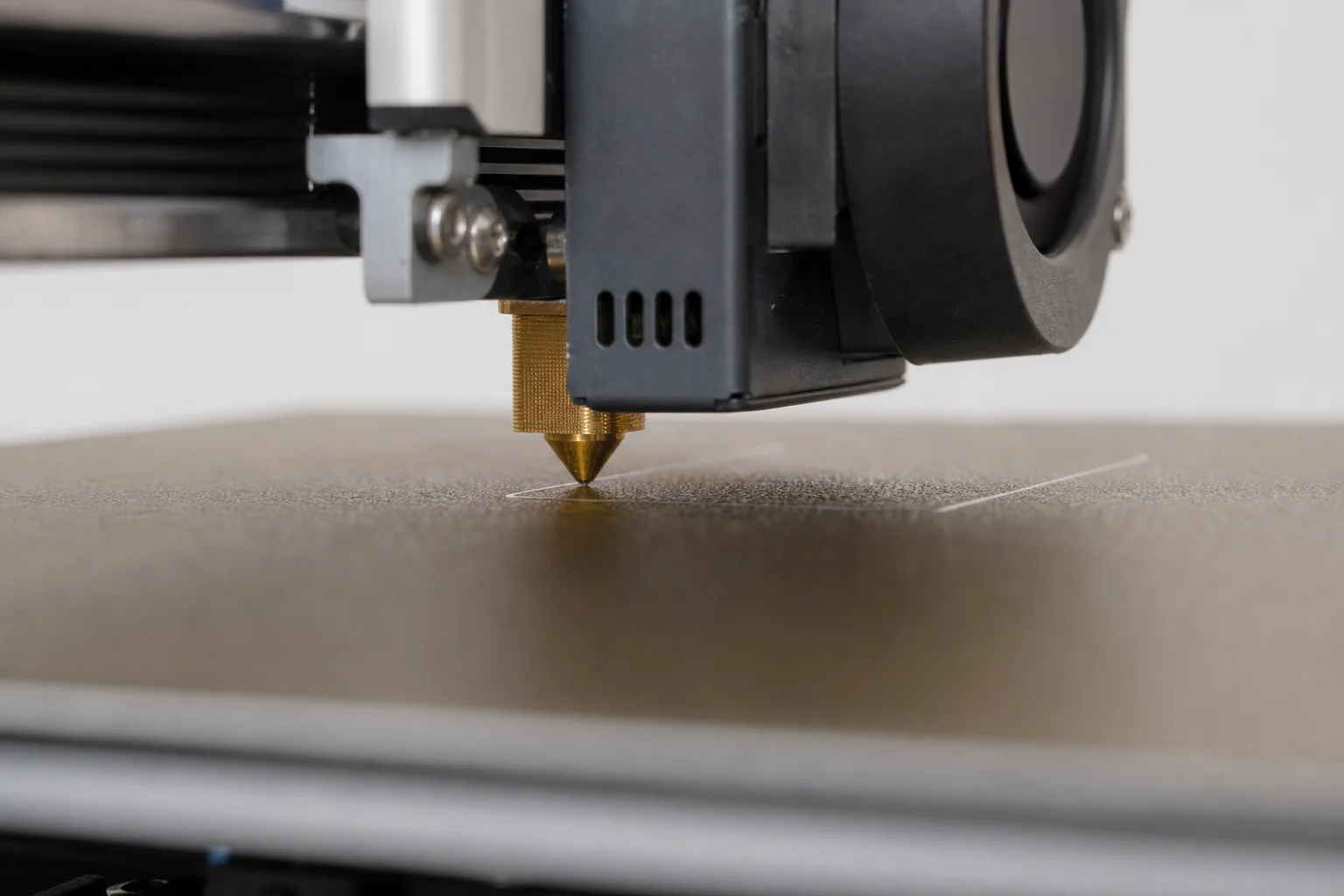
Subsequent single-material prints, including a Qidi logo in 3D Solutech See Through Blue PLA and a purge-waste chute, all produced clean first layers and dimensionally accurate results. The printer’s nozzle-based bed probing system delivers consistent first-layer adhesion across multiple prints.
Multimaterial Setup and Installation
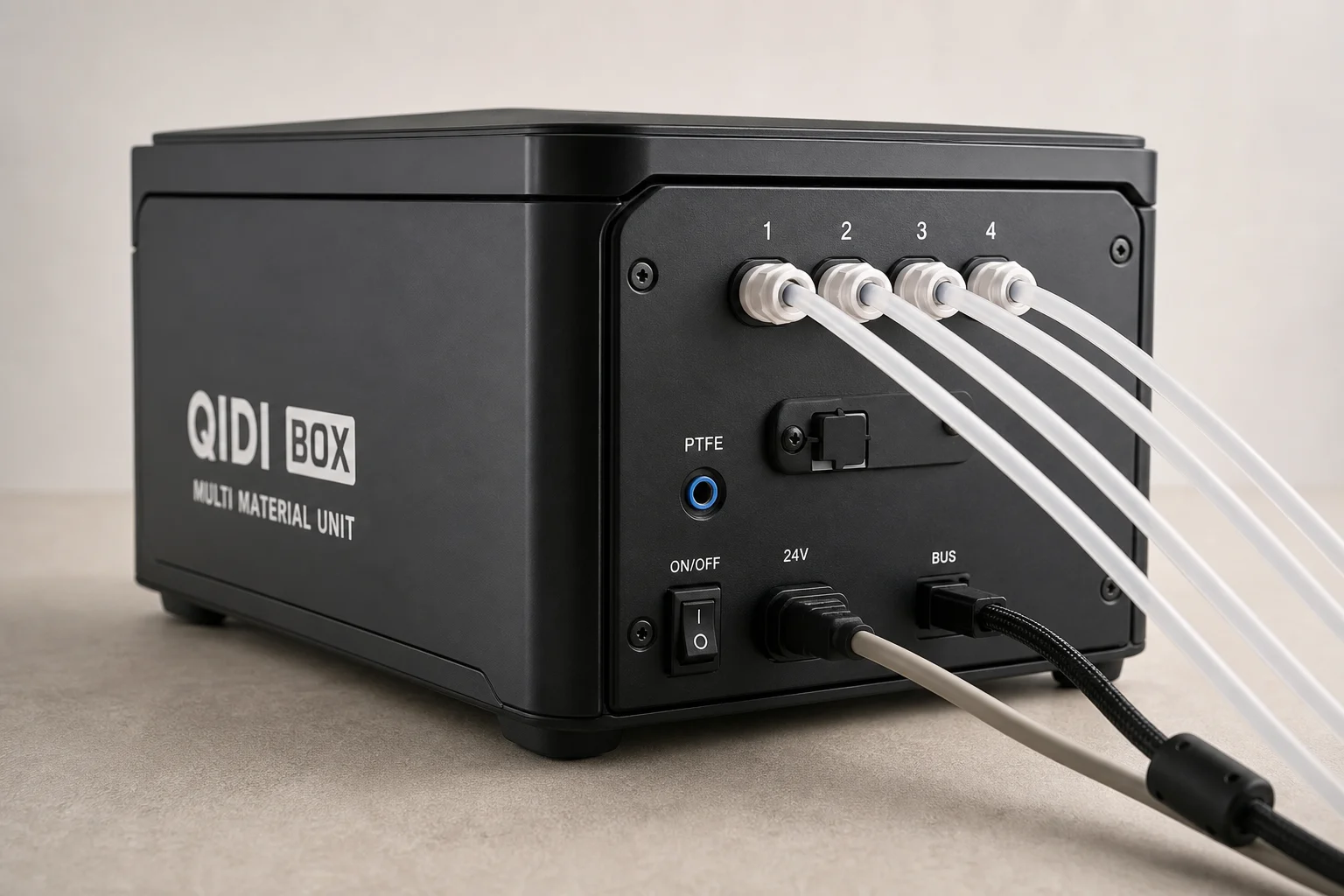
Installing the Qidi Box requires more hardware modification than typical multimaterial systems. The process involves swapping the metal waste chute plate, replacing the filament runout sensor, removing the original PTFE tube, and rerouting a new tube through the riser. After these modifications, you install the Qidi Box Hub, connect four PTFE tubes between the hub and the box, attach three cables, and plug in power. The end result uses four PTFE tubes and three cables, creating a more complex routing arrangement than single-cable-and-tube systems from other manufacturers.
The riser assembly snaps together and provides venting, though its necessity is questionable. Opening the front door or sliding the top glass back has more measurable impact on enclosure cooling than the riser vents alone. The overall setup feels more involved than necessary for what is marketed as a simple add-on to an entry-level printer.
Multimaterial Print Quality
Loading filament into the Qidi Box is simple: push the filament in and it feeds through automatically. Ejection is controlled from the touchscreen. The box dries filament during printing, and the system supports up to four boxes for 16-color capability. RFID-enabled Qidi spools allow the slicer to automatically recognize filament type and color, though third-party filament works as long as it fits and the printer can handle the material specifications.
A multicolor CaliDragon model printed at 200 percent scale revealed the reality of single-nozzle multimaterial printing: significant purge waste. The finished model weighed 26 grams, but the priming tower and purge waste totaled 36 grams, resulting in 62 grams of total filament consumption. Adjusting flushing values to reduce color bleeding between red and green filament increased waste to 64 grams total, a necessary trade-off for cleaner color transitions.
The first dragon showed minor red-to-green color bleeding and cooling-related surface finish issues on the right side of the face. Increasing flushing values, repositioning the model closer to the auxiliary cooling fan, rotating the model into the airflow, pushing back the top glass, and opening the front door all improved the second print noticeably. The second dragon showed significantly less color bleeding and better surface finish, demonstrating that the system is tunable but requires experimentation.
What Works Well
The Q2 itself is a solid entry-level printer. Initial setup is straightforward, the touchscreen interface is well-designed and responsive, and the build volume of 270 x 270 x 256 mm is practical for many projects. The enclosed design with active heating (maintaining 65°C), glass door and side windows, and internal lighting all contribute to a professional user experience. The double-sided powder-coated PEI flex plate and hardened steel nozzle capable of 370°C support a wide range of materials. Ethernet connectivity alongside Wi-Fi provides flexibility for network integration.
The Qidi Box itself functions as intended: it holds four spools, dries filament during printing, and integrates with the printer’s interface for straightforward filament management. The internal power supply is a practical design choice that eliminates a separate power brick.
Things to Consider
Time estimates in QidiStudio slicer software are optimistic. A print estimated at 3.5 hours took 4 hours, suggesting the slicer does not account for all factors affecting actual print duration. Most modern slicers provide more accurate estimates, so this is a notable gap.
The biggest friction point is the hardware modification required to install the Qidi Box. Replacing sensors, swapping chute plates, and rerouting PTFE tubes through a riser is significantly more involved than typical multimaterial add-ons. For users new to multimaterial printing, this complexity may feel like standard practice, but compared to other systems, it is unnecessarily complicated. A future revision that integrates the hub into the box’s enclosure and pre-installs the correct runout sensor and waste chute would eliminate much of this friction.
Purge waste is inherent to single-nozzle multimaterial printing and cannot be avoided without tool-changing or nozzle-swapping technology. The 26-gram model generating 36 grams of waste is typical for this approach, though it is worth understanding before committing to multicolor prints.
Conclusion
The Qidi Q2 is a capable entry-level enclosed printer that delivers reliable first-layer calibration, responsive controls, and good print quality for single-material work. The Qidi Box multimaterial unit works as designed and adds genuine four-color capability with integrated filament drying. However, the installation process requires substantial hardware modifications that complicate the experience and undermine the simplicity expected from an add-on system. For users seeking a straightforward single-material printer, the Q2 is a solid choice. For those wanting multimaterial capability, the Q2 plus Qidi Box combination works, but expect a more involved setup than other multimaterial systems offer.
Further reading
Related Reviews
3D Printing
3D Printer Wishlist 2026: Industry Hopes and Manufacturer-Specific Improvements
A comprehensive review of what the 3D printing industry needs in 2026, from universal standards to manufacturer-specific feature requests across leading brands.
3D Printing
3D Printing Trends 2026: Multi-Material Systems, Stronger Filaments, and Desktop Metal Casting
FormNext 2025 revealed the direction of 3D printing in 2026: accessible multi-material printers, high-strength filaments, and innovative software solutions that bring industrial capabilities to the desktop.
3D Printing
Bambu Lab 3D Printer Lineup 2025: Which Model Fits Your Needs
A comprehensive breakdown of Bambu Lab's current printer lineup, from mid-range workhorse models to flagship multifunction machines, with honest trade-offs for each.