TVs
LG C5 OLED Review: Fifth-Generation C-Class Picture Quality and Gaming
The LG C5 OLED pairs near-reference factory picture modes and 144Hz gaming with real brightness limits worth understanding before you buy.
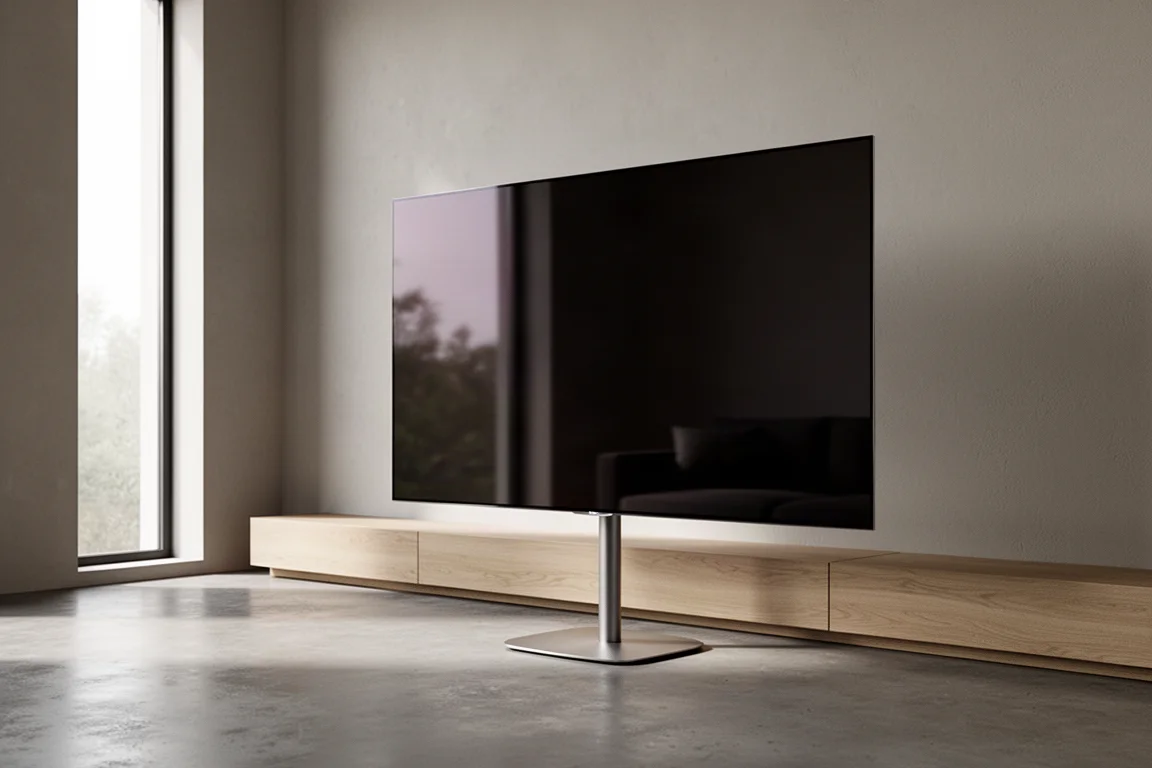
Introduction
LG’s C-Class has been the mainstream OLED to beat for five generations, and the C5 arrives as the fifth iteration of that mid-tier line. It is sold in six sizes from 42 to 83 inches, all built around LG’s Alpha 9 AI Processor 4K Gen 8, which carries the same AI upscaling and processing claims that LG’s competitors are also pushing.
Because the C5 is an OLED, every pixel illuminates itself. There is no LED backlight and no local dimming zones, and that is where the panel’s contrast behaviour comes from: true-to-life contrast, absolute black, and no blooming around bright objects on dark backgrounds. Add a reputation for accurate colour, motion handling rated up to 144Hz, and support for HDR formats including Dolby Vision, and it is easy to see why each new C-Class release draws attention.
This article covers what the C5 does exceptionally well, where it asks for compromise, and who should seriously consider it.
Who This TV Is For
The C5 makes the most sense as a primary viewing television in a room where you have at least some control over light. It suits film and series viewers who care about colour and grayscale accuracy without paying for a professional calibration, and it suits gamers who want OLED motion behaviour, 144Hz support, and four HDMI 2.1 ports for current consoles and PCs.
It is also the natural upgrade for anyone still running an older LG OLED. Compared with the C2, the C5 is a clear step up in design, and it is a definite improvement in build quality over LG’s entry-level B series. If the television sits in a bedroom, an office, or another secondary space where light is easy to manage, the step up is real but smaller in practical terms.
Six sizes spread from 42 to 83 inches, which makes it straightforward to match the panel to the room rather than forcing a single size to fit every space. Smaller sizes suit desks, bedrooms and secondary rooms, while the larger panels are aimed at dedicated viewing rooms where seating distance allows.
Main Strengths
The C5’s strongest argument is that it arrives accurate, and that accuracy is available in a picture mode you can select on day one rather than one you have to pay a calibrator to unlock.
Picture Accuracy Out of the Box
Out of the box the set defaults to an energy saving picture profile, and that mode is not especially accurate. In standard dynamic range it measured a margin of error of 17 for grayscale and close to 9 for colour, well beyond the delta E of 3 that separates a factory-calibrated display from an uncalibrated one. The fix is simple: profiles labelled cinema or movie are the usual starting point across brands, and on the C5 the cinema profile measured a delta E of 2.5 for grayscale and 1 for colour, which already qualifies as calibrated from the factory.
The filmmaker profile goes further still, measuring a delta E of 1.3 for grayscale and 1 for colour in SDR. Across SDR test patterns and real content the results were near perfect, the kind of numbers normally seen only after a lengthy manual calibration. Switching the signal to HDR produced equally impressive results, so HD and 4K content in standard dynamic range, HDR films, and Dolby Vision material all hold up from a colour and grayscale standpoint.
Contrast, Viewing Angles, and HDR Brightness
Self-emissive pixels give the C5 its defining behaviour. Black is genuinely black, there is no blooming around bright highlights, and colour, contrast, and luminosity hold up as you move off-axis, which is more than most LED backlit displays manage.
Brightness is the more nuanced part of the story. The C5 can reach peaks of around 1,000 nits and a little beyond when displaying HDR content, but only in small areas and for brief periods. Its automatic brightness limiter is less aggressive than the one on the more budget-friendly B4, yet it still cannot hold maximum output for more than a few seconds. In practice, sustainable brightness sits closer to 600 to 700 nits in SDR and 800 to 900 nits in HDR. That is plenty for a darkened room and for rooms with some ambient light, and the throttling is rarely obvious with factory settings. Push tone mapping and dynamic brightness and contrast settings to their maximum, however, and the dimming becomes easier to notice.
Gaming Performance
Gaming is one of the C5’s clearest strengths. It senses a console signal and switches into its game profile automatically, presenting a custom quick menu dashboard. That gaming menu is straightforward and responsive, and the set passed the console benchmarks thrown at it without issue.
In fast-moving gameplay there was no detectable lag, delay, or stuttering, and rapid camera pans looked slightly smoother than on the TCL QM7K reference set. Dark scenes held up with strong contrast and no loss of detail. The one caveat is ambient light: with the screen positioned in line with a window, the picture can be overpowered and harder to follow. With lighting controlled, brightness is more than sufficient, and the overall gaming experience edges out the reference LED set. The only real trade-off is scale, since a larger screen still delivers more immersion.
Design and Build Quality
The C5 is wafer thin around the top and sides of the screen, with a modest square protrusion on the rear that houses the hardware, speakers, and connections, including four HDMI 2.1 ports. OLED panels are thinner and more fragile than LED equivalents, so arranging a second pair of hands during installation is sensible, although the 65-inch model can be set up by one person.
The set also pairs cleanly with the Canvas all-in-one soundbar and stand, requiring no additional adapters or bracket modifications, with a single HDMI cable running from the television’s HDMI ARC and eARC port. Consoles and streaming devices can be connected directly to the TV and tucked away inside the stand for a tidier installation.
Things to Consider Before Buying
Built-in Sound and the Smart Interface
The internal speakers are adequate rather than impressive. They are fine for casual viewing, but a soundbar is the sensible addition for anyone who cares about sound quality, and rival OLED ranges have an edge here. Streaming apps are available through LG’s webOS, covering the major services, so a separate streamer is optional. Many users will still prefer one: the Magic Remote and the wider LG interface remain less intuitive than they could be, taking more clicks than expected to reach settings, and the notification prompts need to be switched off individually. Other major brands are guilty of similar habits.
AI Processing Needs Restraint
LG’s AI-based picture enhancements are best used sparingly. With every AI aid enabled, the processing can go too far and produce an image that does not look natural or filmic. In 1080p film content, skin tones and texture took on a waxy, over-smoothed appearance, while background foliage and buildings were simplified to a near-cartoonish degree. In HDR and Dolby Vision material, the same processing introduced odd artifacting, strange outlines, and unnatural shadows along the edges of objects and characters, and motion looked less fluid.

Disabling the AI aids and keeping compression, sharpness, and noise reduction settings low or off restores natural film grain and a genuinely cinematic look. After those adjustments the C5 delivered the most lifelike image and motion of the configurations tested, which makes a short setup session well worth the effort.
Bright Rooms and Peak Brightness Limits
Anyone hoping to run a C5 in a bright room with several windows, particularly windows in line with the screen, should temper expectations. Ambient light can overwhelm the picture, and this is the scenario where OLED still gives ground to brighter LED designs. Where lighting can be managed to some degree, the C5 remains an enjoyable and sufficiently bright television.
Buying Advice
Judged against other OLEDs, the C5 holds its own comfortably. Compared with the Sony A95L, it is very competitive on image accuracy, including out-of-the-box measurements, and it measures better than the A95L did. Peak brightness between the two is comparable, with the C5 a little brighter across a broader range of content. Against the Sony A95K used as a long-term reference, the C5 is simply the better set.
Within LG’s own range, the C5 is an improvement over the B4 in every sense: build quality, picture quality, and brightness. The B4 remains surprisingly good for its price and measures well enough that, in a bedroom, office, or other secondary space with controlled light, the extra spend on a C5 may not be money well spent. As a primary television, the C5 is a noticeable step up. The G5 sits above it in the lineup, but it is a different proposition at a different price, and the C5 is the set that covers the essentials without unnecessary compromise.
For most buyers the practical path is a short one: choose the size that fits the room, select the cinema or filmmaker picture mode, turn the aggressive processing off, and budget for a soundbar if audio quality matters as much as picture quality.
Conclusion
The LG C5 is one of the most accurate televisions available without paying for a calibration, and its OLED fundamentals, contrast, off-axis stability, and gaming responsiveness, remain the core reasons to choose it. It asks for a few sensible adjustments: pick the accurate picture mode, dial back the AI processing, and add a soundbar if sound matters. Used as a primary set in a room where light can be controlled, it is a confident, well-rounded choice.
Product link
View more details for LG C5 OLED TV
This product is mentioned in the review. Check the specifications, options, and compatibility before buying.
View more details for LG C5 OLED TVFurther reading
Related Reviews
TVs
Best Sony XR TVs Compared: X90K, X95K, A80K, A90K, A90J, A95K and Z9K
A practical guide to Sony's XR television range, from the value-focused X90K to the 8K Mini LED Z9K, with clear advice on which model suits which room.
TVs
Hisense 100UR8SG Review: A 100-Inch RGB Mini-LED That Takes On OLED
A 100-inch RGB mini-LED television with measured peak brightness of 3,850 nits, wide color volume, and a price far below large-format OLED.
TVs
Hisense U9 vs Hisense U8 vs Samsung S90C OLED: Which TV Is Worth Buying?
A practical comparison of two Hisense RGB Mini-LED televisions and an OLED alternative, with real strengths, trade-offs and a clear buying recommendation.