Robot Vacuum Cleaners
Dyson Spot and Scrub AI First Look: Setup, Features, and Initial Performance
A detailed walkthrough of the Dyson Spot and Scrub AI robot vacuum cleaner, including unboxing, app setup, mapping, and real-world cleaning tests on hard floors and carpet.
Introduction
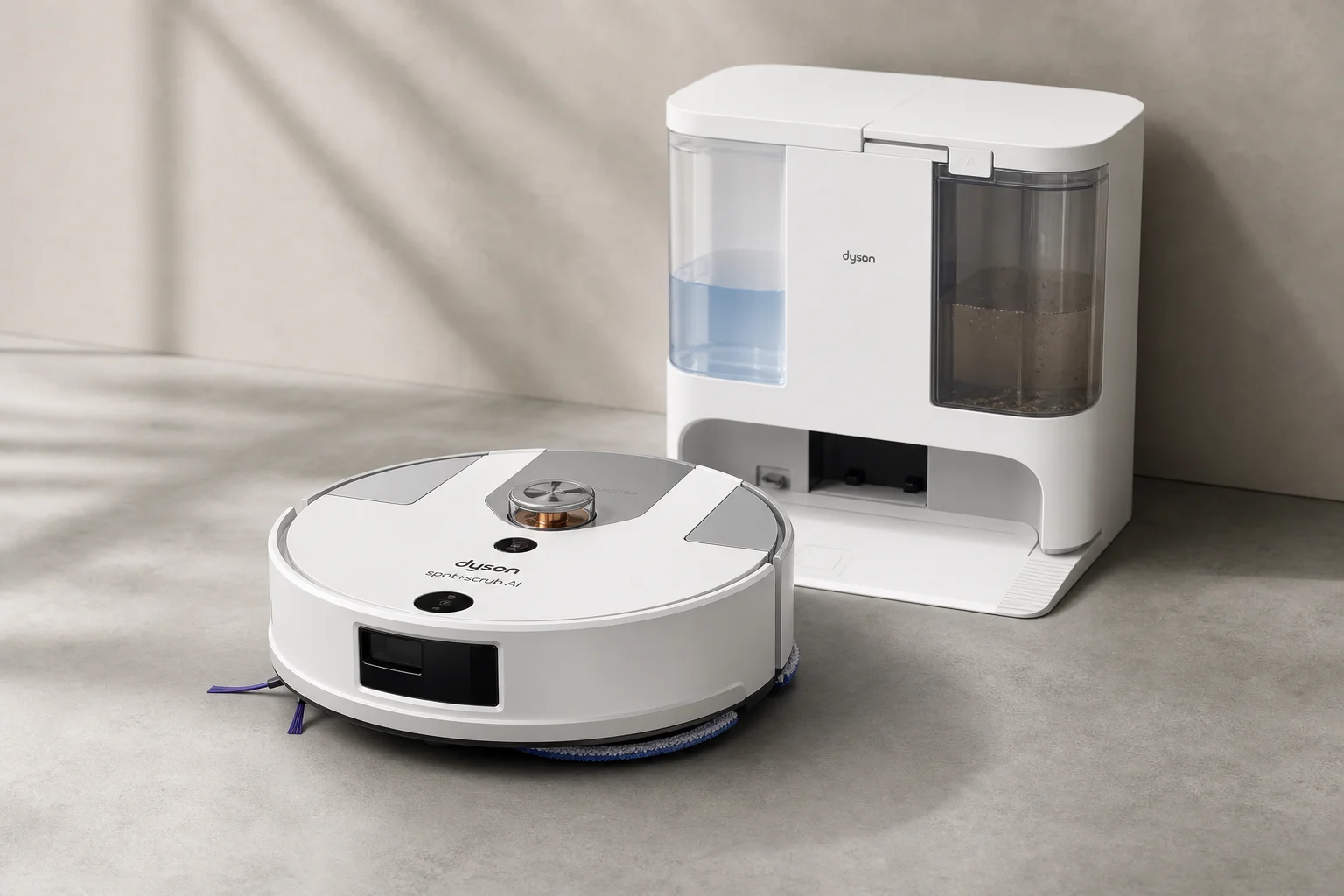
The Dyson Spot and Scrub AI is a hybrid robot vacuum and mop that combines wet cleaning with autonomous navigation. Priced at $1,200, it represents Dyson’s entry into the robot vacuum market with their signature cyclone technology and hot-water mopping system. This first look covers unboxing, assembly, app setup, and initial cleaning performance to help you understand what this machine offers out of the box.
Unboxing and Assembly
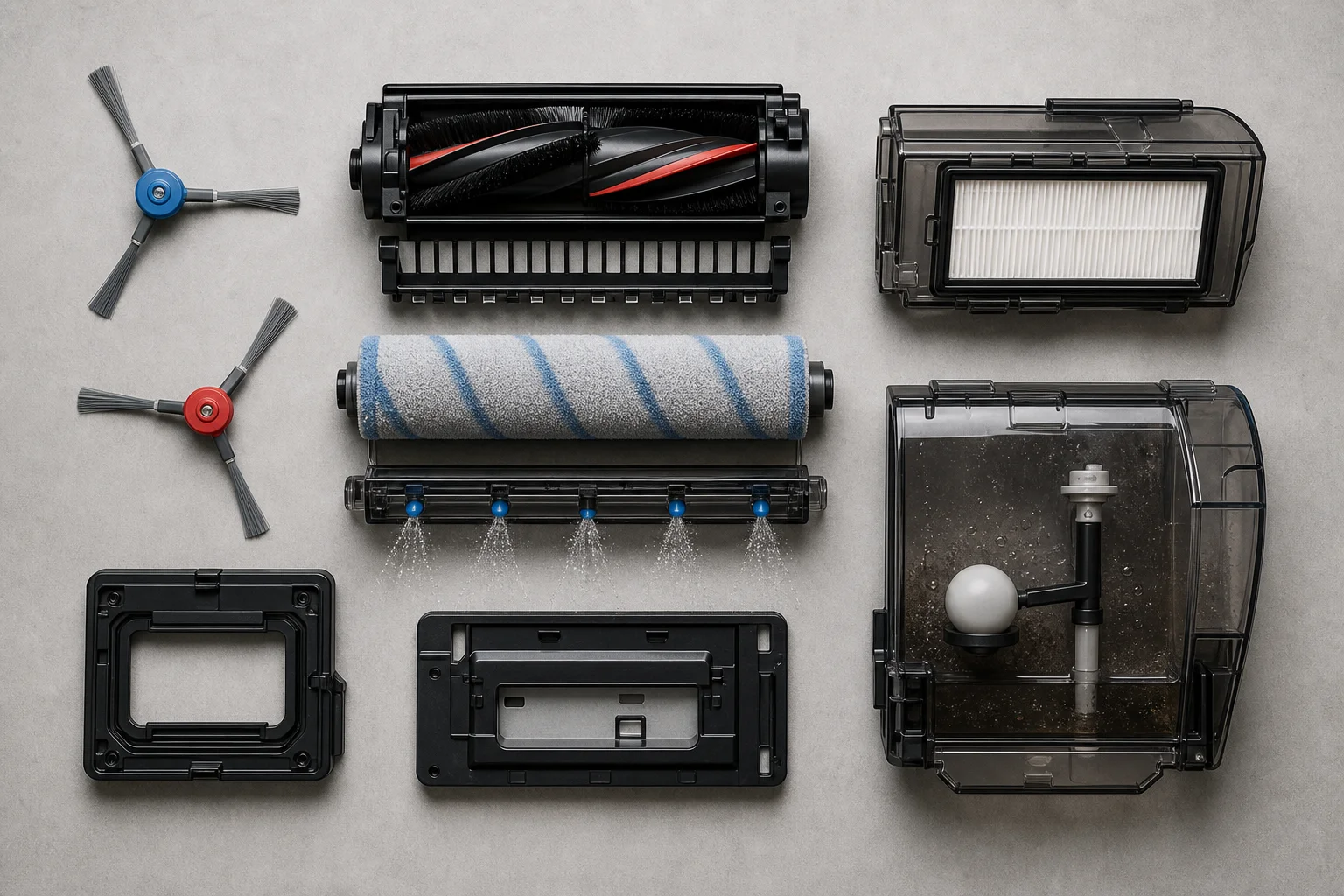
The Dyson Spot and Scrub AI arrives with all major components pre-assembled. Inside the box you’ll find the robot vacuum itself, the docking station, two side brushes (one blue, one red), a power cord with a three-prong plug, and various tanks and filters.
Assembly is minimal. The two side brushes simply snap onto the robot’s sides. The main brush is a single-piece design with removable end caps on both sides to access the bearing and clean out hair wrap. The mop roller slides into a track and clicks into place, with the ability to raise and lower by approximately 10mm.
The docking station measures 49cm front-to-back, 47cm in height, and 44cm left-to-right. The robot itself is 37cm in diameter and 11cm tall, making it slightly taller than some competitors. The station houses two connection points: the top one fills the robot with 140-degree hot water, while the bottom one extracts dirty water from the robot’s tank. A third port handles auto-emptying of the dust bin.
The robot features LAR (Lidar-Assisted Robotics) navigation with a spinning laser sensor on top. The front bumper is fully articulated and includes an obstacle avoidance sensor plus a dirt detection sensor with a green indicator light. Physical buttons on top include power (which also starts and pauses cleaning) and a docking button.
App Setup and Mapping
The Dyson app is free but requires account login. Setup begins by enabling Bluetooth and pressing both physical buttons on the robot simultaneously. The app then guides you through Wi-Fi connection (2.4GHz only), device naming, and automatic firmware updates.
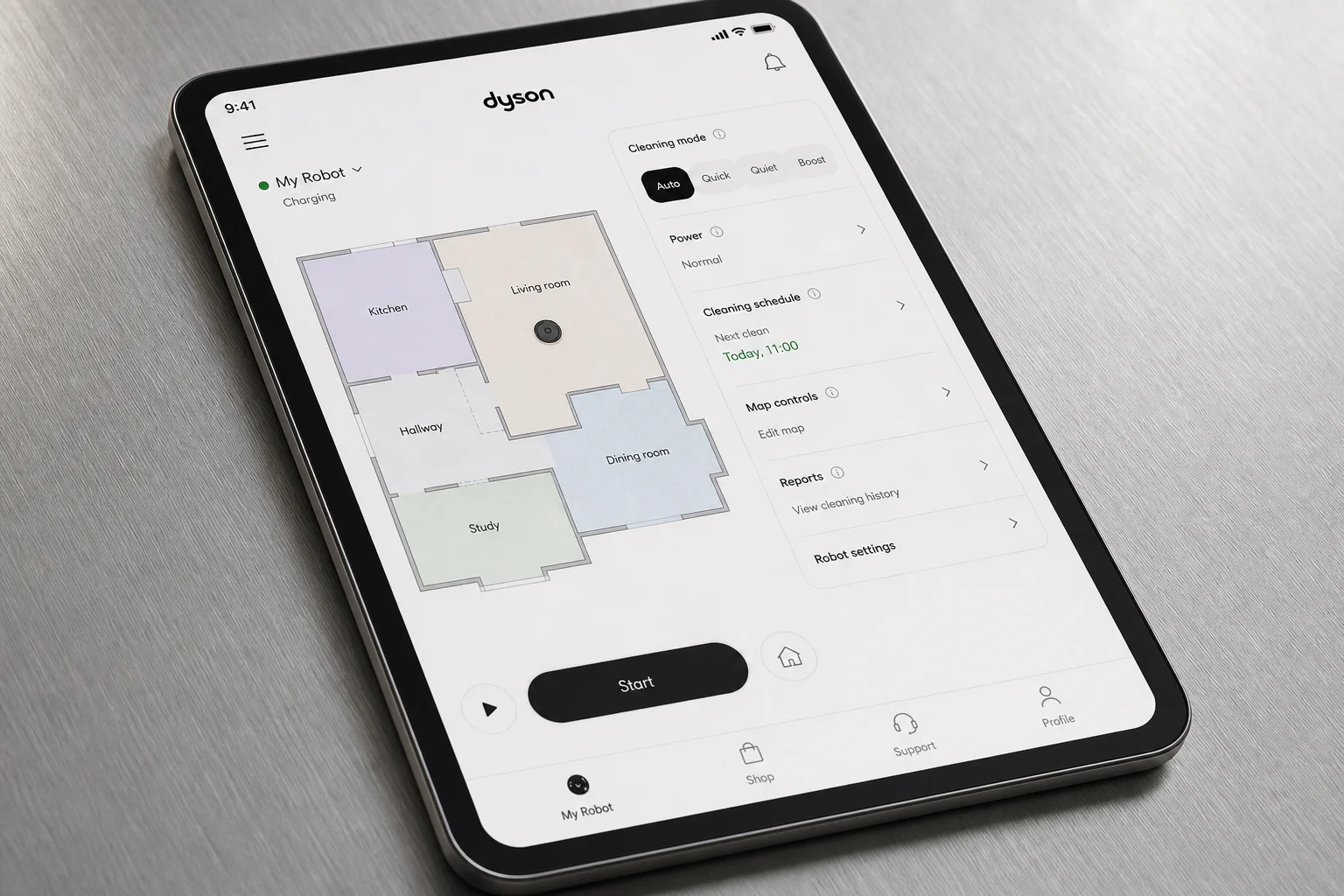
The robot performs automatic mapping on its first run, creating a floor plan that you can then edit. The mapping accuracy is generally strong, though you may need to manually adjust room boundaries if walls are not perfectly detected. The app allows you to split rooms, merge rooms, and rename spaces for targeted cleaning.
Once mapped, you can set up cleaning rules including no-go zones, avoid areas, climb thresholds for small obstacles, and wash-only or vacuum-only zones. Rules are added by drawing on the map, though the interface does not support angled lines for thresholds—you create rectangular or irregular shapes instead.
Product Settings and Cleaning Modes
The app offers extensive customization under Product Settings. Wash settings include toggles for hot water washing and cleaning solution use. The robot supports three hydration levels (how wet the mop roller becomes) and allows you to set the number of wash passes (one or two).
Vacuum modes include Auto (which uses a carpet sensor to boost suction on carpet), Quiet, Quick, and Boost. The app does not explicitly label suction levels, but these modes appear to correspond to low, medium, and high settings respectively.
Dock settings control self-cleaning frequency: every 15 minutes, after every room, every 30 minutes, or only when needed. Hot water self-cleaning is enabled by default, and you can set the mop roller drying duration (the default is four hours using hot air).
Hard Floor Cleaning Test
For the initial hard floor test, the robot was set to vacuum and wash mode with auto suction and two passes. The test area included muddy paw prints, Cheerios, and general floor debris.
The robot performed well on the first pass, moving left to right and picking up the majority of debris. On the second pass, it switched to an up-and-down pattern for cross-coverage. The mop roller lifted automatically when the robot detected dry debris (such as the Cheerios), switching to vacuum-only mode temporarily before resuming mopping.
The floor was left noticeably cleaner, though some streaking was visible in places and the corners were not fully covered on the second pass. The robot did not perform a perimeter pass on the second cleaning cycle, which left some debris in corners.
Carpet Torture Test
A separate test on carpet included coffee, kitty litter, confetti, and long hair. The robot was set to vacuum-only mode on Boost (highest suction). The cleaning pattern began with a perimeter pass, then moved to straight-line coverage through the center of the room.
The robot handled long hair remarkably well with no visible wrap around the main brush after the test. Cheerios were detected as obstacles by the front sensor, causing the robot to avoid them initially, though it appeared to recognize later that they were not true obstacles and proceeded over them. The side brushes spun faster on carpet than on hard floors, and slower or stopped entirely on hard surfaces.
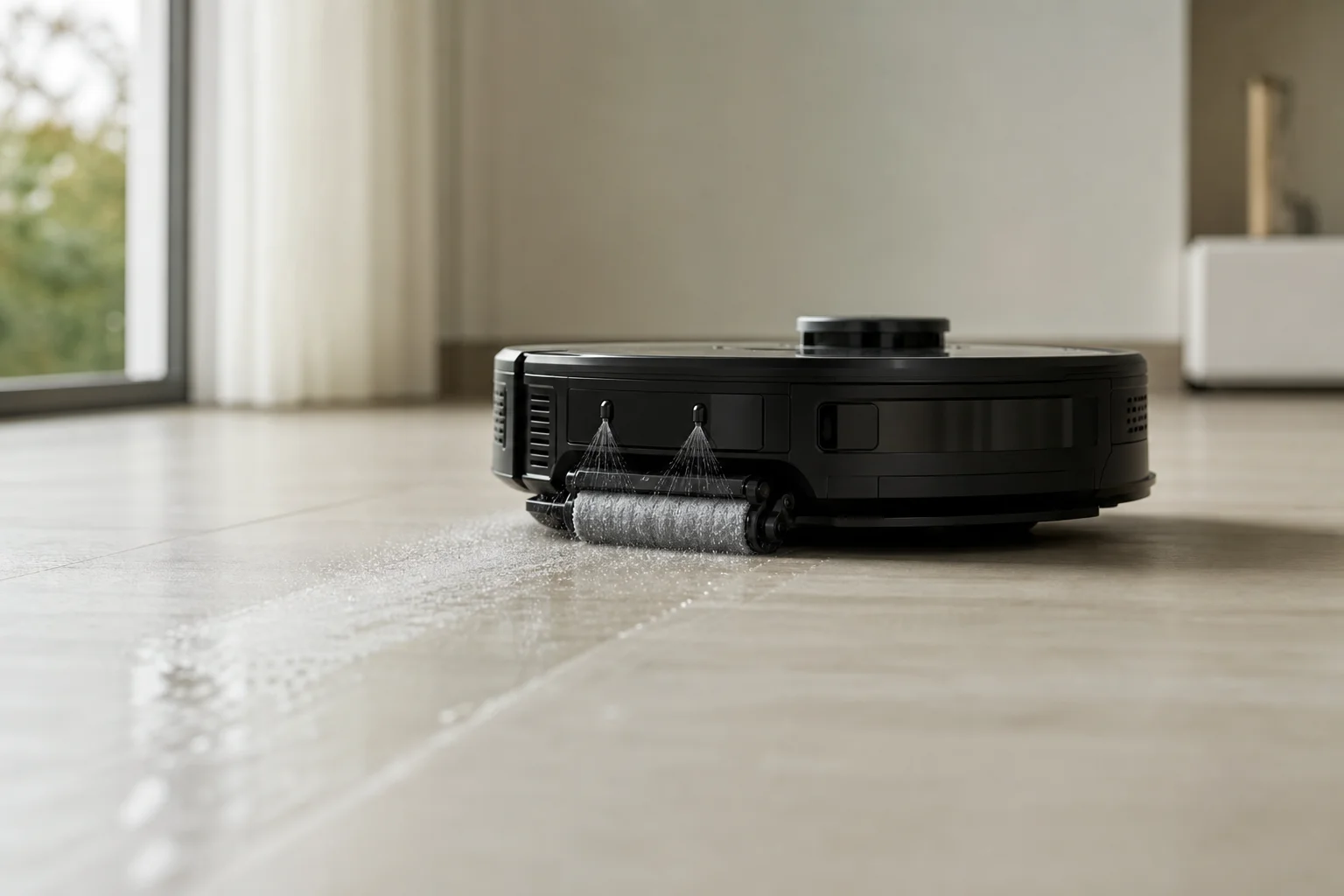
The robot was notably quiet for its suction level, with the side brush motors being the most audible component. It struggled slightly on uneven transitions between floor levels but managed most obstacles effectively. The cleaning pattern was generally straight-line, though the robot occasionally deviated to navigate around detected obstacles.
Docking, Auto-Empty, and Self-Cleaning
After cleaning, the robot returns to the dock and initiates a self-cleaning cycle. The docking station fills the robot’s internal water tank with hot water and washes the mop roller for approximately 2.5 to 3 minutes. The robot then auto-empties its dust bin through a port at the bottom of the dock.
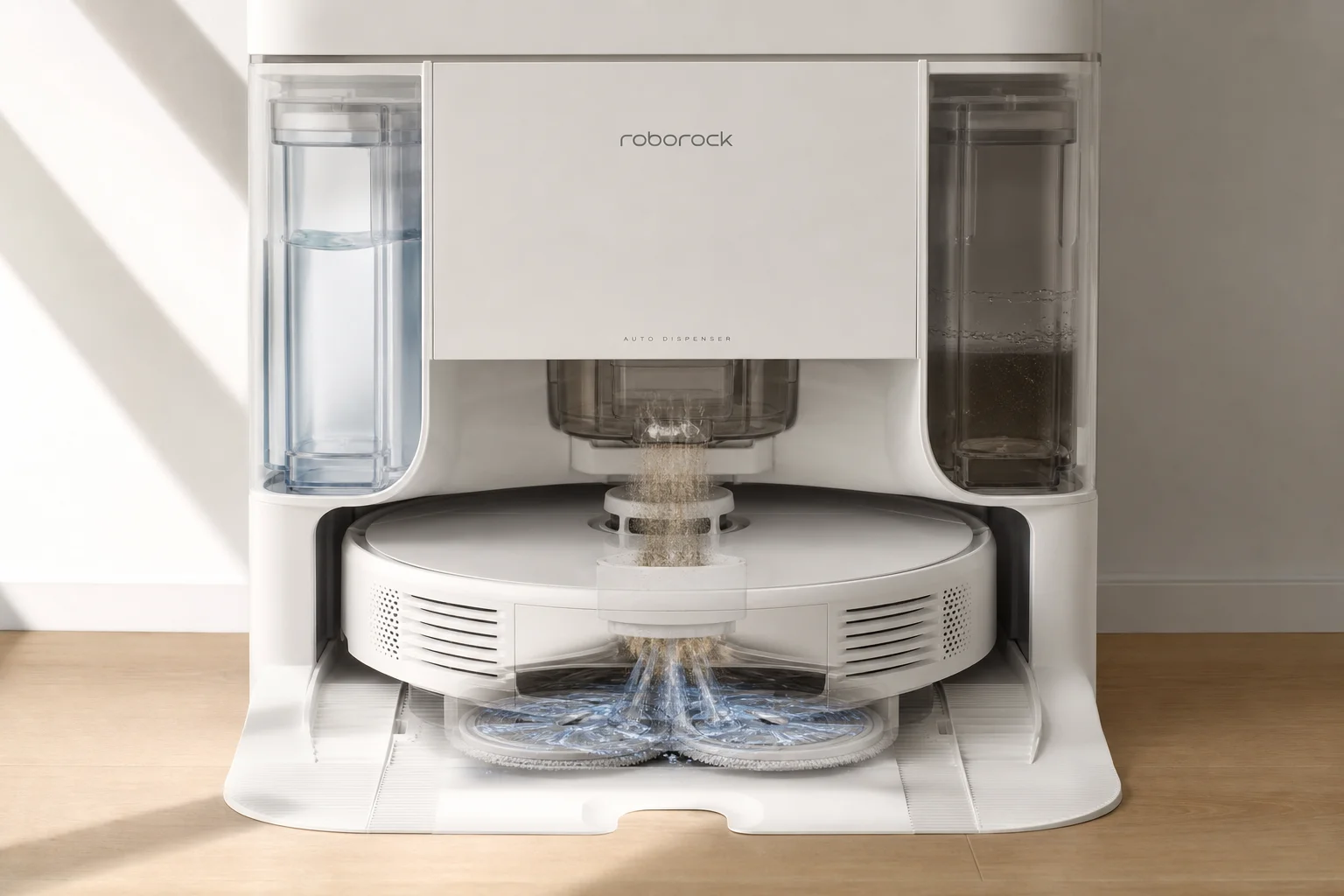
The dust bin uses a bagless design with cyclone technology—a feature Dyson carries over from their cordless vacuums. The cyclones direct air in a circular pattern, causing debris to drop into the collection area rather than clogging the filter. This design appears effective at keeping the HEPA filter cleaner longer.
After the self-cleaning cycle, the robot dries the mop roller using hot air. The dirty water tank collects water extracted from the mop roller and can be emptied manually. An odor tablet placed in the dirty water tank helps prevent smell buildup, though the tank will require regular cleaning.
Initial Observations
The Dyson Spot and Scrub AI demonstrates solid engineering and thoughtful design in several areas. The hot-water mopping system is genuinely hot (140 degrees), the cyclone dust separation works well, and the app provides granular control over cleaning behavior. The robot is quiet for its suction level and handles long hair effectively.
Potential concerns include the lack of explicit suction and water level controls in the app (modes are vague), the absence of a live-mapping view during cleaning, and the tall profile which may limit access under low furniture. Parts availability could also be an issue, as Dyson has had difficulty supplying replacement brushes and rollers for previous robot models.
The machine is heavy and requires careful handling. The dirty water tank will need regular cleaning to prevent odor, and consumables (mop roller, brush, filters, solution) will require ongoing investment.
Conclusion
The Dyson Spot and Scrub AI shows promise as a capable hybrid robot vacuum and mop. Initial performance on both hard floors and carpet is solid, the app is feature-rich, and the engineering is refined. However, a full assessment requires extended real-world use to evaluate reliability, parts availability, and long-term cleaning consistency. This first look confirms the machine is worth serious consideration for buyers seeking hot-water mopping and strong suction in a single unit.
Product link
View more details for Dyson Spot and Scrub AI
This product is mentioned in the review. Check the specifications, options, and compatibility before buying.
View more details for Dyson Spot and Scrub AIFurther reading
Related Reviews
Smart Home
Amazon Echo Hub Review: A Smart Home Dashboard That Finally Gets It Right
The Amazon Echo Hub puts smart home controls front and center with a fast, simple interface. Here is how it performs as a family-friendly dashboard.
Smart Home
15 Amazon Smart Home Automations: Practical Ideas for Every Room
Fifteen practical Amazon Alexa routines and automations that solve real household problems, from pet care to security and entertainment.

Security Cameras
aosu SolarCam D1 Max Review: A Wireless 4K Security System With No Subscription
A wireless solar-powered security camera system with two 4K pan-tilt cameras, AI detection, and no monthly fees.