iPhone Accessories
8 Spigen Accessories Worth Buying for Your iPhone 13
From slim and clear cases to a MagSafe wallet, a one-tap stand, and a compact fast charger, here are eight Spigen accessories that fill the gaps Apple left behind.
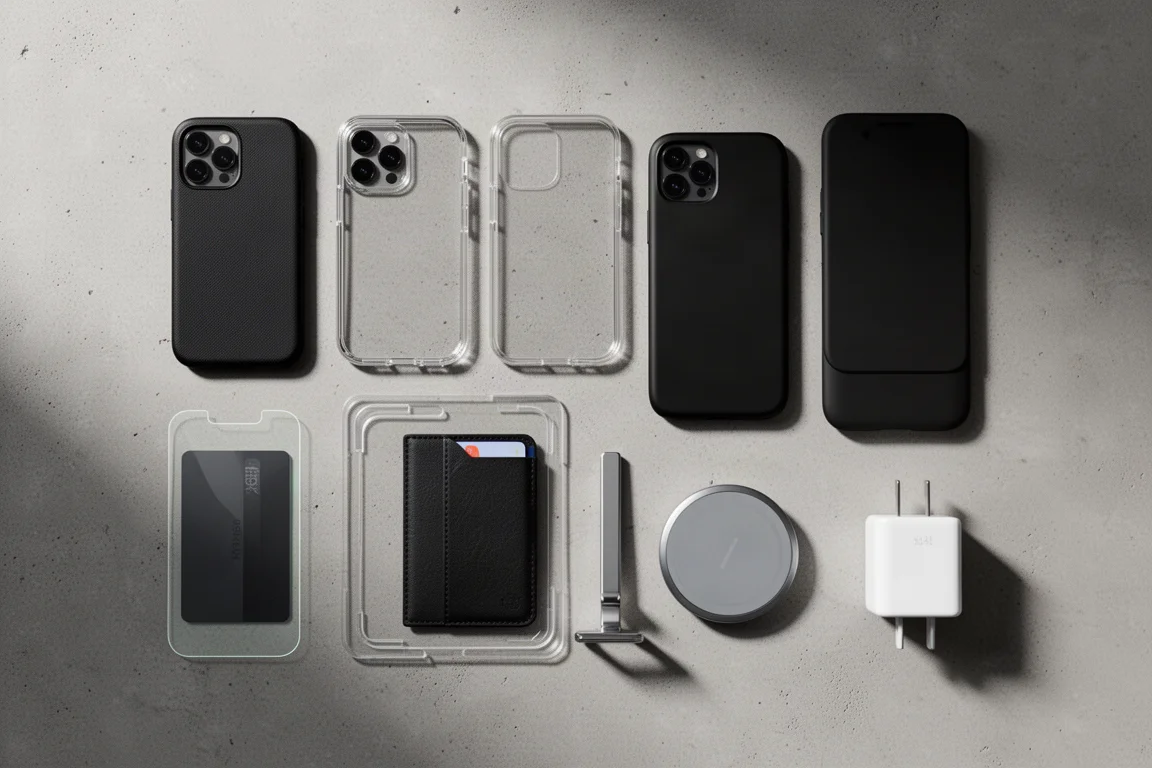
Introduction
Apple has once again left you without the essentials: a case, a screen protector, a charger in the box. Spigen has built a full ecosystem of accessories to fill those gaps for the iPhone 13, and some of them are genuinely excellent. Here are eight worth a look, from a case we keep coming back to, to a wallet, a stand, and chargers that round out the MagSafe setup.
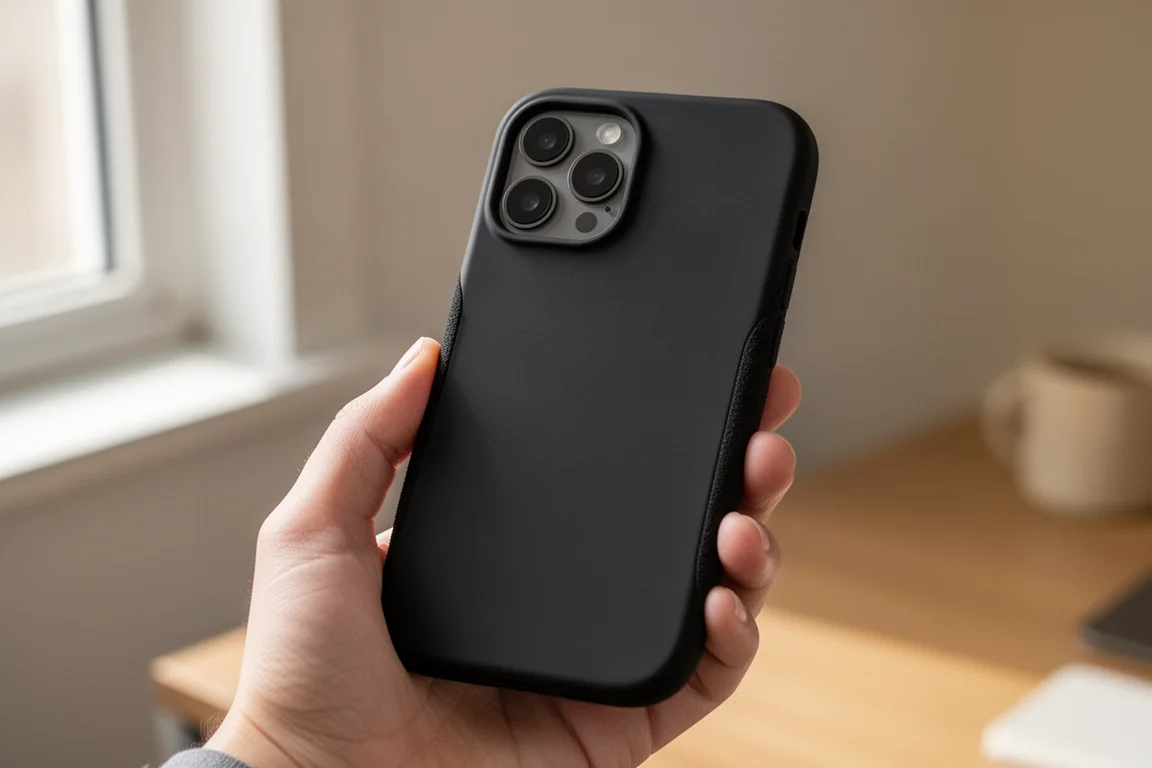
Spigen Thin Fit: The Best-Feeling Slim Case
The Thin Fit is one of the all-time favorite iPhone cases, and for good reason: its soft, grippy, almost sticky-like texture is consistently the best feeling in its class. The recent revision trimmed the branding down to a single embossed logo, added a dual material finish, and increased protection. The buttons are now even clickier thanks to cutout edges, while all ports and switches remain easily accessible. The raised camera lip keeps the lenses safe without bulking up the rest of the case, and the thicker lip around the screen combined with air pocket corners handles drops surprisingly well for something this slim. There is no MagSafe built in, but the case is thin enough for slow wireless charging, a trade-off that is easy to live with for this kind of in-hand feel.
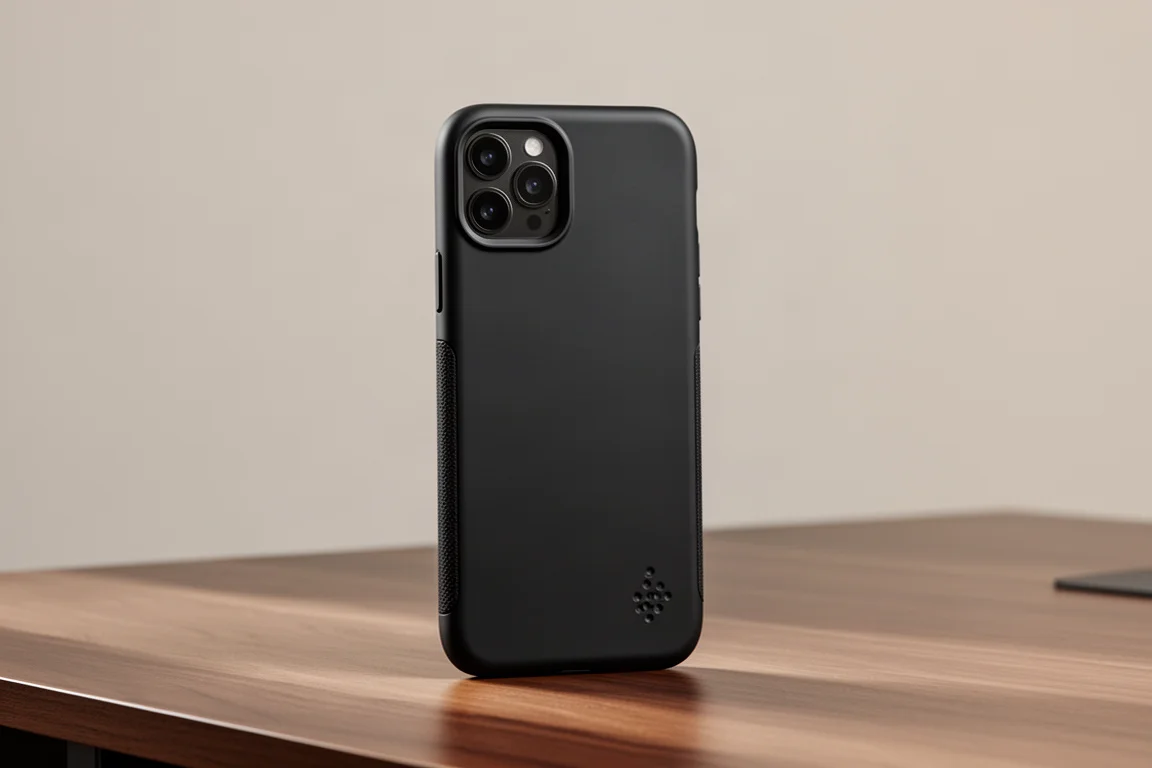
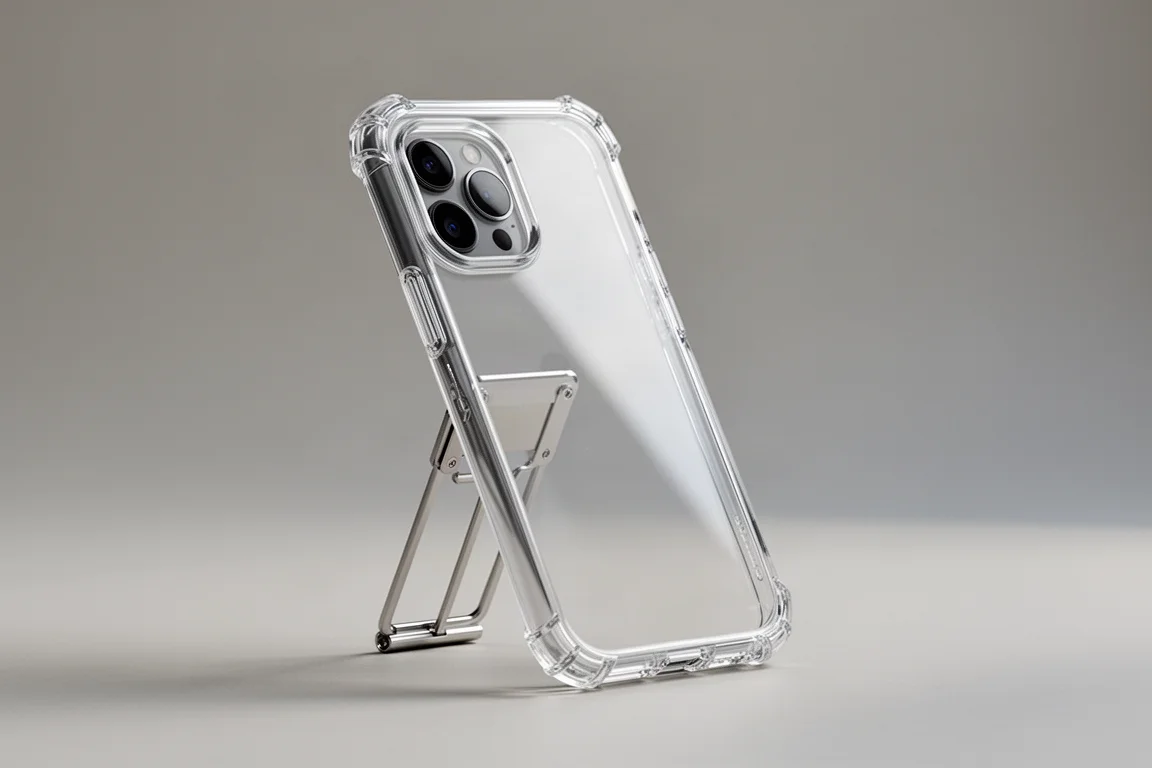
Spigen Ultra Hybrid S: The Clear Case With a Metal Kickstand
If you want the full “birthday suit” look, the Ultra Hybrid S is the clear case to beat. It behaves exactly as you would hope: clicky raised buttons, proper cutouts everywhere, and firm bumpers around the large camera module so it does not scuff your table. The built-in kickstand has been upgraded to a full metal design that feels built like a tank, with a friction hinge that holds any angle firmly, and it survives poking and prodding without collapsing. It even works in the flipped orientation when you need that perfect angle. A decent front lip plus air pocket corners provide reasonable drop protection, and the new blue resin anti-yellowing material keeps the case clear noticeably longer than older clear cases.
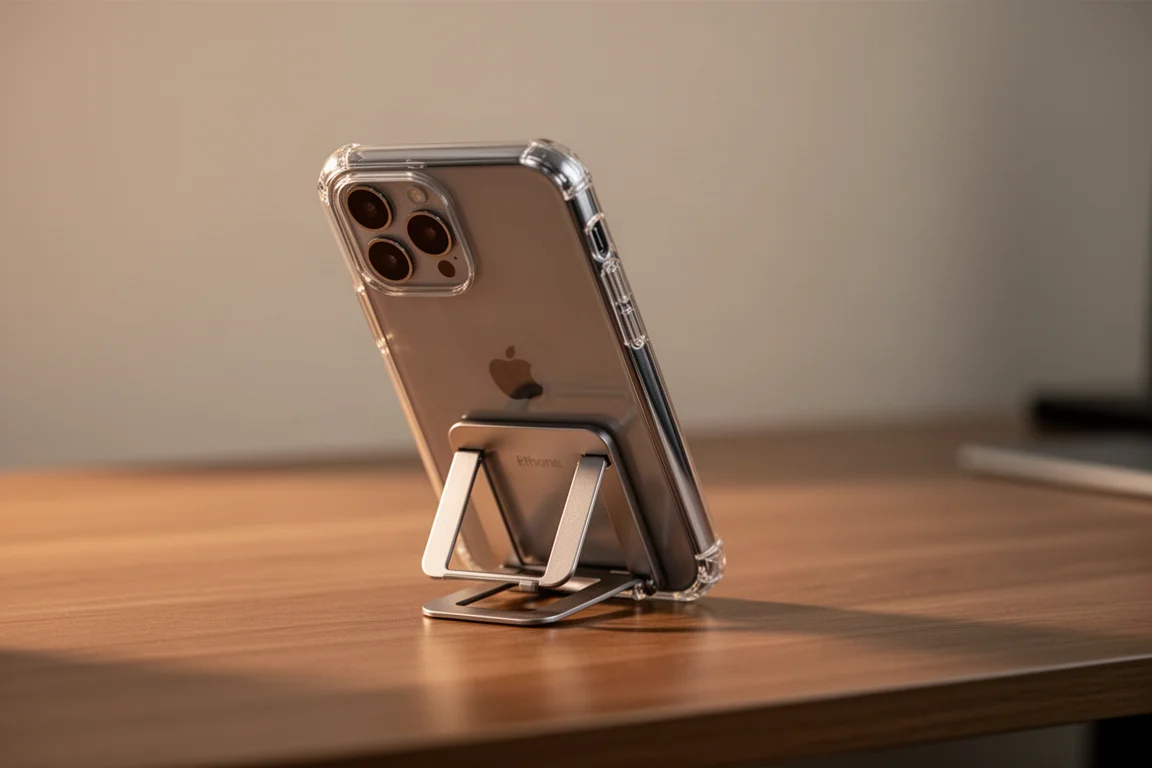
Worth noting: there is no MagSafe ring cluttering the back, though the case is still thin enough for slow wireless charging. If you want to show off the iPhone itself, this is the one.
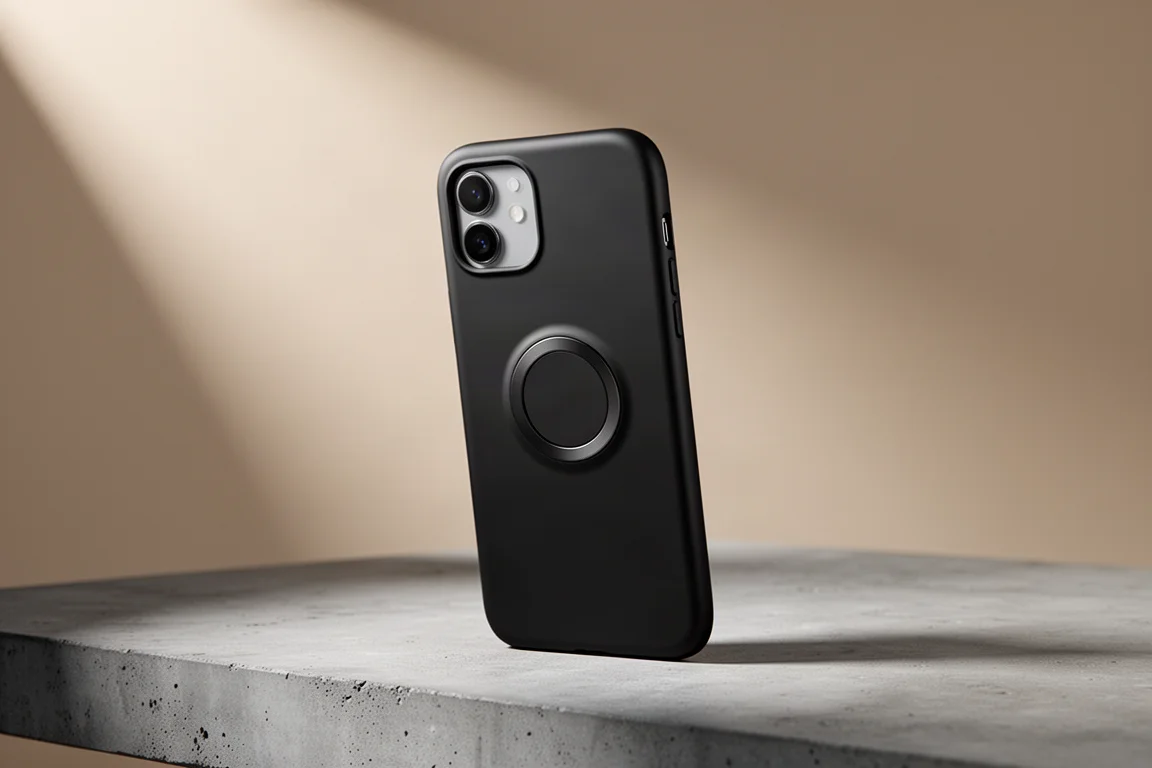
Spigen Mag Armor: Full MagSafe, Full Protection
For those who swear by MagSafe, Mag Armor offers the best of both worlds: full MagSafe compatibility without compromising protection. The all-black matte finish handles finger smudges gracefully, and a thick, plump lip around the front covers day-to-day mishaps if the phone does slip out of your hand. The magnet strength is genuinely strong, adding enough clinginess to keep accessories and chargers firmly attached without feeling overbearing. And when you decide to ditch all the accessories, it is simply a sleek-looking case that still feels great to hold.
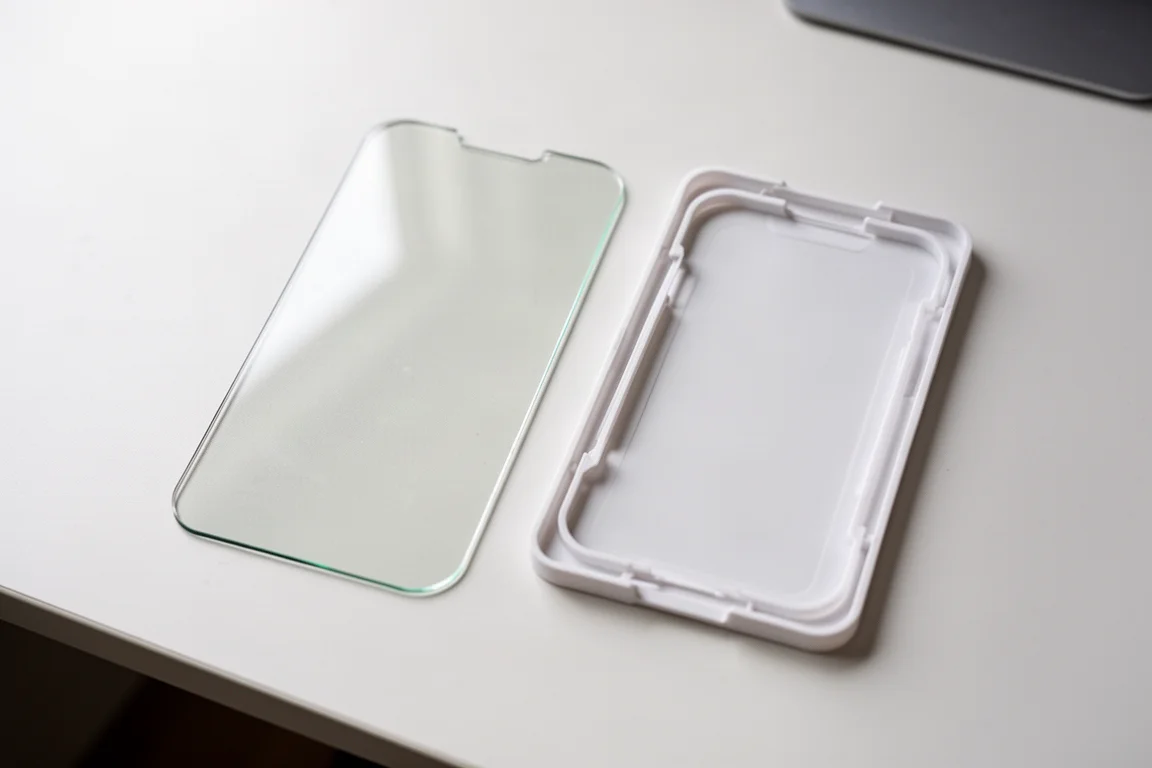
Spigen Easy Fit Screen Protector: Foolproof Installation
Cases protect the back, but the screen is where all the action happens, and ruining it would ruin your day. The Easy Fit is a fairly standard clear glass screen protector, but its self-aligning installation tray is what makes it worth every penny. No fumbling, no cursing, no half-hour spent trying to line it up perfectly. The whole process takes less than a minute, no matter how uncoordinated you are. That alone earns it a place on this list.
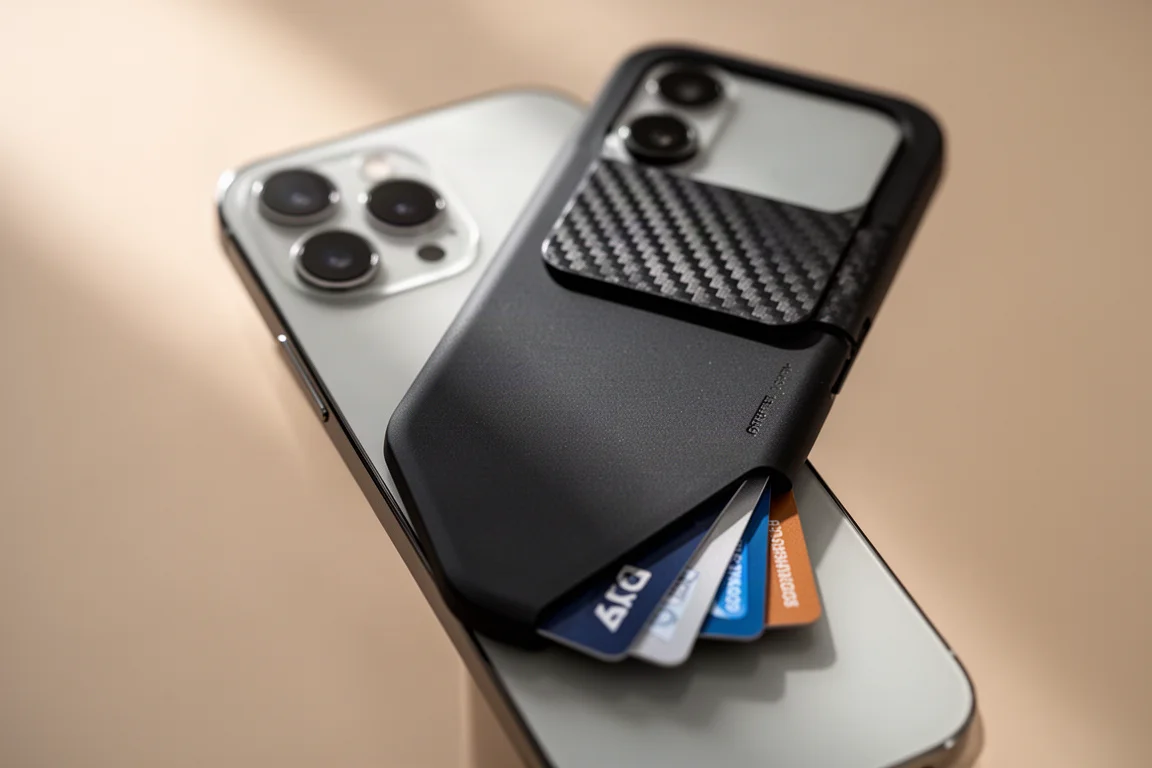
Spigen Rugged Armor MagSafe Wallet: A Tank for Two Cards
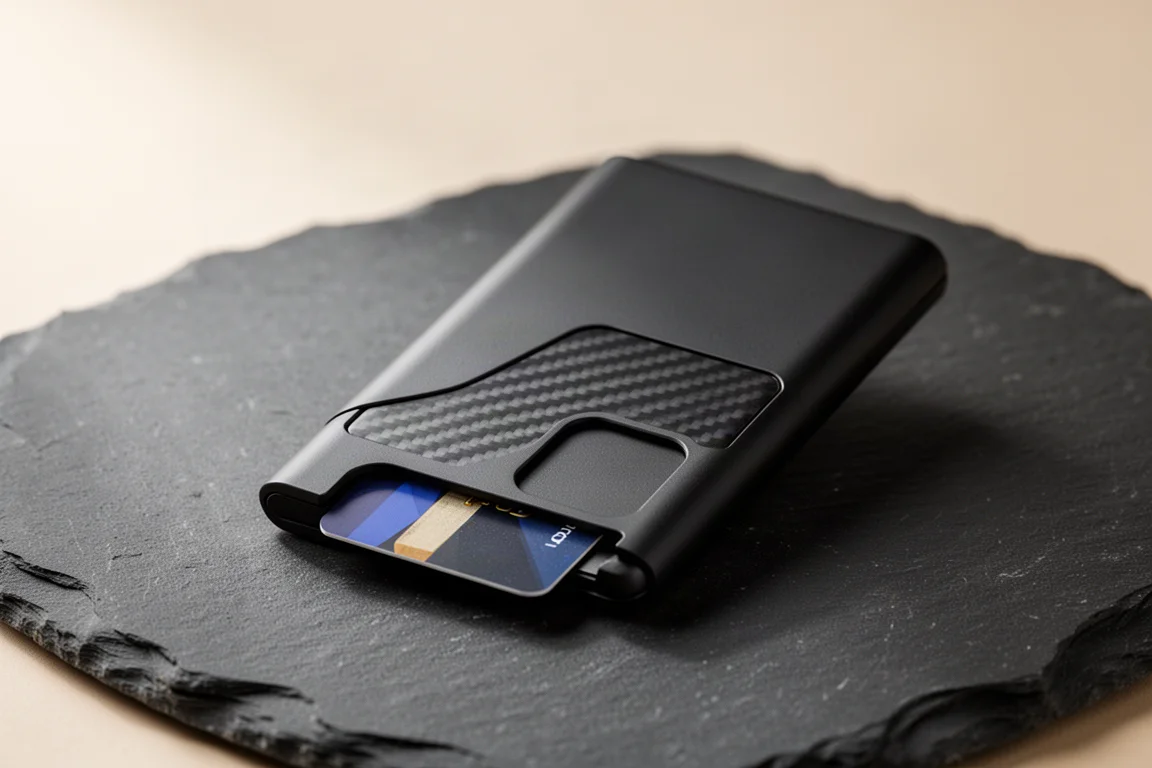
If you have bought into MagSafe, this wallet is a tank. It features the classic soft-touch blackout finish with a touch of carbon fiber accent, and it looks properly premium. It holds two cards, which is enough for most people, and the large bottom cutout makes contactless payments fast. Two tiny micro suction pads on the back keep it surprisingly stable in everyday use, and it stays put through some serious shaking, yet remains easy to remove when you are done. When you want to go wallet-free, it pops off and leaves your MagSafe ring free for the next accessory.
Spigen One Tap Stand: Simple and Effective
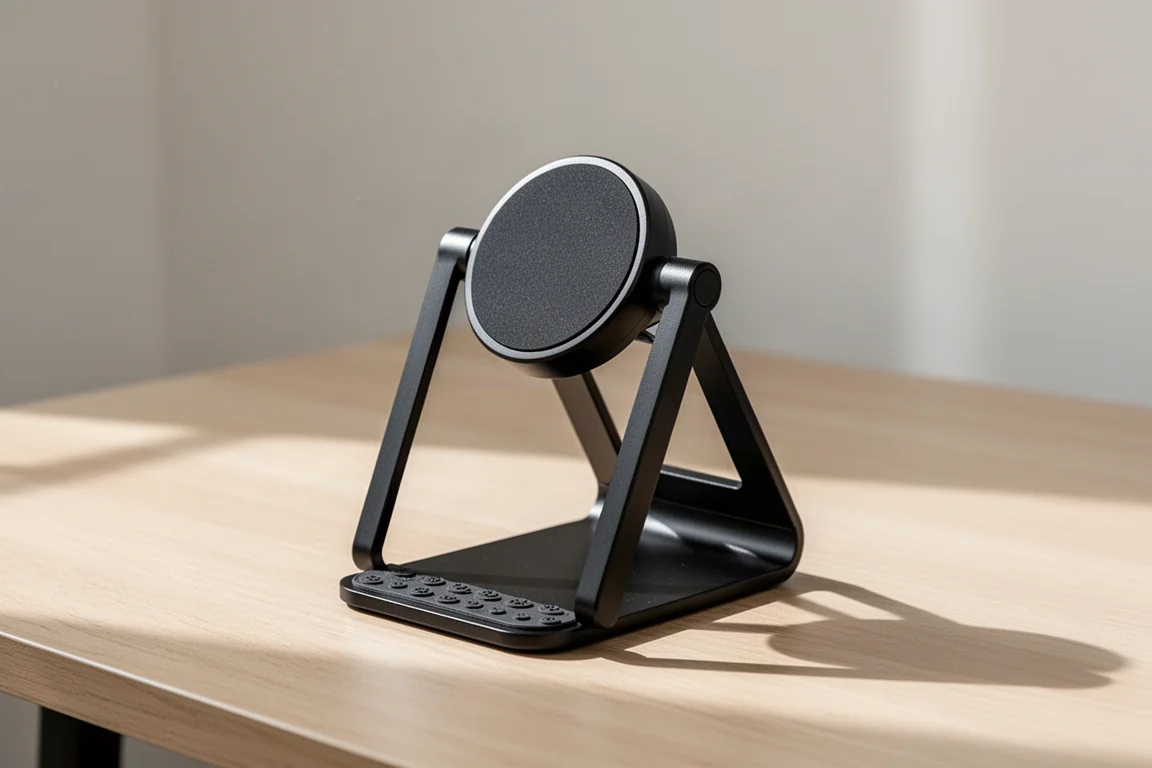
This is one of the simplest yet most functional stands around, and it wirelessly charges too. To keep the lightweight design from sliding around your desk, two large micro suction strips on the base stick without being permanent and are reusable. The rest is a solid metal frame with a rubber-padded rotating head. Simple, but sometimes that is the most effective design. An iPhone 13 Pro with a case on held firm at any angle through slide and poke testing, and the rotating head makes hands-free video viewing effortless. The magnetic mounting also pairs naturally with a wallet, letting you detach the wallet and snap the phone on with one hand.
Spigen ArcField Magnetic Charger: Stick It On and Go
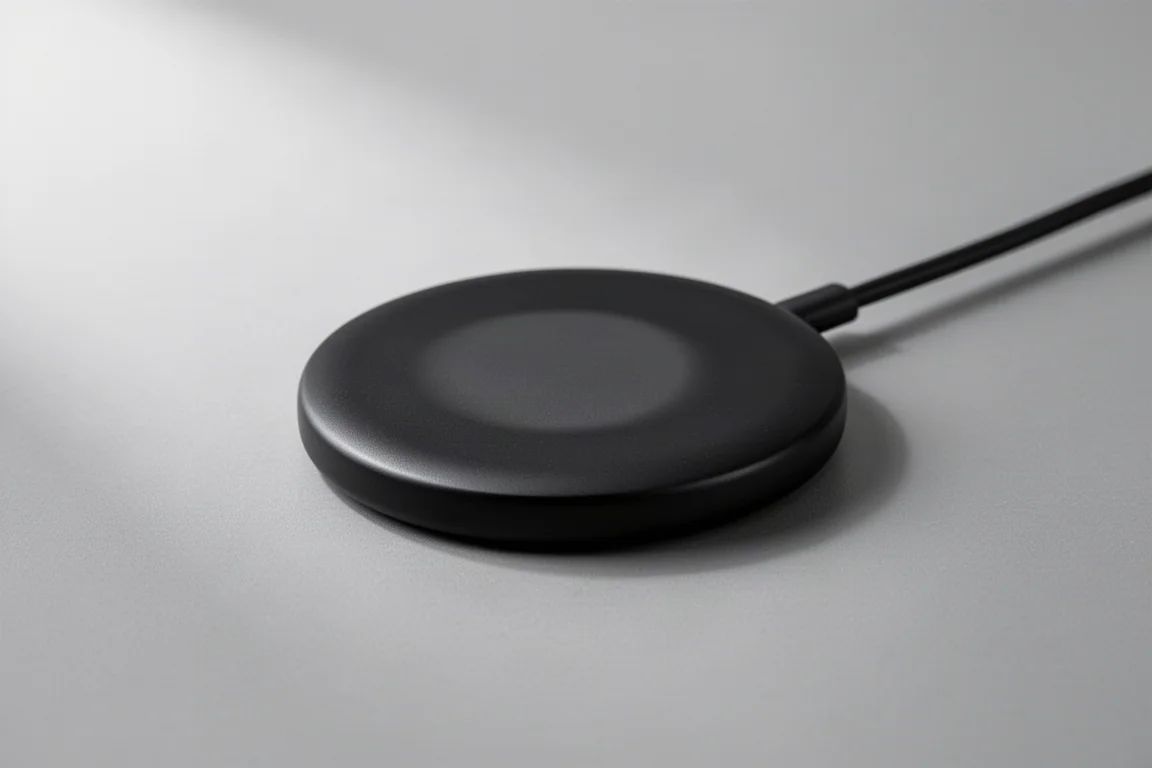
For those who want to stay charged while keeping some freedom of movement, the ArcField is a lightweight plastic magnetic charging puck that does the job without you noticing it is there. It is also an all-black option Apple refuses to offer. In use, it snaps onto the back of the phone and, while technically wired in, you have the freedom to adjust its positioning. It is thin enough that you almost forget you are charging, though it tops up more slowly than you might like. Think of it as a convenience puck rather than a speed demon.
Spigen ArcStation Pro: A Tiny Fast-Charging Brick
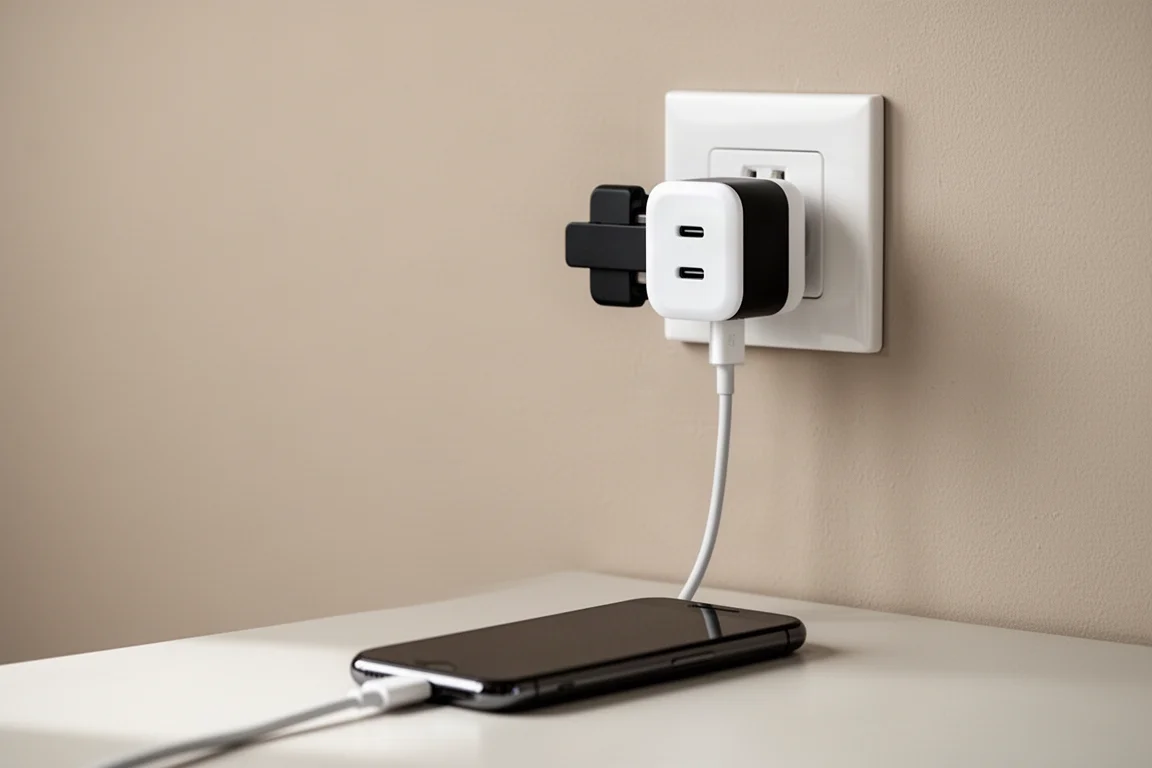
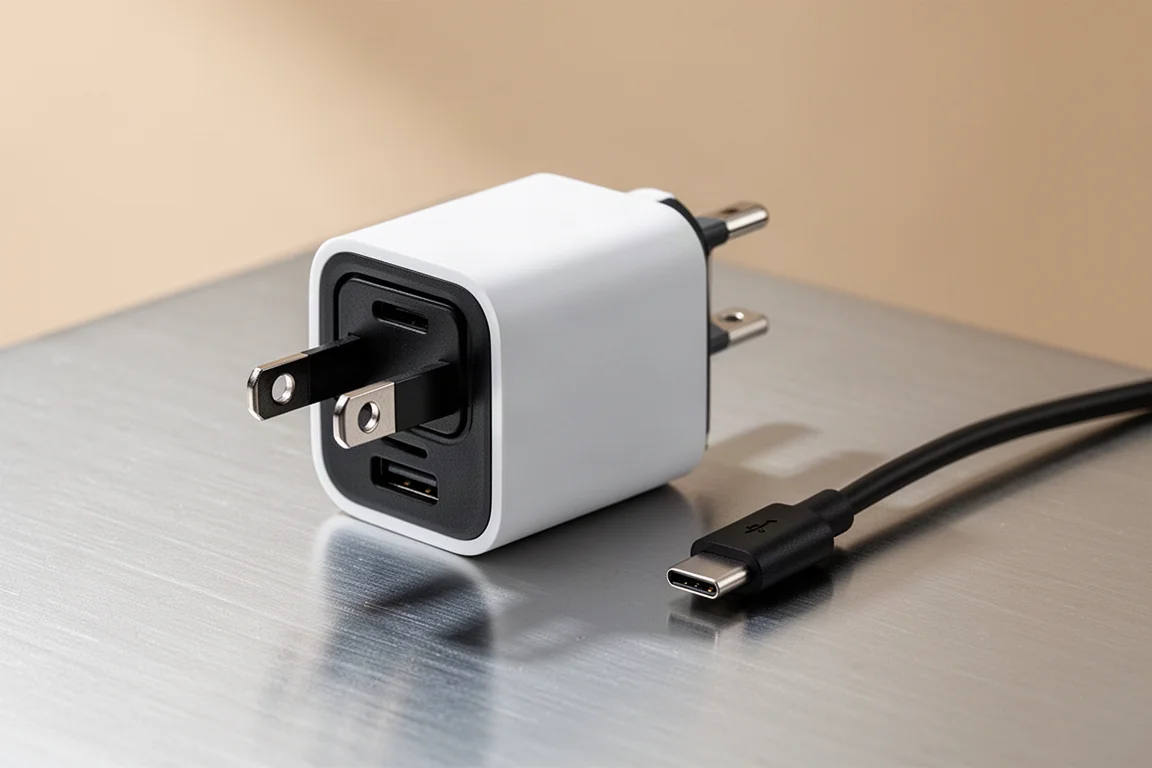
And finally, the charger Apple left out of the box. The ArcStation Pro delivers up to 30 watts from a single port, or 20 watts when both USB-C ports are in use, which is more than enough to charge the iPhone at its fastest speeds. It is also the perfect companion for MagSafe stands and wireless chargers that perform best with a powerful brick behind them. The fold-up prongs are the small detail you never appreciate until you have used them: the charger is small enough to make it perfect for travel, and easy enough to toss in everyday carry too.
Buying Advice
If you only grab one thing, start with a case: the Thin Fit for feel, the Ultra Hybrid S for show, or Mag Armor for full MagSafe. Pair it with the Easy Fit screen protector, then build out from there depending on how you use your phone: the wallet and stand for desk and pocket utility, or the ArcField and ArcStation Pro if charging flexibility matters most.
Conclusion
Spigen covers every base for the iPhone 13 without forcing you to spend on things you will not use. A great-feeling slim case, a clear kickstand case, full MagSafe protection, an idiot-proof screen protector, a magnetic wallet, a one-tap stand, and two sensible charging options. Pick the ones that match your daily routine and the gaps Apple left will disappear.
Further reading
Related Reviews
iPhone Accessories
Best MagSafe Accessories: Five Add-Ons That Actually Earn a Spot on Your iPhone
A gaming controller, a trackable wallet, a pocket flash, a slim SSD, and a do-it-all battery: five MagSafe accessories worth a look.
iPhone Accessories
Best iPhone 14 Accessories: 11 Picks That Actually Earn Their Place
From rugged cases and skins to a MagSafe speaker and a battery dock, 11 iPhone 14 accessories with clear use cases and honest trade-offs.
iPhone Accessories
9 iPhone Accessories That Actually Earn a Spot in Your Daily Carry
A protective case, a slim skin, a one-thumb game controller, automatic photo backup, an instant printer, and more practical iPhone accessories worth a look.