PC Gaming
Steam Machine Review: A Week With Valve's Living Room PC
Valve's Steam Machine brings a console-like PC experience to the living room, but a high price and a few software gaps make it a divisive choice.
Introduction
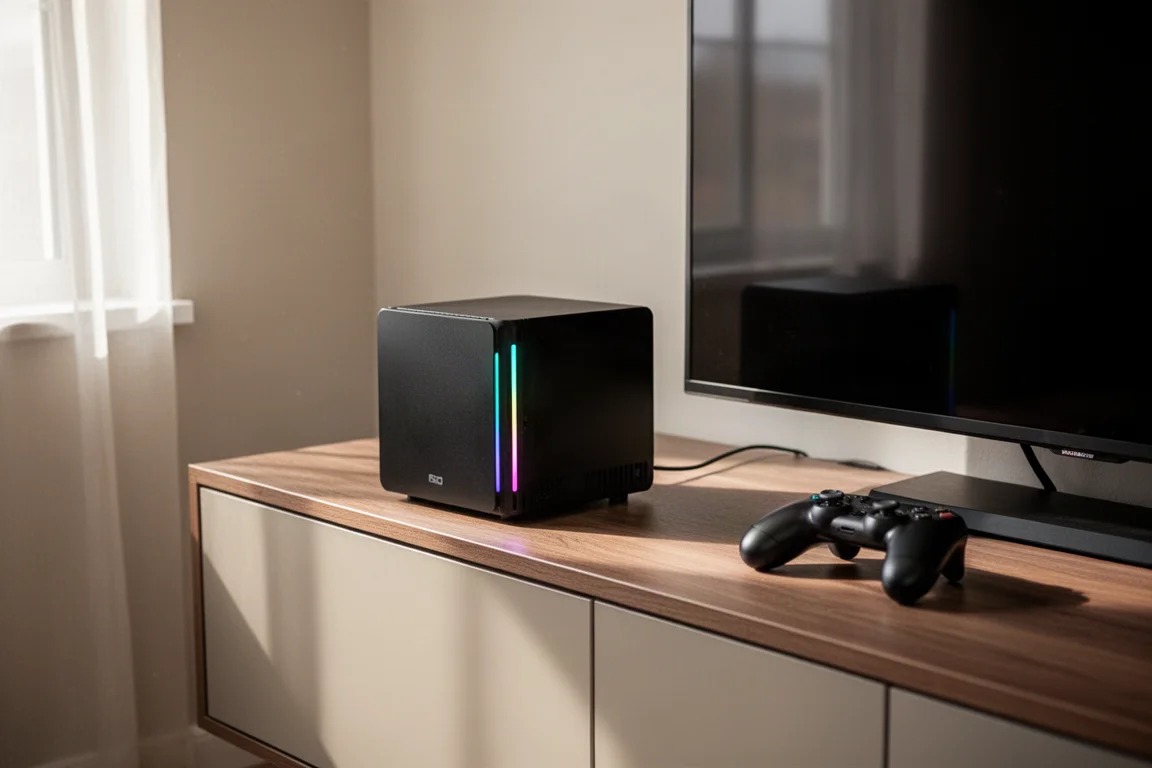
Valve’s Steam Machine has finally started shipping, and after a week of testing, it is clear that this small form factor PC aims to deliver a console-like experience for PC gaming in the living room. It runs a Linux-based operating system called Steam OS, which feels very console-like and includes several living room friendly features. The unit weighs about 6 lbs, which is surprisingly heavy for its compact size, but it is also small enough to fit neatly into an entertainment center.
The Steam Machine is not a next generation console in terms of raw power. It feels more like a current generation mid-tier PC, with a mid-tier CPU, 16 GB of RAM, and its own discrete mobile graphics card with 8 GB of VRAM. According to Valve, this is in line with what about 75% of Steam users are currently running. It is not a high tier PC, but it is roughly on par with the PS5 or Xbox Series X in terms of specs, with the added benefit of being able to play PC games.
Design and Size
The Steam Machine is quite compact, a little larger than a Nintendo GameCube, and much of that internal space is dedicated to the heat sink and fan that keep the system cool. The cube shape is simple, but it feels special compared to most PCs. The all-black look fits in nicely with modern entertainment setups, and it is small enough to sit on top of an entertainment center or fit inside one.
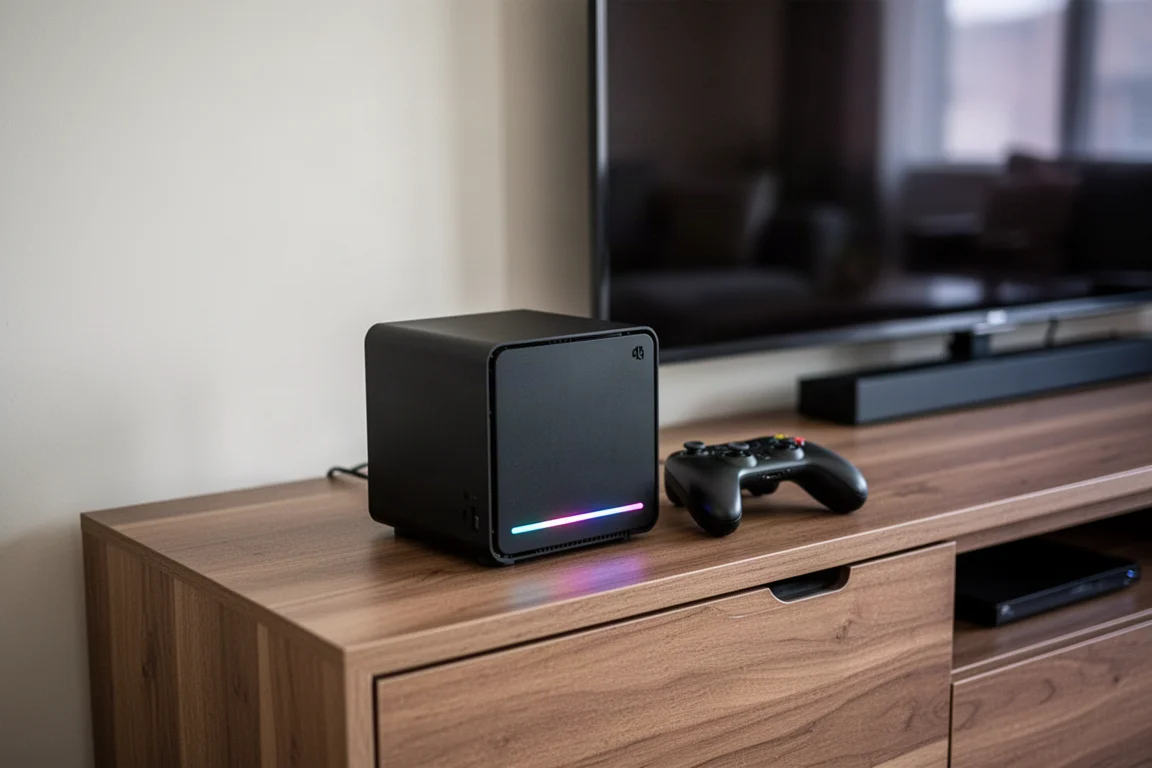
The front of the device includes two USB-A ports, a micro SD card slot for storage expansion, and an RGB LED strip that can be customized in the software settings. The LED strip can also display things like the progress of a recent download, which is a neat touch. The device is backpackable, making it easy to move between rooms or locations.
Ports and Connectivity
On the back, the Steam Machine offers a solid selection of ports. There are two more USB-A ports, an additional USB-C port, an Ethernet port for gigabit connectivity, a power input, HDMI 2.1, and DisplayPort 1.4. This gives users plenty of options for connecting displays and peripherals.
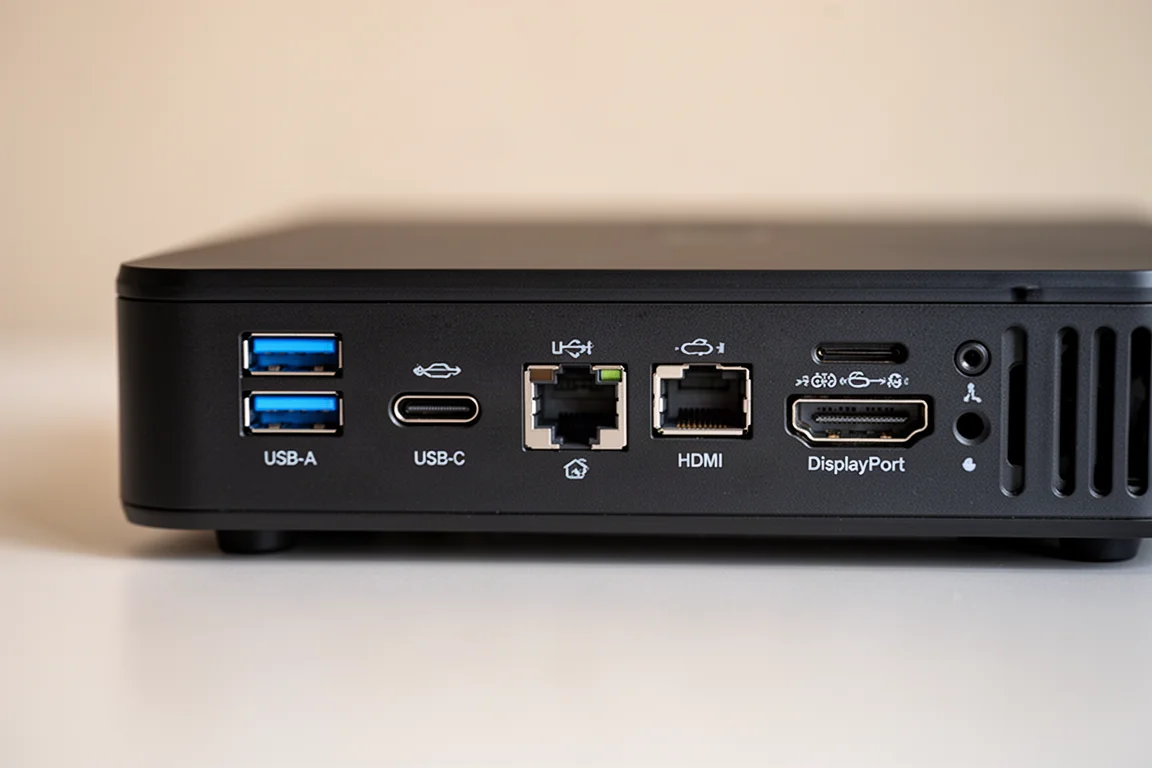
The HDMI 2.1 port supports HDMI CEC connectivity, which allows the Steam Machine to control the TV and vice versa. This is one of the bigger draws of the device, as it enhances the living room experience by letting users turn the TV on or off with the Steam Machine or adjust the volume directly from a controller.
Performance and Gaming
The Steam Machine is best described as a 1440p machine. In testing, most modern games run well at 1440p with medium settings and FSR enabled, often exceeding 60 frames per second. Some lighter or indie games can run at 4K with high settings, but more demanding titles like Doom: The Dark Ages average around 58 frames per second at 1440p medium with FSR balanced, which shows that 4K is not always achievable.
Valve originally advertised the Steam Machine as a 4K 60 frames per second machine when using FSR, but later changed the wording to “up to 4K with FSR” right before orders went live. This is a significant difference, and it is something buyers should be aware of. The device also ships with single channel RAM in the first batch, which Valve attributes to a logistical issue with sourcing RAM. This has minimal impact on gaming, but dual channel RAM would help with tasks like video editing.
The cooling performance is impressive. Even with the GPU running at 100% power, the Steam Machine stayed around 71 degrees Celsius during testing, even in a house without air conditioning during a heat wave. This is a strong result for such a compact device.
Software Experience
Steam OS is a Linux-based operating system tailored for PC gaming, and it feels like a game console when turned on. The interface will be familiar to anyone who has used a Steam Deck or Steam’s Big Picture mode. One important limitation is that some games with anti-cheat software, such as Call of Duty, Fortnite, and Destiny 2, will not run on Steam OS. Buyers should check Steam Deck compatibility listings for their favorite games before purchasing.

A handy feature in Steam OS is the maximum game resolution setting. By default, it is set to 1080p, which can override in-game settings. Users can change this to 1440p or 4K globally, and then make per-game adjustments for titles that cannot handle the higher resolution. This is exclusive to Steam OS and is not available on the Windows version of Steam.
Steam Cloud saves work seamlessly, allowing users to resume games across different PCs. Steam Input also has its own cloud saves on a per-game basis, so controller profiles carry over as well. Neither of these features requires a paid subscription, which is a nice advantage over consoles.
HDMI CEC controls work reasonably well, though the experience can vary depending on the TV. In testing with an LG C4, some features like using the TV remote to control the Steam Machine worked, but other functions like putting the Steam Machine to sleep when the TV turns off were buggy. This appears to be a TV issue rather than a Steam Machine issue, as similar problems occur with an Xbox Series X.
Controllers and Accessories
The Steam Machine works with just about any controller, including Xbox, PlayStation, and Switch controllers. However, it feels purpose-built for the Steam Controller. The Steam Controller does not need the connectivity puck to work with the Steam Machine, as the receiver is built in. The Steam Controller can power on the Steam Machine, and it can be charged without turning the device on.
The 8BitDo Ultimate 2 is another solid option at around $60, with good Steam Input connectivity. The Steam Controller itself sells for $100 on Valve’s website, but it costs an additional $80 when bundled with the Steam Machine.
Size Versus DIY Alternatives
One of the main arguments against the Steam Machine is that a more powerful PC can be built for the same price. A DIY build with a MicroATX case can cost around $1,000, matching the price of the 512 GB Steam Machine, while offering more power and the ability to swap components. However, the size difference is drastic. The Steam Machine is only 3.8 liters, while a MicroATX case is around 30 liters, making it nearly eight times larger.
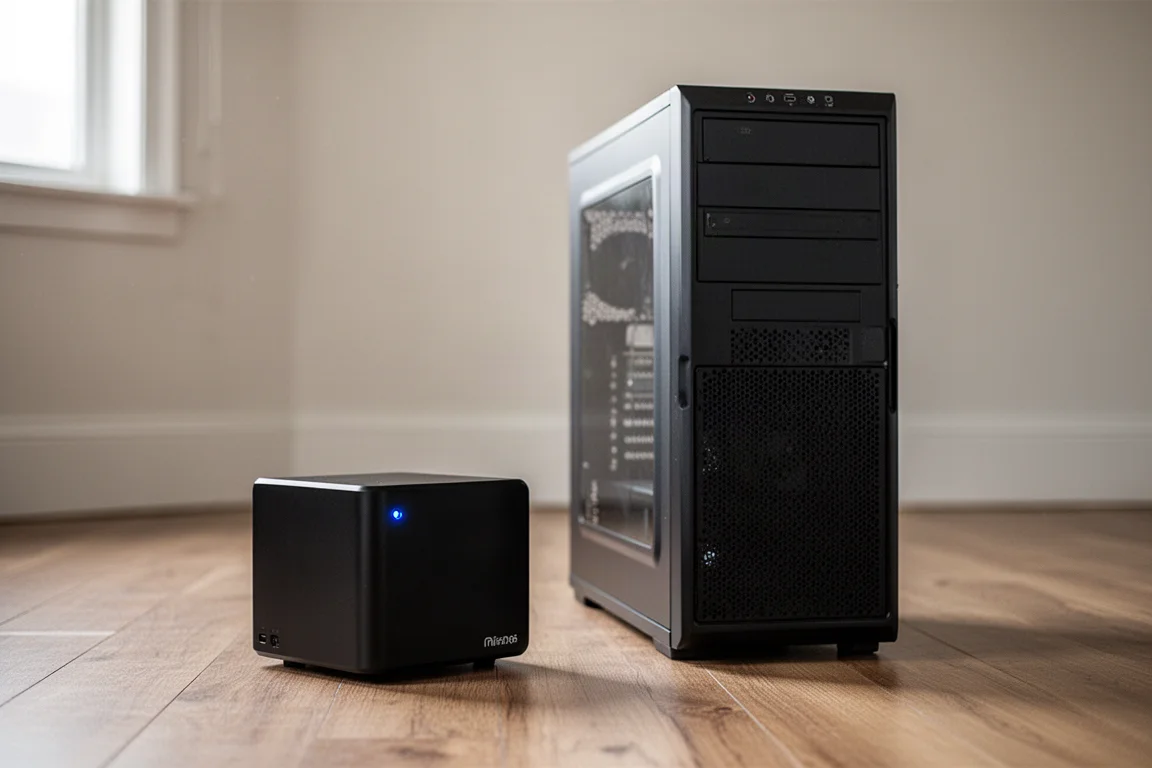
For those who want a smaller DIY option, a miniITX build like the Fractal Terra is still almost three times the size of the Steam Machine. The GPD Box mini PC is about half the size of the Steam Machine, but it costs around $1,500 on pre-order and uses integrated graphics, making it a capable 1080p machine rather than a 1440p one.
The Steam Machine’s appeal comes down to its compact size and the fact that it is pre-built with Steam OS and HDMI CEC connectivity already set up. For people who do not want to build their own PC or manage a Linux-based operating system, this out-of-the-box experience is worth the price premium. For others who enjoy DIY projects, the value proposition is harder to justify.
Buying Advice
The Steam Machine is a divisive product, and the price is the biggest sticking point. The base model with 16 GB of RAM and 512 GB of storage costs $1,049, and upgrading to 2 TB of storage brings the price to $1,350. Adding the Steam Controller costs another $80. This is significantly more than a console, and it is also more than many people expected, partly due to rising component prices.
The reservation and queue system has also been criticized. Reservations were only open for a limited time, and a lottery system was used to allocate units. Some people are still waiting for their reservation with no indication of when it will ship. This has made the launch feel haphazard.
That said, the Steam Machine delivers a genuinely console-like experience for PC gaming. The small size, the seamless software, and the HDMI CEC controls all work together to create something that feels cohesive and elegant. For someone who wants to play PC games in the living room without building a PC or dealing with Windows, this is a compelling option.
Conclusion
After a week with the Steam Machine, it is clear that this is a well-executed product with a few notable drawbacks. The combination of small form factor hardware and seamless software makes it feel very console-like, and the cooling performance is impressive. The price is painful, especially for those who already own a PC with similar performance, but the convenience of a pre-built, console-like PC experience is the main appeal.
The Steam Machine is not for everyone. DIY enthusiasts and those on a budget will likely find better value elsewhere. But for people who want to play PC games in the living room without any hassle, this is one of the most elegant solutions available.
Product link
View more details for Steam Machine
This product is mentioned in the review. Check the specifications, options, and compatibility before buying.
View more details for Steam MachineFurther reading
Related Reviews

PC Gaming
Custom Steam Machine Build: A Practical Alternative to the Official Console
A custom small form factor Steam Machine build using the Minisforum BD770i and AMD RX7600 that delivers strong 1080p and 1440p gaming performance for less than the official console.

PC Gaming
Menace 4 With 1XGPU 2: A Compact Steam OS Gaming Setup That Surprised Us
A small form factor gaming build pairing the Menace 4 mini PC with the 1XGPU 2 external GPU, tested across several demanding titles on Steam OS.

PC Gaming
Steam Controller vs 8BitDo Ultimate 2 vs GameSir Cyclone 2: Which PC Controller Fits Your Setup?
A practical comparison of three PC controllers, covering hardware feel, software flexibility, and how each handles Steam and non-Steam gaming.