Laser Engraving
Monport GA100 Fiber Laser Engraver Review: A Deep Engraving Powerhouse
The Monport GA100 brings 100 watts of fiber laser power and MOPA flexibility to deep engraving and color marking. Here is how it performs in real workshop use.
Introduction
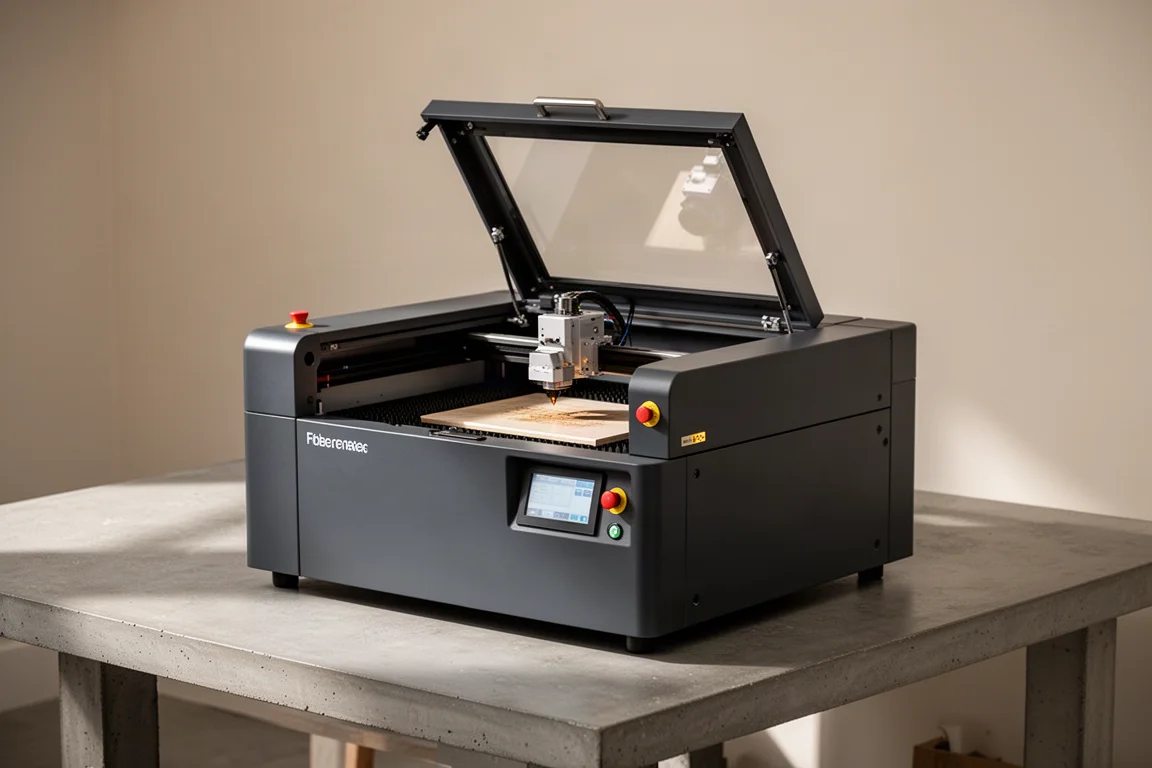
Fiber laser engravers have become a staple in small workshops, but most units settle into a familiar pattern: enough power for marking, not enough for serious depth. The Monport GA100 is the top-tier model in the Monport lineup, and it takes a different approach. With 100 watts of laser power, it delivers roughly five times the output of the base model, and it pairs that with a MOPA power source. That combination opens up two capabilities that standard fiber lasers struggle with: deep engraving and color marking on metals.
This review covers how the GA100 performs across marking, deep engraving, and color work, along with the practical details of setup, workflow, and who should actually pay the premium over a base model.
Who the Monport GA100 Is For
The GA100 is built for workshops that have moved past occasional marking jobs. If your work involves serial numbers, logos, or simple identification marks on steel and aluminum, a standard fiber laser will handle it. The GA100 targets a different set of jobs: deep engraving on brass and other metals, faster cycle times on production runs, and color engraving on stainless steel and titanium.
The all-in-one construction is a meaningful part of the appeal. The laser source, electronics, and control hardware are all housed in a single unit rather than split across a separate control box. That makes it more portable and easier to set up in a crowded shop. The unit folds open on a hinge and is ready to plug in, with no complex assembly required.
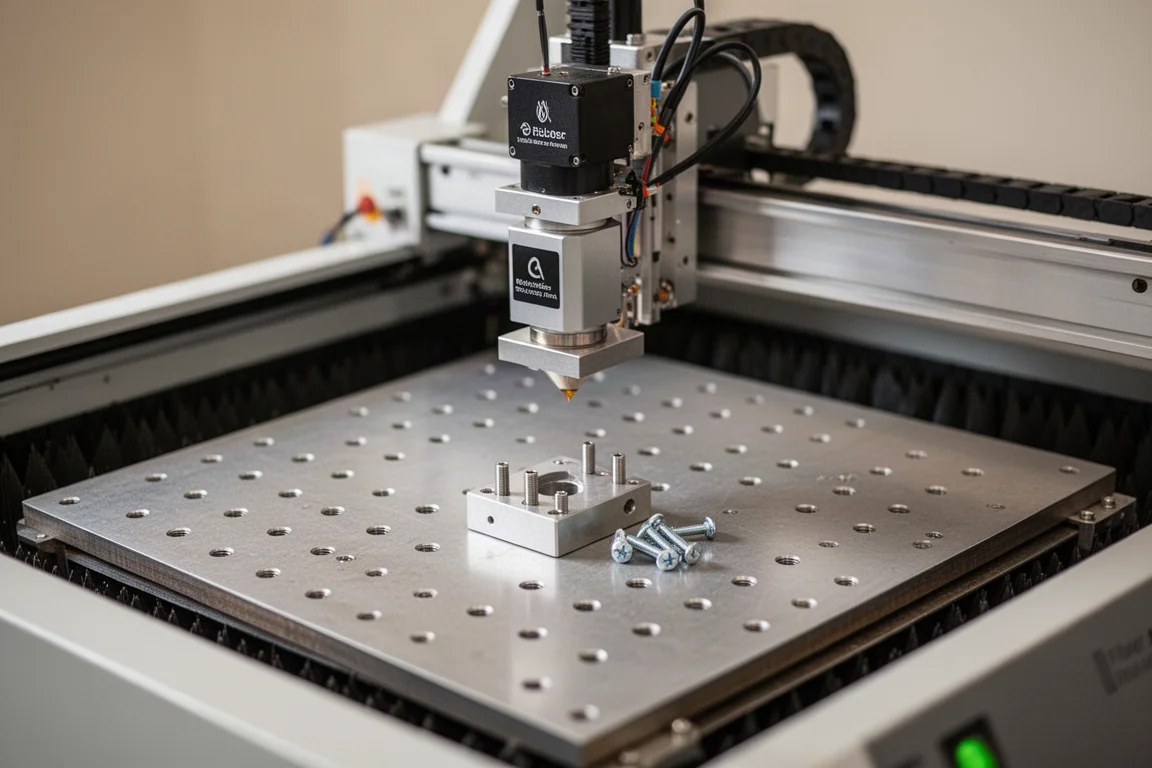
The work surface includes a series of threaded fixturing holes, and the unit ships with a couple of fixtures and screws to get started. For custom work, the holes make it straightforward to build your own jigs, including 3D-printed fixtures for specific products.
Setup and First Impressions
Unpacking and getting the GA100 running is refreshingly simple. The unit arrives well packaged, and the included accessories cover the essentials: safety glasses, all necessary cables, and the basic software to get started. After installing the driver, the free software version is enough to run a first test engraving.
The front panel has a main switch for laser power, and there is a second power switch on the back. A button on the front runs the current program. One thing to note: there is no key switch or large emergency stop on this unit, so operators should be aware of that before working with it.
The laser head sits on a motorized axis, controlled from a small panel that offers manual up and down movement plus an autofocus button. A three-laser system helps confirm focus on the work surface, which removes a lot of guesswork from the setup process.
Another useful feature is the ability to rotate the entire head assembly to the side. By loosening screws on the top face, the head swings over, allowing engraving on taller objects with nothing beneath the beam. This makes it possible to build custom fixtures for larger pieces and then rotate the head back into position and lock it down.
Marking Performance on Steel and Aluminum
The first test was a simple engraving on carbon steel, and the results came quickly. A single pass produced a clean, dark mark, and the whole process from opening the crate to completing the engraving took about five minutes. That kind of out-of-the-box experience matters in a busy shop.
Moving to aluminum, the GA100 was set to 50% power at 1,300 mm/s for a single pass. The mark showed real depth, which is unusual for a fiber laser at that speed. Cranked up to 2,500 mm/s, the results were just as good, which points to a significant productivity advantage when you have this much power available.
For basic marking jobs on steel and aluminum, the GA100 performs exactly as expected, and the speed headroom means production runs can move faster without sacrificing mark quality.
Deep Engraving Performance
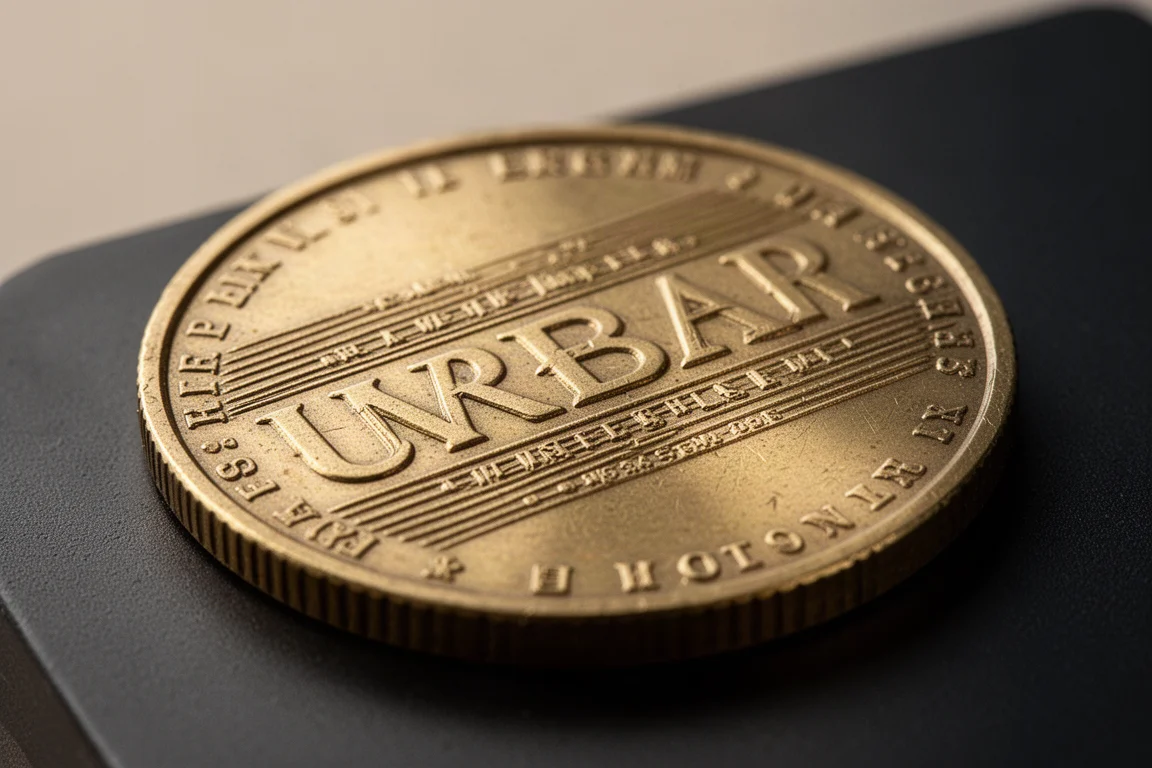
Deep engraving is where the GA100 separates itself from lower-powered fiber lasers. On a brass coin, the unit was set to 90% power, and after 20 passes the engraving was significantly deep. The small text stayed crisp and clear, which is often a challenge when pushing for depth.
The run time for that 20-pass job was about four minutes with first-attempt settings, and there is clearly room to dial in better parameters. Compared to other fiber lasers, the depth achieved here is on another level. For anyone doing deep engraving work, whether on brass, steel, or other metals, this machine is the one to reach for.
The speed advantage carries over to production items too. Slate coasters that took a while on lower-powered units ran in 48 seconds on the GA100, with the sense that even faster settings were possible. Custom dog tags, a common job for many workshops, engraved in about four seconds. That kind of throughput makes the machine viable for small-batch production work.
Color Engraving with the MOPA Source
Color engraving is the headline feature of a MOPA laser, and it works best on stainless steel and titanium. The process manipulates the time and temperature of the heat applied to the surface, creating an oxide layer at a particular color, similar to the way heat affects metal during welding.
The GA100 is clearly capable of producing colors. Initial tests showed blues, reds, and even some green, but reproducing exact results took more work. The MOPA source adds two extra variables beyond power and speed: frequency and pulse width. Combined with crosshatch spacing, that makes five settings that all interact with each other.
Using LightBurn to create parameter grids made the process more systematic. Locking in settings found online and varying line spacing and frequency revealed that frequency has a bigger impact on color than line spacing. However, many recommended settings run at extremely slow speeds with very tight line spacing, which makes cycle times impractical for anything beyond small pieces.
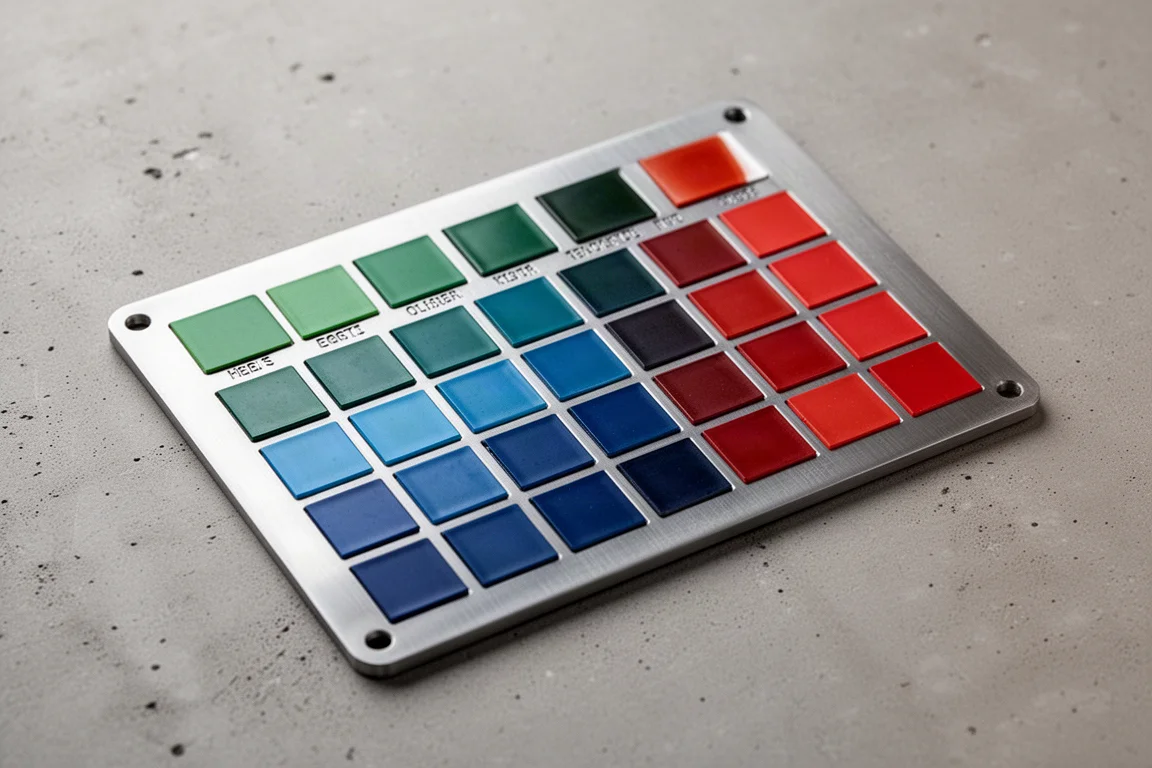
The solution was to lock in a reasonably high speed of 1,000 mm/s with 0.5 mm line spacing, which runs about eight times faster than many online recommendations. That produced a good selection of colors at a practical speed. Pushing to 1,500 mm/s with higher frequency gave less continuous color, but a nice green appeared at lower frequencies. Between the two runs, a usable palette of green, blue, and red emerged at speeds that make production sense.
The machine is clearly capable of color work, but it takes some learning to use it effectively. The settings are sensitive to the specific material and machine, so expect a tuning period before results become repeatable.
Things to Consider Before Buying
The GA100 carries a premium price compared to the base Monport model, and whether that premium is worth it depends entirely on the work you do.
For basic marking of serial numbers or simple identification marks, the higher-powered MOPA laser is probably more than you need. A standard fiber laser handles those jobs fine at a lower cost.
For deep engraving, the GA100 is absolutely worth the upgrade. It cuts cycle times significantly and produces much better results. The same applies to color engraving on stainless steel; if that is part of your product range, the MOPA source is the only way to get there.
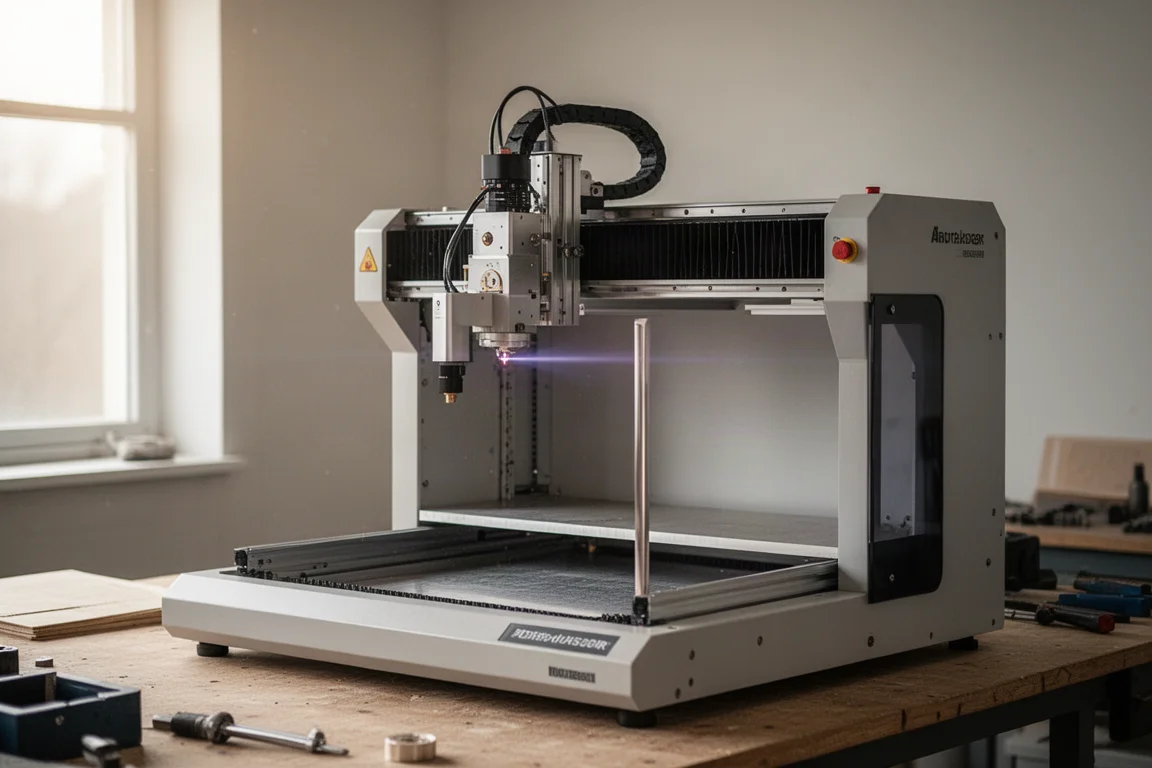
There are a few practical points to keep in mind. The lack of a key switch and large emergency stop is worth noting for safety-conscious operators. Color engraving requires a learning curve, and the settings are sensitive enough that you will need to build your own parameter profiles rather than relying on generic online presets. The free software is fine for basic work, but LightBurn is the better choice for the kind of parameter experimentation that color engraving demands.
Buying Advice
If your workshop is doing production marking at speed, deep engraving on metals, or color engraving on stainless steel and titanium, the Monport GA100 earns its premium price. The all-in-one construction makes it easier to move around and set up than units with separate control boxes, and the performance across every test was a clear step up from lower-powered fiber lasers.
For shops that only need occasional serial number marking or simple logos, the base model remains a sensible choice. The GA100 is a machine for those who want to push into deeper engraving and color work, or who need the speed headroom to make production runs profitable.
Conclusion
The Monport GA100 is a serious piece of workshop equipment. It marks steel and aluminum quickly and cleanly, delivers deep engraving results that lower-powered units cannot match, and opens up color engraving on stainless steel and titanium. The learning curve for color work is real, and the price is higher than the base model, but for the right jobs, this machine pays for itself in speed and capability.
Product link
View more details for Monport GA100
This product is mentioned in the review. Check the specifications, options, and compatibility before buying.
View more details for Monport GA100Further reading
Related Reviews

Laser Engraving
Accel Laser Pro and Ultra: A First Look at Hybrid Motion Control
A closer look at the Accel Laser Pro and Ultra, two machines that combine galvo and gantry motion for large-format laser engraving.

Laser Engraving
Excel Laser HD1 Pro and Ultra: A First Look at the Dual-Source Hybrid
A practical look at the Excel Laser HD1 Pro and Ultra, two dual-source laser machines that combine diode and fiber capabilities in one system.

Laser Engraving
Gweike G2 Pro Fiber Laser Review: A Compact 30W Upgrade for Small Shops
The Gweike G2 Pro brings a more rigid stand, extended height, quieter fans, and LightBurn compatibility to a compact 30W fiber laser.