Tech
Canon PowerShot Zoom Review: A Pocket Digital Monocular for Birding
The Canon PowerShot Zoom digital monocular promises pocket-sized zoom and quick photo or video capture. Here is how it holds up in the field for birding.
Introduction
Pocket zoom devices usually promise more than they deliver, so the Canon PowerShot Zoom digital monocular is an interesting proposition: a monocular-sized device that also captures photos and video. It is clearly aimed at casual use, especially birding, where a quick, portable way to get a closer look and grab a record shot can be genuinely handy. We spent time with it at a wildlife refuge to see whether the convenience lives up to the idea.
What the Canon PowerShot Zoom Is
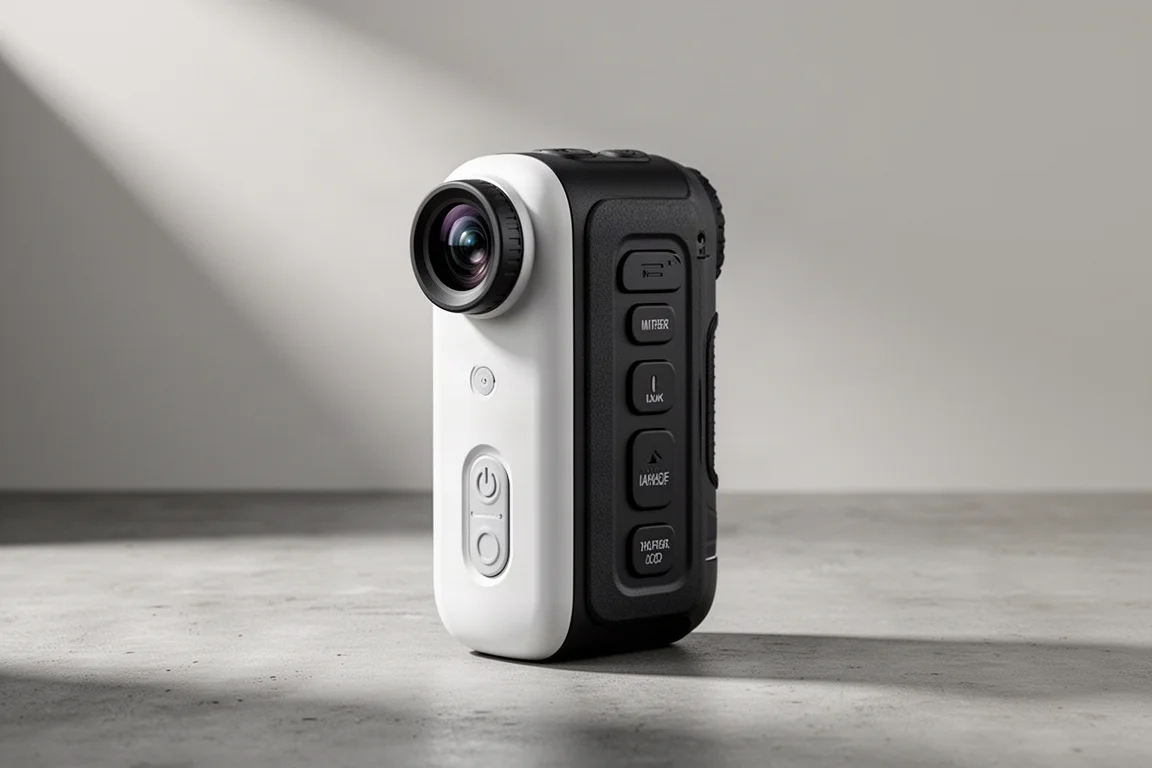
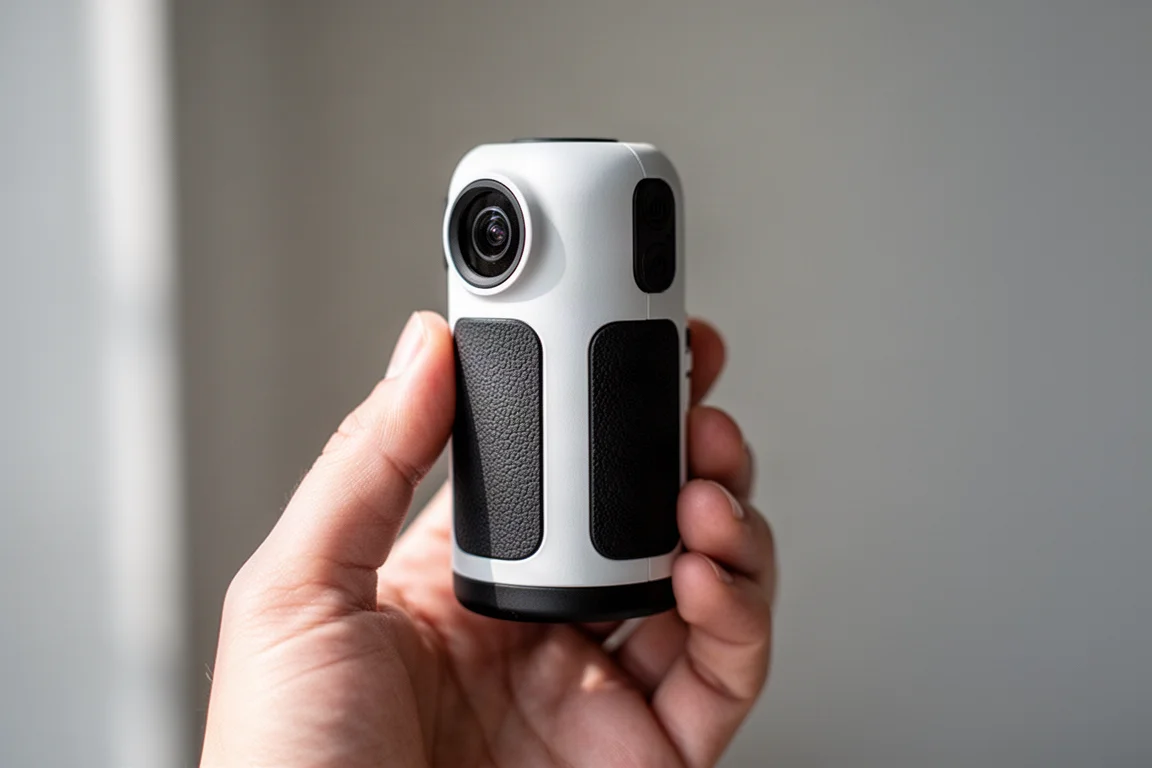
The Canon PowerShot Zoom is a digital monocular, available in white and black, that feels like a tiny camcorder. In the box you get the monocular itself, a micro SD card, a charger and cable, a strap, and warranty information. The unit is genuinely pocket-sized and smaller than many people expect, and the materials feel sturdy, with rubberised sections where your hands naturally rest.
Controls are simple: a photo button, a video button, an eyepiece to view through, and a zoom, menu, and power button on the top, with the SD card slot housed there as well. The layout is approachable for beginners because the buttons are large and clearly labeled, though it takes a little while to get used to if you are coming from a normal camera, since the controls do not work the way a conventional camera’s do.
Using It in the Field
Charged up and ready, the monocular was tested at a wildlife refuge with ducks on open water as the first subjects. Powering on prompts a firmware update and time setup, then the zoom button jumps straight to magnification. Focus locks in, and the view is clearly closer than the naked eye: birds that would otherwise be indistinct shapes become identifiable. Still photos and video can be captured with the dedicated buttons.
During the walk it handled quick sightings well. An American Robin was filmed on the move, a wren posed and chirped nearby, and a Fox Sparrow offered a nice extended view that was captured with both a regular camera and the monocular. The main learning curve is steadiness: because the unit is so light, it does not carry the weight of a camera or binoculars, so there is a bit more shake when handholding. Holding it steady helps a lot.

Image Quality and Zoom
The zoom offers two steps, effectively an optical zoom plus a further digital zoom. At base magnification the view matches what you see in real time. The first zoom step brings you roughly half the distance closer, which was enough to identify teal that were impossible to make out with the naked eye. That is the core value here: it gets you close enough to identify birds quickly.
Clarity is not always identical to the real-time view. The image can look slightly darker, with less contrast in fine details, so it is best thought of as a convenient viewing and capture tool rather than a substitute for a dedicated camera. It is comparable to putting binoculars up for a quick look, with the bonus that you can save photos and video of what you find.

Who It Makes Sense For
This is a good pick for beginners and casual users who want something quick to keep in a pocket. The big, labeled buttons make it easy to operate without studying a manual, and being able to grab media of a bird you just spotted is a genuinely fun capability. It is best described as a novelty-adjacent gadget with real everyday usefulness for quick IDs and casual viewing.
It will not replace a good camera or a solid pair of binoculars. Dedicated gear still wins on image quality, contrast, and steadiness, and anyone serious about bird photography will notice the difference immediately. But for spontaneous outings where carrying a camera bag is not practical, it fills a niche nicely.

Buying Advice
If you want a lightweight, pocketable way to get a closer look at birds and capture casual photos and video along the way, the Canon PowerShot Zoom is an easy recommendation. If your priority is maximum image quality or long glassing sessions, a dedicated camera or binoculars remains the better tool. Treat this as a convenience device and it delivers on what it promises.
Conclusion
The Canon PowerShot Zoom is a fun, well-built pocket monocular that makes quick birding observations easy and adds photo and video capture as a bonus. It has real limitations in image contrast and handheld stability, and it will not replace dedicated gear, but as an always-with-you viewing and capture tool it is a genuinely cool product to try.
Product link
View more details for Canon PowerShot Zoom
This product is mentioned in the review. Check the specifications, options, and compatibility before buying.
View more details for Canon PowerShot ZoomFurther reading
Related Reviews

Tech
Apple MacBook Neo Review: A Surprisingly Capable Budget Laptop
The MacBook Neo brings M1-equivalent performance to a $599 entry-level laptop. We tested it across real workflows to see if it's worth considering over pricier alternatives.

Tech
ASUS ZenBook 16 With Snapdragon and RTX 4060: Can an ARM Laptop Game With an External GPU?
An early look at pairing an Nvidia RTX 4060 with a Snapdragon-powered laptop using a Thunderbolt 5 eGPU dock, including real gaming results.

Tech
GPD G2 eGPU Dock Review: A Sturdy, Future-Ready Boost for Your Handheld or Mini PC
The GPD G2 eGPU dock brings new connectivity standards, a robust build, and desktop-class graphics to laptops, handhelds, and mini PCs.