Gaming Monitors
ASUS ROG Swift PG32UCWM Review: A New Direction for W OLED
The first 32-inch 4K OLED gaming monitor with an RGB stripe subpixel layout brings sharper text and better color brightness, but brightness regressions and a high price hold it back.
Introduction
The ASUS ROG Swift PG32UCWM is the first 32-inch 4K OLED gaming monitor to use an RGB stripe subpixel layout. It is built around a new tandem W OLED panel from LG Display, and it offers a distinct set of features and performance characteristics compared to existing OLEDs on the market. This is not a typical W OLED. The switch to a new RGB subpixel layout fundamentally changes how the panel functions in terms of brightness and color.
The baseline specifications include a 32-inch screen size, 3840 x 2160 resolution at up to 240 Hz, and a glossy coating that ASUS brands as True Black Glossy. There is also dual mode support that pushes the refresh rate up to 480 Hz at 1080p. DisplayPort 2.1 is included, as is adaptive sync support, and the monitor carries DisplayHDR True Black 400 certification.
At first glance, those specifications might not seem remarkable. 32-inch 4K 240 Hz OLEDs have been available for several years, including glossy W OLED options and QD OLEDs. But this monitor represents the start of a new panel generation, as LG Display looks to overhaul its W OLED lineup by splitting tandem W OLED options into panels with the older RGWB subpixel layout and panels with the new RGB stripe layout. ASUS is offering both panel variants in its 2026 ROG monitors, and the PG32UCWM is the highest-end RGB stripe model.
Who This Monitor Is For
The PG32UCWM is aimed at gamers and desktop users who want a large, high-resolution OLED display with excellent motion clarity and deep blacks. The 32-inch 4K panel with 140 ppi pixel density makes it a strong choice for text-heavy desktop applications, and the 240 Hz refresh rate provides smooth, responsive gaming performance.
This monitor is also a good fit for competitive gamers who want the option of a 480 Hz mode at 1080p for fast-paced titles. The dual mode support gives it a flexibility that many other OLEDs do not offer.
However, this is a premium flagship product with a high price tag, so it is best suited to buyers who are willing to pay for the latest panel technology and who value the specific advantages of the RGB stripe layout.
RGB Stripe Subpixel Layout and Text Quality
To understand what makes this monitor different, it helps to know how displays create color. Modern monitors split each pixel into multiple subpixel components. Historically, displays have used red, green, and blue subpixels in a left-to-right striped layout, creating a square pixel. This is what you find in the vast majority of LCD monitors.
With the RGB stripe layout being ubiquitous, engineers found ways to use it to enhance the visual experience through subpixel rendering. Knowing the layout of the subpixels allows subtle changes to improve image quality and anti-alias edges. On a 1080p monitor, for example, there are only 2 million pixels but 6 million subpixels. Fully harnessing those subpixels increases the effective resolution of the display. Subpixel rendering was particularly used to improve text quality through systems like Microsoft’s ClearType.
When OLED monitors first appeared, they used subpixel layouts that were not RGB stripe. QD OLED debuted with a triangle RGB layout with green on top and red and blue beneath. W OLED integrated a white subpixel into the mix, adding a fourth element to each pixel. Because neither of these layouts is an RGB stripe, OLEDs were incompatible with the subpixel rendering systems built around that layout for years. This meant that relative to an LCD using an RGB stripe, OLEDs typically offered worse text quality despite having the same screen resolution.
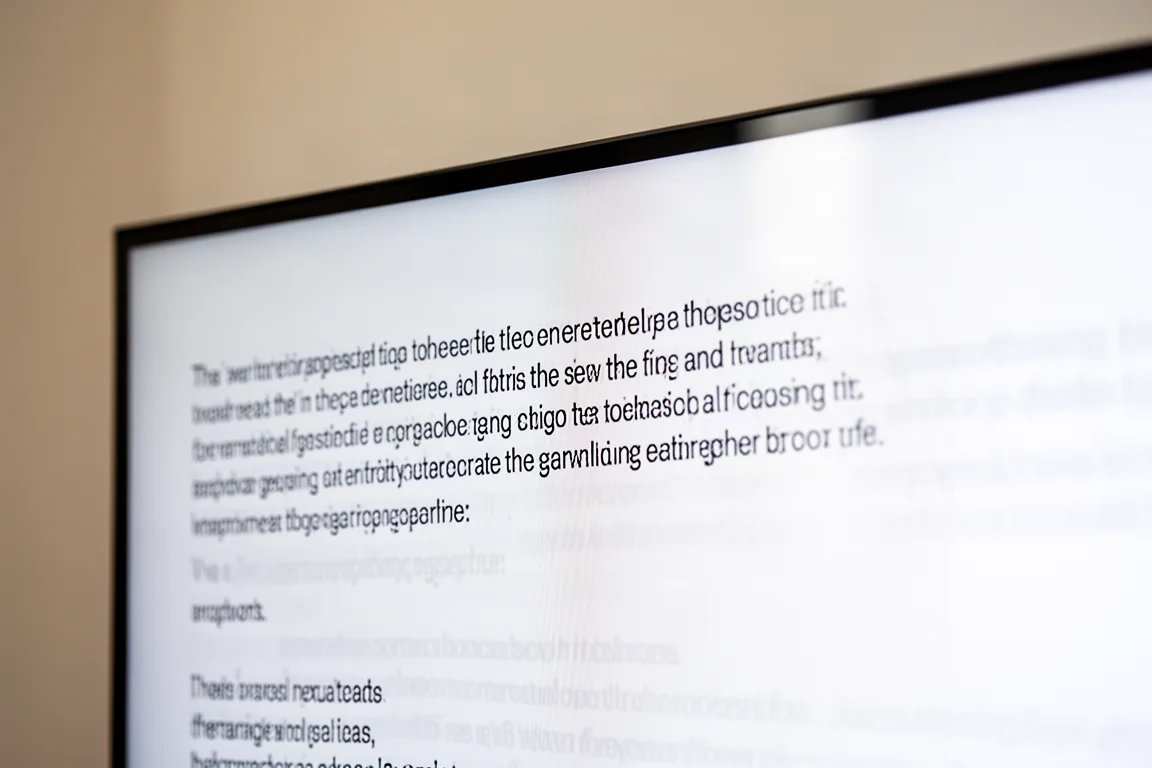
The move back to RGB stripe with this new W OLED panel corrects this issue and makes W OLED fully compatible with traditional subpixel rendering for the first time. The PG32UCWM has text quality that is effectively identical to LCDs. It looks sharp, clear, and excellent. In fact, because most LCDs use a matte screen coating, this glossy W OLED actually looks sharper and better, as there is no coating grain slightly diffusing the text.
The big question is whether switching to RGB stripe leads to a noticeable text quality improvement compared to triangle RGB QD OLED and previous RGWB W OLED panels. While this RGB stripe panel does look better, it is a subtle improvement. Compared to an RGWB panel of the same density, RGB stripe offers more consistent anti-aliasing and sharper edges. Compared to QD OLED, the small amount of color fringing around text is eliminated and edge quality is slightly better. But given that all of these variants display text on a panel with decent pixel density, there is a chance you will not notice the difference, especially if you are not overly sensitive to artifacts.
To achieve an RGB stripe layout, LG Display removed the white subpixel used in all previous W OLEDs. Even though this panel does not have a white subpixel, it is still W OLED, as the W refers to the white emissive layer, not the white subpixel. This white emissive layer is used for all the subpixels filtered into each color.
Removing the white subpixel does have some drawbacks. On the RGWB panel, only one subpixel needs to be active to show white, whereas on the RGB stripe panel, all three subpixels need to activate. This gives the RGWB panel an advantage when showing white, either delivering higher brightness at the same power level or running more efficiently at the same white brightness.
Glossy Coating and Screen Finish
The PG32UCWM uses LG Display’s standard glossy coating, which has been seen on previous glossy W OLED monitors such as ASUS’s own XG32UCWMG from last year. In both cases, the coating is branded as True Black Glossy, and the reflectance characteristics of both are very similar. This is an excellent coating and a favorite among the current crop of OLEDs, though it is not ideal for all use cases.
The main strength of this glossy coating is that it preserves deep blacks in most environments, with no light diffusion across the surface and no raised blacks from ambient lighting. As it is a glossy coating, there is no coating grain either, so the image remains crystal clear.
The main weakness is reflectivity. The surface has a mirror-like finish that can produce direct reflections. The layer structure does a decent job of minimizing these reflections, so they are not terribly distracting, but anything bright is quite visibly reflected, especially when viewing darker content. This typically makes glossy a better choice for viewing the screen in darker rooms or environments where you can control light sources to minimize reflections.
The most relevant OLED coating comparison is probably to the new 2026 4K QD OLED panel, which includes a film from Samsung Display designed to reduce ambient light reflectivity. One of the big downsides to QD OLED panels is that in brighter rooms, the panel reflects ambient light, which raises black levels. The latest 2026 panel used in the PG32UCDM3 features improvements in this area compared to the original 4K QD OLED panels, but it still cannot get close to the ambient light handling of glossy W OLED. The PG32UCWM simply looks blacker in bright rooms. QD OLED is less reflective when it comes to direct mirror reflections, though, so you are less likely to notice yourself being reflected in the screen.
Ultimately, both panels are best used in darker rooms, and there are trade-offs to each one. You have to decide whether you will be more annoyed by the raised black levels of QD OLED or the increase in mirror-like reflectance of W OLED.
HDR Performance and Brightness
HDR performance is one of the more interesting aspects of this new OLED monitor. All the fundamentals are here, of course: deep zero-level blacks and per-pixel control, which leads to an effectively infinite contrast ratio. As OLEDs have individual control over each pixel, they can show bright pixels right next to dark pixels with perfect clarity and no zone bleed. Fundamentally, it is a great technology for HDR.
The actual HDR performance you get depends on the mode you use, and this monitor does not perform like previous RGWB W OLEDs. The switch to an RGB stripe has fundamentally changed how this display operates. Brightness and color output are different, and this brings the PG32UCWM more in line with QD OLEDs.
There are several HDR configurations available, but most fall into one of two categories. The first category is True Black performance, best seen in the DisplayHDR 400 True Black mode. This mode has accurate EOTF tracking in most types of scenes, meaning that when HDR content requests a certain level of brightness, the screen delivers that brightness, regardless of whether it is a bright scene or dark scene. This mode typically looks great and natural, but it has one major downside: brightness is capped at just 450 nits, and in very bright content that limit is further reduced by ABL.
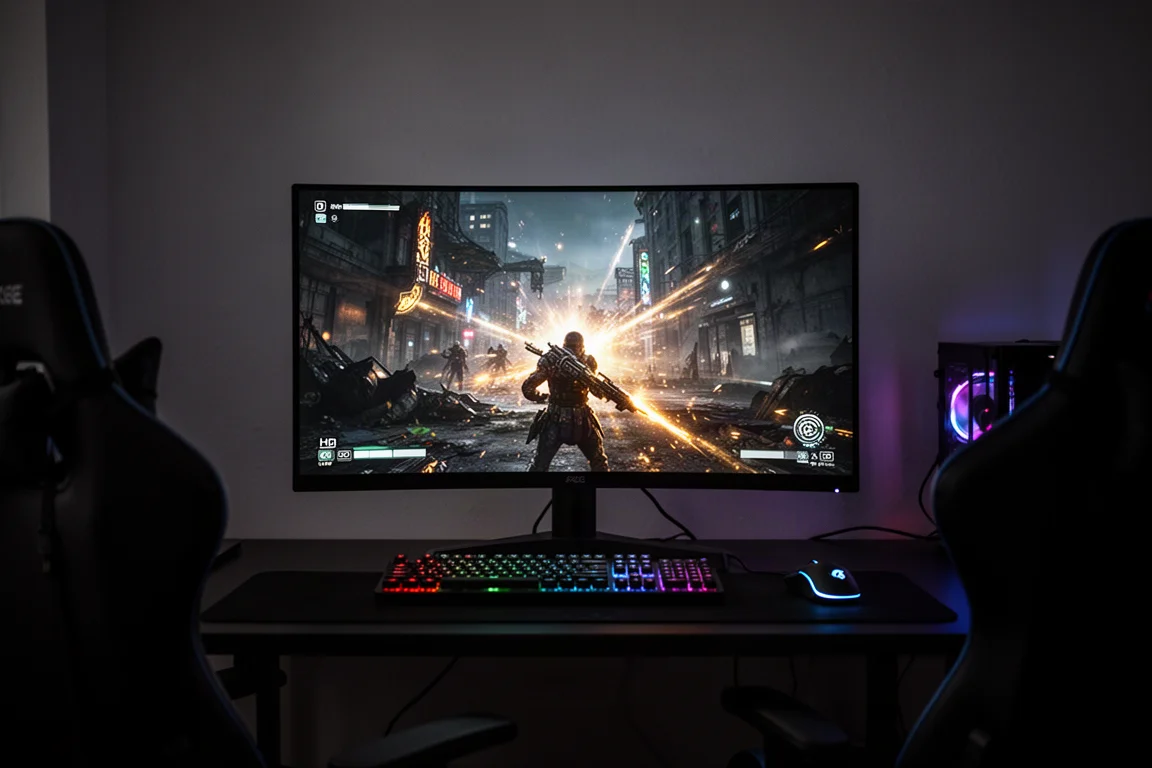
The second category is a boosted brightness mode. This is seen, for example, in the console HDR mode with the adjustable HDR toggle enabled and brightness increased to 100. This mode removes the 450-nit brightness limitation and allows content to push up to the true hardware limit of this panel, which is around 1,000 nits. This significantly increases the brightness punch in dark scenes, where the panel is allowed to go all the way up to 1,000 nits. However, this mode is not very accurate in dark scenes. Boosted brightness configurations raise EOTF tracking in dark scenes significantly, meaning the image you are looking at is much brighter than it should be. This can affect the intended mood of scenes as shadows get raised and you get less of that deep, rich black experience that OLEDs are known for.
Crucially, the PG32UCWM does not have a mode that offers good performance in dark scenes while still allowing a thousand nits of peak brightness. Your only option to access the highest brightness is a boosted brightness configuration. Other OLEDs often have an accurate mode for dark scenes, sometimes called a peak configuration. On QD OLEDs, this mode came with the trade-off of panel dimming, where brightness is roughly halved in bright scenes.
With previous W OLED monitors, the non-RGB stripe models, panel dimming was not really a concern. They provided a configuration that did not limit peak brightness and was pretty accurate in both bright and dark scenes. However, the latest 39-inch Alienware W OLED that also used an RGB stripe showed panel dimming in its peak mode. Dell also offered a boosted brightness configuration on that monitor, which eliminates panel dimming at the cost of over-brightening in dark scenes. Exactly what this ASUS monitor offers when you set brightness to 100.
It appears that ASUS has only offered the boosted brightness configuration on the PG32UCWM to avoid panel dimming. The Dell model offers three modes, falling into the categories of True Black, peak, and boosted brightness. The ASUS does not offer that peak mode. The only choice is True Black with limited brightness or boosted brightness that is inaccurate in dark scenes.
When an OLED panel has hardware limitations that make panel dimming inevitable, and this appears to be the case with RGB stripe W OLEDs as well as QD OLEDs, it is crucial to offer all three categories of HDR mode. This allows you to pick what type of experience you want, whether that is the best accuracy in dark scenes or in bright scenes.
In synthetic brightness tests, full-screen brightness is disappointing at just 230 nits, which is lower than what the panel achieves in SDR content. This is slightly behind first-generation QD OLEDs and well behind the 2026 models, which achieve over 300 nits. At a 10% window, brightness is just over 500 nits, matching the 2026 QD OLED panels and exceeding the earlier 2024 models. However, this is a brightness regression compared to the XG32UCWMG and PG32UCDP, which hit over 700 nits with help from the white subpixel. At a 2% window, peak brightness falls just short of 1,000 nits, achieving 985 nits. This is roughly in line with both 2024 and 2026 4K QD OLED panels, which cap out at 1,000 nits. However, past W OLEDs quite easily pushed up into the 1,200-nit range.
In real scene content, the PG32UCWM is a little disappointing in its brightest configuration. This display does not get as bright on average as 2024 QD OLEDs, offering a geometric mean of 428 nits versus 472 nits on the MSI 322URX. The most disappointing results come when comparing the UCWM to the PG32UCDM3. The latest 2026 QD OLED, which competes in the same price class, is quite a bit brighter on average, with 21% higher average brightness across the tested scenes. It is not a massive difference, but the brightness characteristics of the newer QD OLED panel are superior, with this RGB stripe W OLED only really reaching the output of those first-generation 4K units.
Color Performance and Gamut
Color space coverage is 99% DCI-P3 and 76% Rec. 2020. This is an increase in color space compared to non-tandem OLED, but it is not quite as high as tandem OLED with the RGWB subpixel layout, and it is slightly behind QD OLED as well, though not to a huge degree.
In terms of HDR color volume, the PG32UCWM is able to put up good numbers, but it is not outstanding. Volume is up 15% compared to the XG32UCWMG, but this is partially due to the XG model having higher overall brightness, and it sits 13% behind QD OLED.
In terms of color brightness, the PG32UCWM is able to deliver significantly higher color brightness than W OLEDs with the white subpixel, getting into the range of QD OLEDs. If we think about this in terms of a white level equivalent, RGWB models deliver color brightness in line with what you would expect from a panel that can only achieve about 500 nits of white brightness, whereas the RGB stripe model delivers color brightness in line with a 1,000-nit panel. Effectively, to achieve such high white brightness figures, RGWB models are only boosting white brightness through the white subpixel. This ASUS model is more even in its brightness output between white and colors.
SDR Performance and Calibration
The PG32UCWM has strong out-of-the-box grayscale accuracy. The review unit shipped with an essentially perfect color temperature and great adherence to sRGB gamma, leading to a low delta E average. By default, the monitor does not use any gamut emulation, so SDR colors are expanded from the usual Rec. 709 up to fill the full wide gamut of this display. This leads to some oversaturation, and you might notice skin tones are a bit redder and less natural in the SDR mode.
The monitor currently does not work well with Windows 11 auto color management. With this mode enabled, no color management is performed and the display does not emulate sRGB. However, the included sRGB mode is very good. It can be accessed through the display color space setting. Switching it over to sRGB will emulate the sRGB color space, and it still gives you access to all other settings. This configuration has great grayscale accuracy similar to the out-of-the-box configuration, with much improved saturation and color checker results. A delta E ITP average of 3.7 in color checker is great and indicative of a properly calibrated display.
SDR brightness is standard from a W OLED monitor, though a little disappointing if you are expecting results more in line with 2026 panels. 265 nits full-screen white is similar to the first generation of W OLEDs that did not use tandem W OLED technology and used the RGWB subpixel layout. It is also quite similar to the first generation of 4K QD OLEDs. However, newer versions of OLED technology have begun pushing SDR brightness to around the 300-nit level or above. In that sense, the PG32UCWM is a bit underwhelming, though the difference is only about 12%, and in many use cases, 250 nits is sufficient for desktop app usage.
The PG32UCWM does not use a uniform brightness configuration by default, so changing window sizes will affect brightness. You can stop that from happening by enabling the uniform brightness setting in the OSD, which is recommended. Minimum brightness is excellent at 14 nits.
Uniformity and Gray Banding
Uniformity is a contentious issue with tandem W OLEDs due to a flaw known as gray banding. However, gray banding is not an issue on this monitor. The ugly vertical band seen in dark gray content on the 1440p tandem W OLEDs is not seen on this RGB stripe 4K panel in either the 240 Hz or 480 Hz configurations. It is good to confirm that the higher refresh rate of this display does not reintroduce gray banding.
The PG32UCWM does not quite reach the level of perfect gray uniformity. There is still a small faint amount of dirty screen effect when viewing the darkest grays, but this W OLED gets the closest to a QD OLED that has been seen in terms of gray uniformity results. It is much more suitable for using desktop apps that have uniform dark gray backgrounds, like a lot of productivity apps.
In terms of white uniformity, the PG32UCWM is not as good as a QD OLED, but still pretty good. QD OLEDs have great edge-to-edge uniformity. This RGB stripe W OLED has some brightness falloff around the edges, and there is also some slight color shifting at the edges, which is actually due to viewing angles rather than panel uniformity. There is a slight color shift when viewing at off angles, and because you view the edges at a slight angle at a normal viewing distance, this creates a slight color shift at the edges. This W OLED panel still has better uniformity than most IPS LCD gaming monitors of this size.
Motion Performance and Dual Mode
The PG32UCWM offers the same motion experience as previous 32-inch 4K 240 Hz W OLEDs. Response time performance is effectively identical across different gaming OLEDs, and the refresh rate is unchanged compared to the first generation of panels. The refresh rate essentially dictates the motion clarity you get with an OLED monitor. Higher refresh rate models deliver better clarity when the highest refresh rate is used. But if you operate two different OLEDs at the same refresh rate, motion clarity will be identical regardless of what the maximum refresh rate actually is.
A 240 Hz refresh rate is still very sufficient for a 4K monitor in 2026. It offers a great level of smoothness and responsiveness for desktop apps and tons of headroom for all types of gaming. If you like to use frame generation, a 240 Hz refresh rate enables a base render rate of 120 fps in the 2x mode, which is still a nice low-latency experience, or an 80 fps base render rate in the 3x mode.
For competitive gamers, the PG32UCWM offers dual mode, which increases the refresh rate to 480 Hz but drops the resolution to 1080p. If you are playing a game at a high frame rate like 480 fps, the 480 Hz mode provides a genuine clarity improvement in fast-paced titles, and it reduces input latency as well. Because OLEDs are so fast in general, dual mode tends to work really well in terms of improving motion clarity. This mode is only recommended for fast competitive games, though. A 1080p resolution on a 32-inch screen is not great for text quality and sharpness. The mode is relatively blurry, but it is not overly noticeable when playing games like Counter-Strike 2 or Apex Legends, and in most cases, the UI in these games is still highly readable.
The PG32UCWM does not use integer scaling. One 1080p pixel is typically made up of four primary native pixels with up to four additional pixels dimly activated. This type of scaling is pretty close to integer scaling, so it looks okay. ASUS’s dual mode implementation is pretty straightforward. You enable it via the frame rate boost option in the OSD. When switching into this mode, the only thing that changes is the refresh rate and resolution. It otherwise performs exactly the same as the 4K mode, with the same HDR support, color performance, processing delay, and VRR support.
ASUS also offers screen size emulation modes for 27-inch and 24.5-inch. This further reduces the resolution to maintain the same type of scaling. The 24.5-inch mode runs at 1472 by 828, for example.
ELMB and Anti-Flicker Features
The PG32UCWM supports ELMB (Extreme Low Motion Blur) frame insertion. This mode attempts to increase the clarity of gaming at lower refresh rates by displaying every second frame as black. In the 4K mode, ELMB works at 120 Hz to improve 120 fps gaming up to the clarity of 240 Hz. In the 1080p mode, ELMB boosts 240 Hz gaming up to 480 Hz, and it also works at 120 Hz, improving clarity up to 240 Hz like the 4K mode.
This is a neat feature, but it is highly restrictive. To enable ELMB, you must disable variable refresh rates, HDR, and uniform brightness. Only the aforementioned refresh rates are supported, and you have to run games at a locked frame rate for it to work properly. The clarity boost is not as good as backlight strobing tech on the best LCDs, so it is not something most users would personally use for gaming, though it is a nice bonus feature.
There is also an anti-flicker setting. It is a simple toggle on this monitor, raising the minimum refresh rate in the VRR mode from 48 Hz to 140 Hz. This option is not generally recommended, as it disables low frame rate compensation. When your frame rate drops below 140 fps, variable refresh is effectively disabled and you may see tearing or stuttering. If the frame rate drops further below 120 fps, variable refresh is enabled again. This narrow window where VRR does not work creates a jarring difference in smoothness as your frame rate enters and exits this zone.
On W OLEDs, VRR flicker is caused by gamma shifts at different refresh rates, as gamma is tied to refresh. Even on this new panel, when the refresh rate fluctuates wildly, you will see rapid gamma shifts, and this looks like flicker. The anti-flicker mode can reduce, but not fully eliminate, OLED VRR flicker. The easiest way to combat VRR flicker in general is to eliminate massive refresh rate fluctuations.
Input Latency
Input latency is excellent, offering a sub-1-millisecond processing delay in both the SDR and HDR modes. There is also no processing lag penalty from using the 480 Hz mode, so the 480 Hz mode has better input latency overall. Combined with fast response times and a decent refresh rate, this OLED feels very snappy to use.
Connectivity and Ports
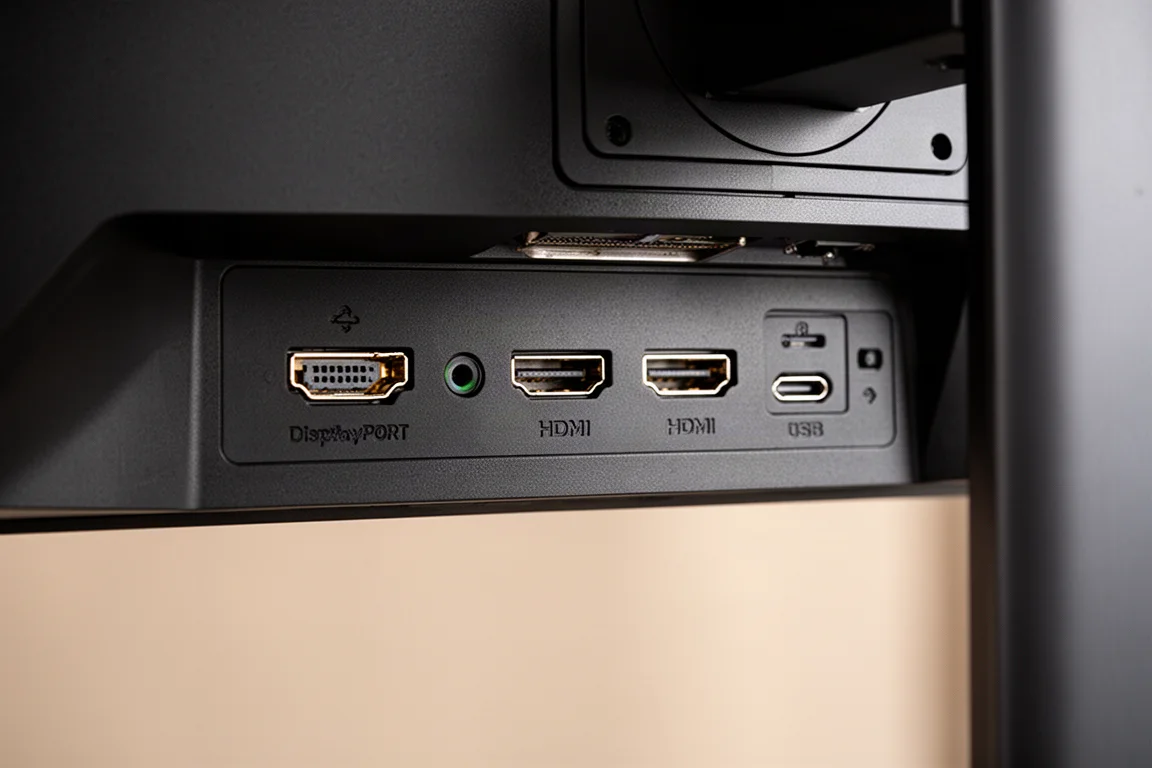
The port selection is pretty standard. There is one DisplayPort 2.1 UHBR20, two HDMI 2.1 48 Gbps ports, a USB-C port supporting DP Alt mode and 90 W of power delivery, plus a 3-port USB 5 Gbps hub. The display can be used at the full 10-bit 4K 240 Hz over DisplayPort 2.1 without DSC, or over HDMI 2.1 with DSC. It will also work just fine over DisplayPort 1.4 with DSC. There is an included KVM switch.
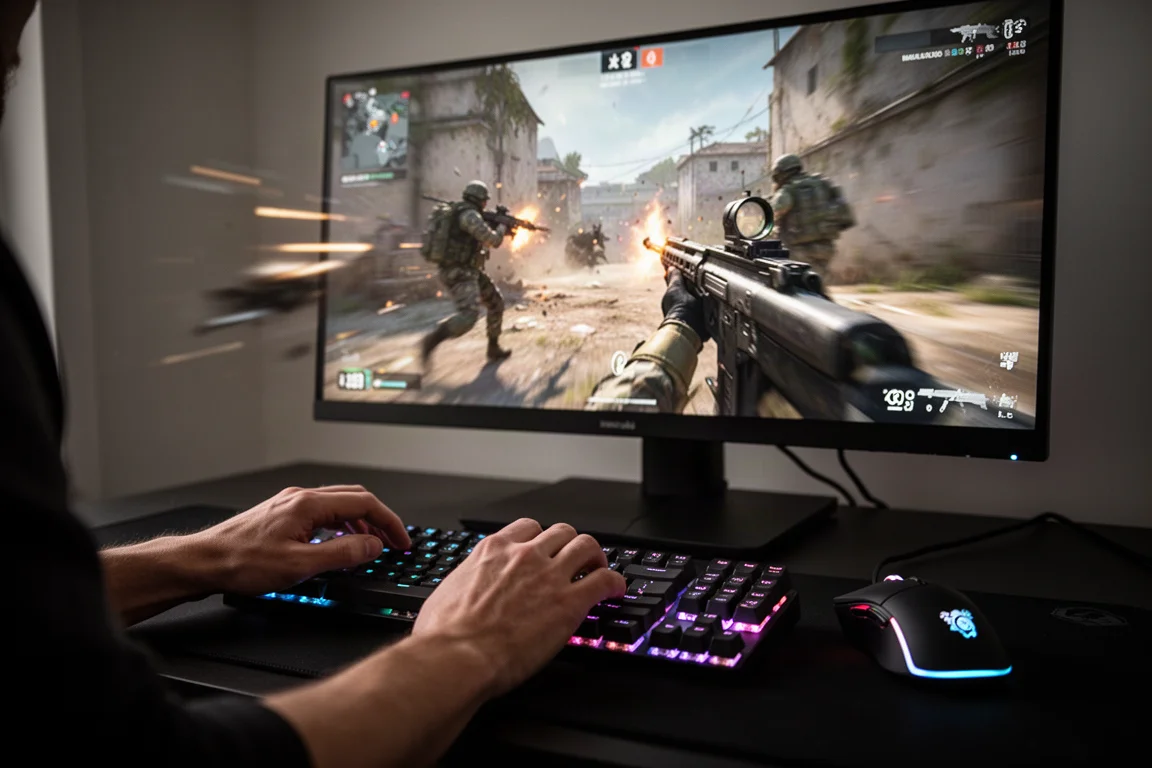
The OSD is controlled through a directional toggle behind the ASUS logo. ASUS includes a lot of features for gaming, including an FPS counter, crosshairs, sniper mode, timer, shadow boosting, and the aforementioned anti-flicker mode and ELMB. There is also a range of color settings and modes, picture-in-picture options, DisplayPort and DSC settings, and the ability to update the monitor’s firmware over USB.
Design and Build Quality
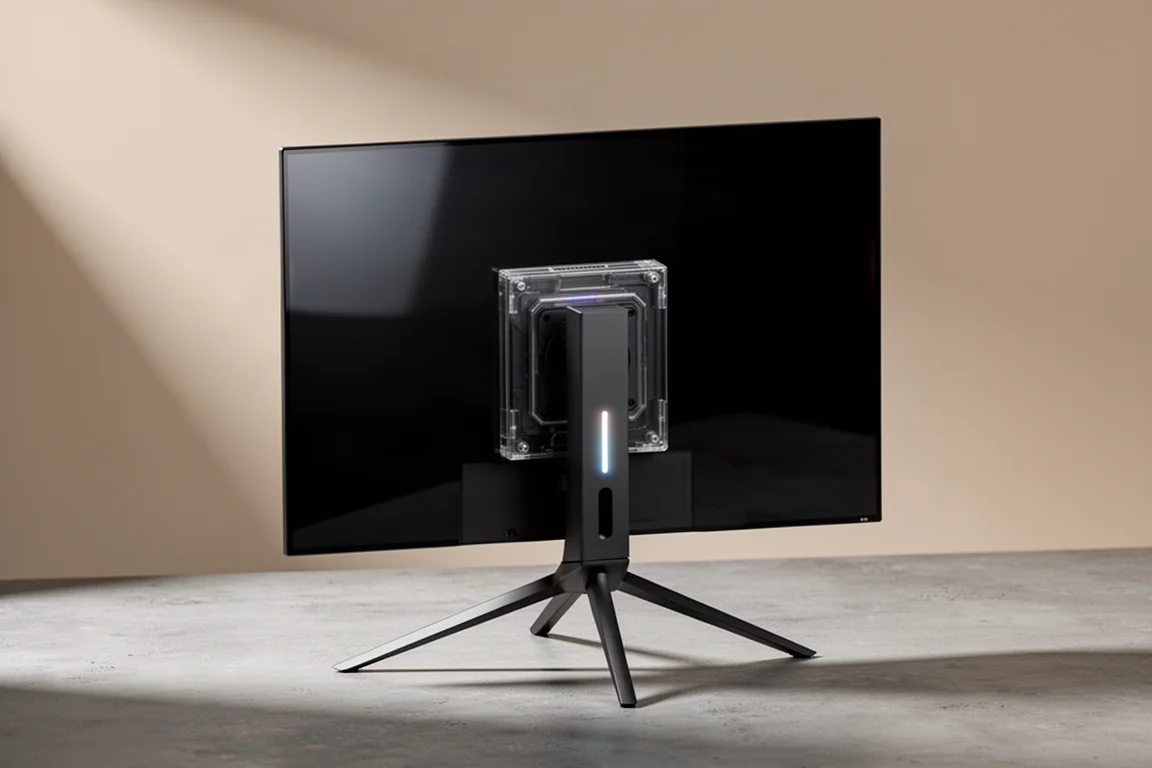
The PG32UCWM uses basically the same design that ASUS has been using for a long time with its ROG Swift monitors. This includes the three-legged stand base with wide prongs that take up quite a lot of desk space. There are quite a few complaints from users about this design, especially as other monitors have started to move to flatter square bases that do not take up as much desk space and are functional in that you can put objects on top of the base. Strangely, ASUS continued to use this large base design on its premium ROG Swift line when the ROG Strix line has shifted to using better square bases.
The rear of the monitor features the standard central box design, which is attached to the slim OLED panel assembly. This box uses some nice transparent elements that look kind of cool. On the right-hand side is ASUS’s Matrix LED lighting. There is also a red LED that shines out at the bottom of the stand projecting an ASUS logo, which is pretty ridiculous.
It is a very sturdy stand, with not much wobble at all, and it supports height, tilt, and swivel adjustments. The maximum amount of height on offer is good, but you cannot pivot the display into a 90-degree orientation. The even bezels on the front with no obvious chin are also a nice touch. The power supply is integrated into the display and uses GaN FET technology, which ASUS claims allows for a smaller power supply footprint, better power efficiency, and less waste heat output.
OLED Care and Burn-In Warranty
OLED panels are susceptible to permanent burn-in, so they are not a great choice for continual static content like using desktop apps for long periods. ASUS offers the standard 3-year burn-in warranty with this monitor, so no change despite the shift to a new type of panel. There are also all the usual OLED care options, allowing you to disable the screen saver option, taskbar detection, and logo detection. There is also the ASUS near proximity sensor, a handy inclusion.
Buying Advice
The ASUS ROG Swift PG32UCWM is a very interesting monitor. As the first 32-inch 4K RGB stripe W OLED gaming monitor, it offers a new set of capabilities and another alternative to QD OLED. It does not perform like W OLEDs seen previously.
There are a lot of things that the PG32UCWM does well. As a 32-inch 4K 240 Hz OLED, it ticks a lot of boxes: a large screen size for immersive gaming or productivity work, a high resolution with great pixel density, a high 240 Hz refresh rate for excellent motion clarity, and the deep blacks with per-pixel control that is inherent to OLED technology.
However, this is a $1,300 US monitor, so it is very much a high-end flagship product with a very high price tag. At that price, this unit is directly competing with the latest 2026 QD OLEDs, which typically start around $1,000 and go up from there. ASUS’s model using that panel, the ROG Swift PG32UCDM3, is the exact same price.
This new RGB stripe W OLED does have some key advantages over 2026 QD OLEDs. The glossy screen coating delivers deeper blacks in some environments, and generally it looks better than the QD OLED coating. The RGB stripe subpixel layout provides a slight improvement to text quality versus QD OLED triangle RGB, but it is not a major upgrade, and a lot of buyers will not notice the difference. Then there is dual mode support. The 1080p 480 Hz mode delivers better motion clarity for competitive gaming, an option that is not available on QD OLEDs at all.
But outside of these things, the QD OLED panel actually performs better a lot of the time. The new 2026 panel with a True Black 500 rating has higher SDR brightness and higher HDR brightness. While the peak capabilities of the panel are not that different, around 1,000 nits for both, in most other conditions, the QD OLED outputs higher brightness. It also has a wider color gamut, better color volume, and better uniformity viewing both whites and dark grays.
With previous W OLED panels, there used to be a massive advantage that LG Display’s technology had over QD OLEDs: the lack of panel dimming. This meant HDR brightness output was much more consistent between dark and bright scenes within the one HDR mode. But this new panel does not seem to have this characteristic, and ASUS seems to be masking it with a boosted brightness HDR configuration.
This means the competing PG32UCDM3 model actually has more HDR modes and better user choice over HDR performance. You can use the QD OLED in a boosted brightness configuration just like this W OLED if you want to, but that model also has the flexibility to show dark scenes with better accuracy if you are okay with panel dimming in bright scenes.
Ultimately, the 2026 QD OLED is a better monitor at displaying HDR content. The PG32UCWM delivers performance that is much closer to the original wave of 32-inch 4K QD OLEDs that hit the market in 2024. And 240 Hz variants using that panel start around $800 US. There is not a compelling reason to spend $500 more on the RGB stripe W OLED panel.
In some ways, this W OLED panel is one step forward, two steps back. The fundamentals here are quite good. The RGB stripe allows for a massive increase in color brightness compared to RGWB W OLEDs. There are benefits to text quality and dark gray uniformity. It is a great platform for the future of W OLED. But changing how the panel works so significantly has led to regressions in other areas. Panel dimming now appears to be an issue, and overall brightness is lower than past W OLEDs and current QD OLEDs.
There is a place in the market for the PG32UCWM and for RGB stripe W OLED panels, but not at this price. $1,300 is far too high for what is being offered here. At a price point below $1,000, more in line with those 2024 QD OLEDs, that is when this panel would be worth considering.
Conclusion
The ASUS ROG Swift PG32UCWM is a technically fascinating monitor that introduces a new RGB stripe subpixel layout to the W OLED lineup. It delivers excellent text quality, strong color brightness, and a versatile dual mode for competitive gaming. The glossy coating is among the best available, and gray uniformity is a clear improvement over previous tandem W OLEDs.
However, the monitor struggles to justify its $1,300 price tag. Brightness is lower than both past W OLEDs and current QD OLEDs, and the HDR mode selection forces a choice between accurate but dim True Black performance or brighter but inaccurate boosted brightness. The competing 2026 QD OLED panels offer better overall HDR performance, higher brightness, and a wider color gamut at the same price or less.
For buyers who prioritize text clarity, glossy screen aesthetics, and the 480 Hz dual mode, the PG32UCWM has genuine appeal. But for most people shopping in this price range, the 2026 QD OLED options deliver a more compelling overall package.
Product link
View more details for ASUS ROG Swift PG32UCWM
This product is mentioned in the review. Check the specifications, options, and compatibility before buying.
View more details for ASUS ROG Swift PG32UCWMFurther reading
Related Reviews
Gaming Monitors
AOC Q27G41ZDF vs Asus ROG Swift OLED PG27AQDP: Budget vs Premium OLED Gaming
Two 27-inch 1440p OLED gaming monitors at vastly different price points. We compare brightness, color accuracy, text sharpness, refresh rates, and real-world performance to see what justifies the premium.
Gaming Monitors
ASUS ROG OLED Gaming Monitors 2026: New Panels, Sizes, and Brightness
ASUS announced several new ROG OLED gaming monitors at Computex 2026, including a 24.5-inch esports panel and a 32-inch 4K RGB stripe model.
Gaming Monitors
ASUS XG Series Gaming Monitors: Five Options From $200 to $750
A practical look at five ASUS XG series gaming monitors across different price points, covering performance, motion clarity, and which one fits your gaming style.