Gaming Keyboards
ASUS ROG Falcata Review: A Feature-Packed Split Keyboard With a Premium Price
The ASUS ROG Falcata combines a compact 75% layout, Hall effect switches, 8K polling, and a split design. Here is what stands out and what to consider before buying.
Introduction
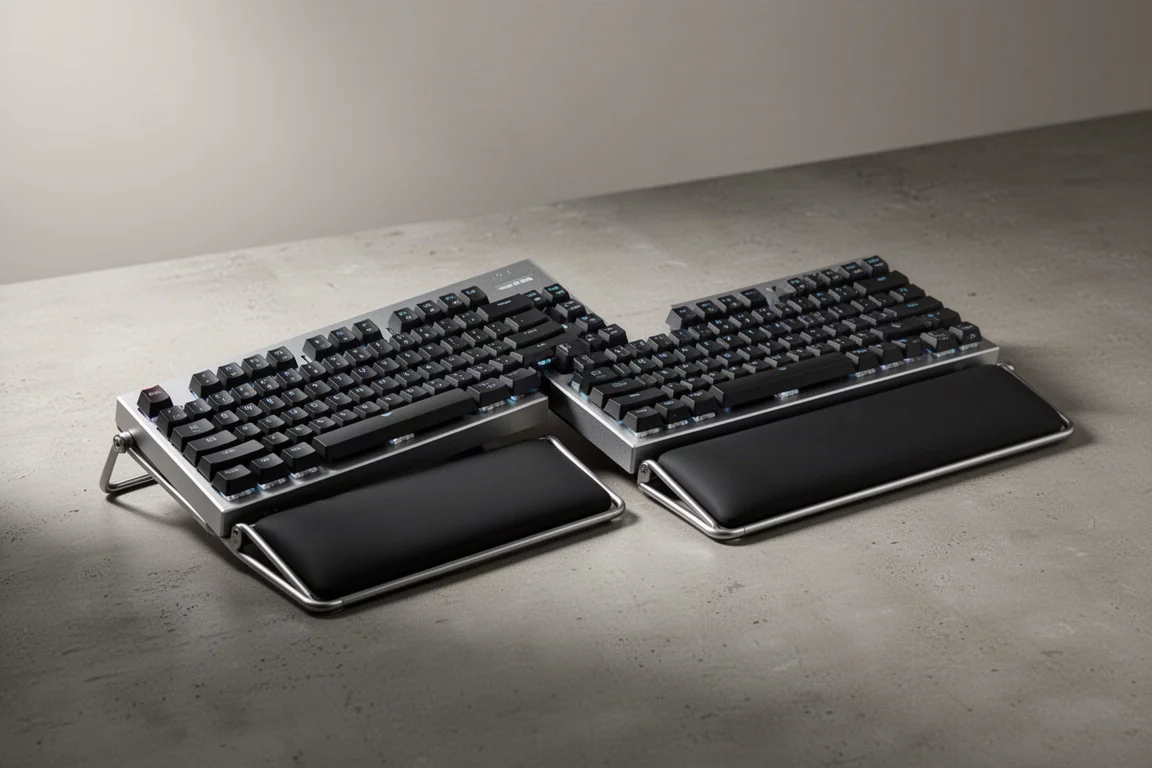
The ASUS ROG Falcata is a compact 75% wireless keyboard that tries to do a lot at once. It is a Hall effect board with 8K polling, a split design with a wrist rest, and even a tenting option for ergonomics. It is an impressive piece of engineering, but it also comes with a price that is hard to ignore.
At $419.99 in the US, this is a premium product. It was initially rumored to launch at $359.99, but the current price reflects a significant increase. For that money, you are getting a keyboard that is genuinely unique, but it is worth understanding exactly what you are paying for.
Who This Keyboard Is For
The Falcata is aimed at gamers who want the absolute latest in keyboard technology. If you are looking for a compact board that frees up desk space, offers wireless freedom, and includes advanced analog features like rapid trigger and speed tap, this is one of the few options that combines all of it.
It is also a good fit for people who are interested in ergonomics. The split design, combined with the tenting option and the included wrist rests, makes it a more comfortable typing experience than a traditional flat board. However, it is not for everyone. If you are not interested in split layouts or you prefer a more traditional keyboard, this is probably not the right choice.
Design and Build Quality
The Falcata comes in two halves, each with a silicone wrist rest that is pressure mounted to a stout metal frame. The board itself has a plastic body with an aluminum top plate and a floating switch design. It feels similar to other recent ASUS ROG boards, but the font on the keycaps is more reserved, which is a welcome change.
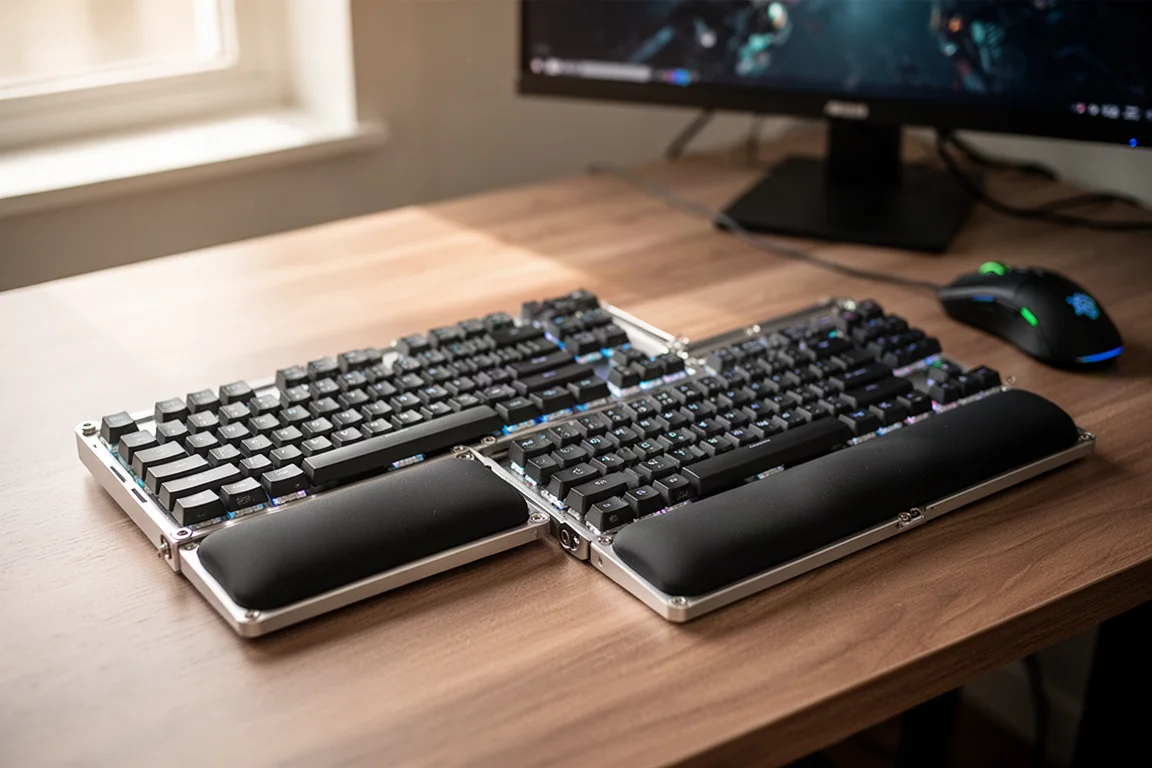
The split design is held together with a light pressure fit and bumpers. This is not super strong, and even a light bump will separate the two halves. You will need to use both hands to move the board around. It is a minor annoyance, but it is worth knowing before you buy.
The wrist rest assembly is more complicated than it needs to be. You have to remove silicone plugs from the underside of the board, then use an Allen key to attach the frame with screws. There are no extra screws included, so you need to be careful not to lose them. Once attached, you can choose between different feet configurations for tilt or tenting. The tenting option is not as extreme as some other ergonomic boards, but it does help rotate your wrists into a more natural position.
Switches and Typing Feel
The Falcata uses a new revision of ASUS’s HFX magnetic switches. These are a multi-piece stem design that is meant to reduce stem wobble and improve accuracy. They are factory lubed and feel really smooth. The stabilizers are also well done, with no rattle.
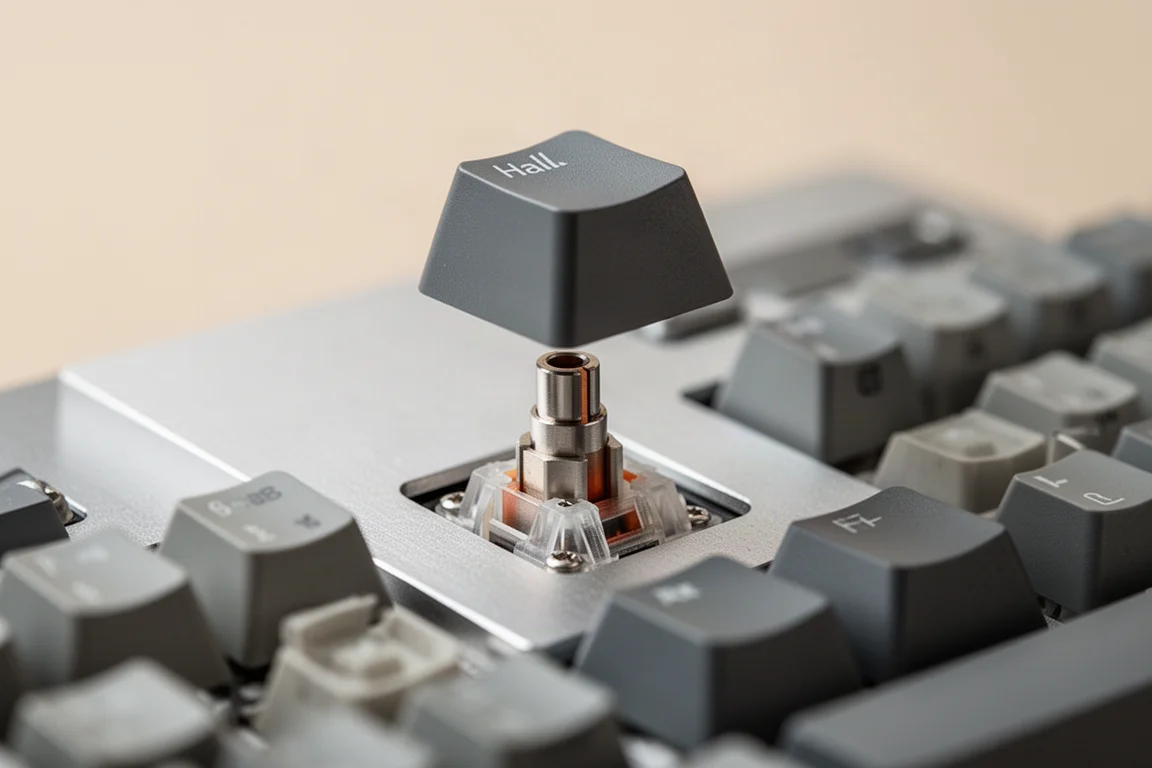
There are four layers of sound dampening and a gasket mount, which makes the board feel good to type on. However, the sound is not as low pitched as the Falcon HFX. It is still a pleasant typing experience, but it is worth noting if you are sensitive to sound.
One thing to keep in mind is that ASUS uses a lower magnet setup for this board. While it is technically hot swap, you will not be able to use the more popular center magnet aftermarket switches. This is not a big issue for most people, since ASUS makes some of the best switches on the market, but it is a limitation for custom keyboard enthusiasts.
Hall Effect Features
The Falcata is packed with Hall effect features. You get custom actuation, mod tap, dynamic keystroke, rapid trigger, and ASUS’s version of snap tap, which they call speed tap. Rapid trigger allows the switch to reset at the exact point you release it, which can make for much faster inputs in games with tight movement mechanics.
Speed tap interrupts the last input with a new one, which is commonly used for strafing left and right in FPS games. It works so well that it has been banned in some competitive titles.
One feature that is missing is the ability to use the analog functions to emulate joystick input. This is available on some other analog boards, but it is not offered here. It is not the most popular feature, but it is worth pointing out if you were expecting it.
Wireless Performance and Battery Life
The Falcata is wireless, and it uses ASUS’s SpeedNova wireless technology. There is also Bluetooth with connectivity for three devices. The left side of the board is the brain, and it can be used standalone for gaming. This frees up a ton of mouse space, even more than a 60% layout.
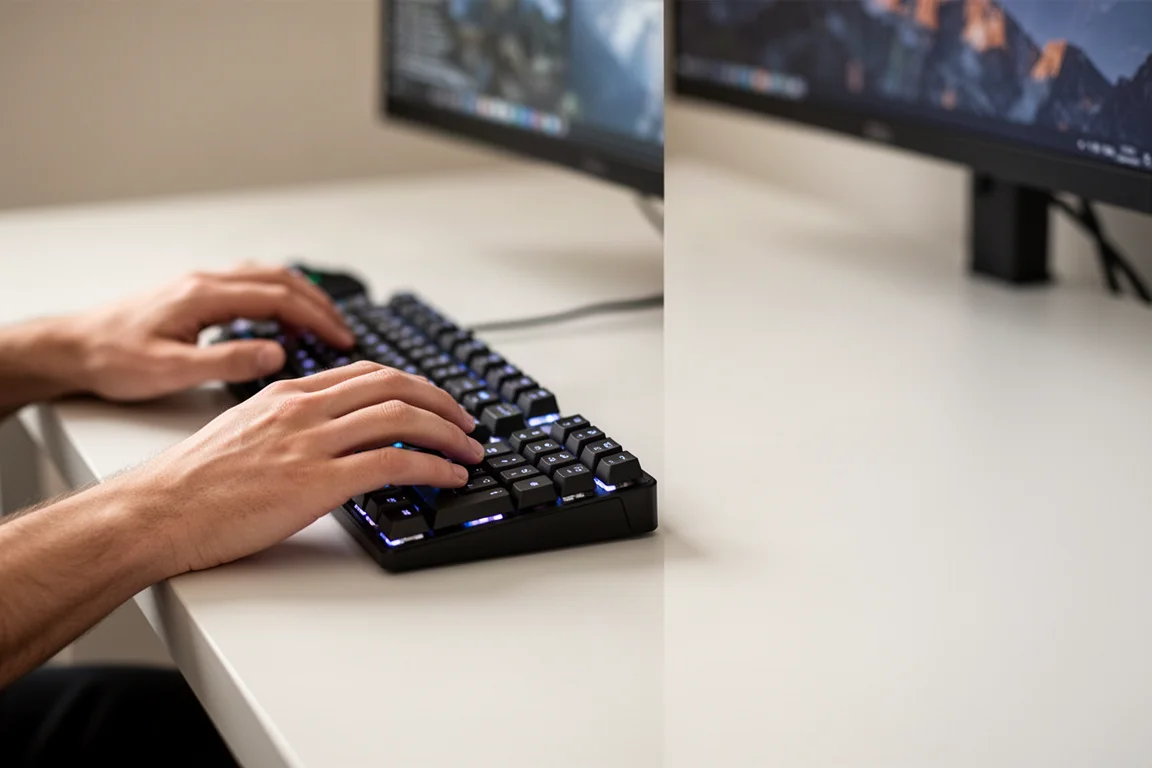
The right side is not independently wireless, so you need a jumper cable to connect the two halves when you want a full keyboard. The included link cables are thick, but they are necessary for the board to communicate quickly at 8K polling.
Battery life is managed in an interesting way. In default mode, the board runs at 250 Hz polling when idle and shifts to 8K when you press a key. With the default lighting at 50%, you get about 104 hours of battery life. Turning the lighting off gets you over 200 hours. You can also force the board to stay at 8K, but that will reduce battery life significantly.
In practice, the shift from 250 Hz to 8K on demand does not introduce any noticeable latency. The board felt responsive and reliable throughout testing, even when used wirelessly for extended periods.
Software and Configuration
ASUS has moved away from Armory Crate for this board and now uses a web-based configurator called Gearlink. This is a significant change, and it is still in beta. You cannot use Armory Crate for anything other than firmware updates.

Gearlink has some limitations. The custom setting on the multi-wheel does not do anything by default, and you need to set it up yourself. Remapping keys is also surprisingly limited, with no support for combos. You can record macros on the hardware itself, but it is tricky, and there is no visual guide in Gearlink for more complex macros.
The multi-wheel itself feels really satisfying to use. It controls media keys, actuation points, and rapid trigger sensitivity, either globally or on a per key basis. You can do all of this on the hardware, with no software needed. The rapid trigger toggle switch is also satisfying, and it is easy to use it as a fidget toy.
Buying Advice
The ASUS ROG Falcata is a niche product that tries to do everything. It is a compact 75% wireless keyboard with Hall effect switches, 8K polling, a split design, and tenting. If you want or need all of that in one product, this is currently the only place to get it, and you are going to pay a premium for that.
The price is the biggest hurdle. At $419.99, this is an expensive keyboard, and there are plenty of regular Hall effect boards out there at lower prices. If you are not shopping name brand, you can find much cheaper options.
However, if you are excited about the combination of features and you have been waiting for a board like this, the Falcata delivers. It is impressive, it feels good to use, and it is a genuinely unique product. Just be aware that the software is still in beta, and the price is steep.
Conclusion
The ASUS ROG Falcata is a remarkable piece of engineering. It combines a split design, Hall effect switches, 8K polling, and wireless connectivity into a compact 75% layout. It is comfortable to type on, the switches feel smooth, and the Hall effect features are full boat.
The main drawbacks are the price and the beta software. If you are willing to pay a premium for a unique product and you can live with the limitations of Gearlink, this is a keyboard that will likely stay on your desk for a while. If you are on the fence, it is worth considering whether you really need all of these features in one board.
Product link
View more details for ASUS ROG Falcata
This product is mentioned in the review. Check the specifications, options, and compatibility before buying.
View more details for ASUS ROG FalcataFurther reading
Related Reviews
Gaming Keyboards
ASUS ROG AOTH 96 Review: A Premium Hall Effect Keyboard With a Price Problem
The ASUS ROG AOTH 96 brings a vibrant OLED screen, strong wireless performance, and Hall effect switches, but its build quality and price raise serious questions.
Gaming Keyboards
Best Hall Effect Gaming Keyboards 2026: Five Alternatives Worth Your Attention
Hall effect gaming keyboards are everywhere this year. We break down five notable options from Keychron, ASUS, Luminkey, Logitech, and Pulsar to help you find the right fit.
Gaming Keyboards
Best Hall Effect Keyboards 2026: From Budget to Premium
We break down the most popular Hall effect gaming keyboards from $30 to $500, covering build quality, software, sound, and value.