Dash Cams
Void S14K Dash Cam Review: A Practical Two-Channel Setup for Rental Cars
A hands-on look at the Void S14K dash cam in a temporary two-channel install, covering OBD2 power, parking mode, and real-world usability.
Introduction
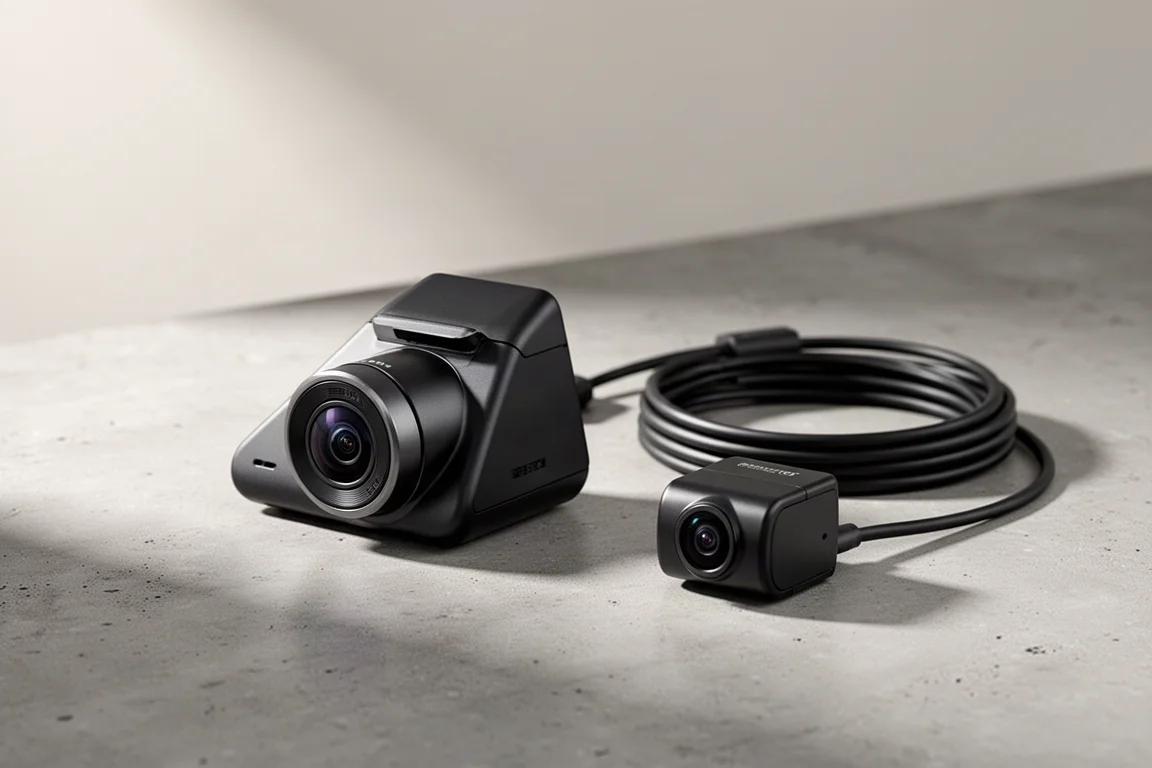
A rental car is rarely the place you expect to need a dash cam, but a recent incident with a parked car changed that thinking. When a temporary replacement vehicle was needed for about a week, the priority was full coverage in both directions. The Void S14K was chosen for this job because it supports a two-channel setup with front and rear cameras, and it can be powered through an OBD2 connector instead of a dedicated parking mode battery.
This review covers how the Void S14K performs in a temporary install, what it takes to get it running, and the practical details that matter when you need protection without permanent modifications.
Why the Void S14K for This Install
The Void S14K is a dual-channel dash cam that records in 4K at the front and 2K at the rear, both at 30 frames per second. For a rental car scenario, that level of detail is useful because it captures license plates and road context clearly. The camera also includes a feature called infinite plate capture, which is proprietary image processing designed to improve license plate readability.
The unit uses traditional double-sided tape for mounting, which is fine for permanent installs but less ideal for a temporary one. In this case, an alternative double-sided tape was used to make removal easier at the end of the rental period. The camera body is compact enough to sit behind the rearview mirror, keeping it mostly out of the driver’s line of sight.
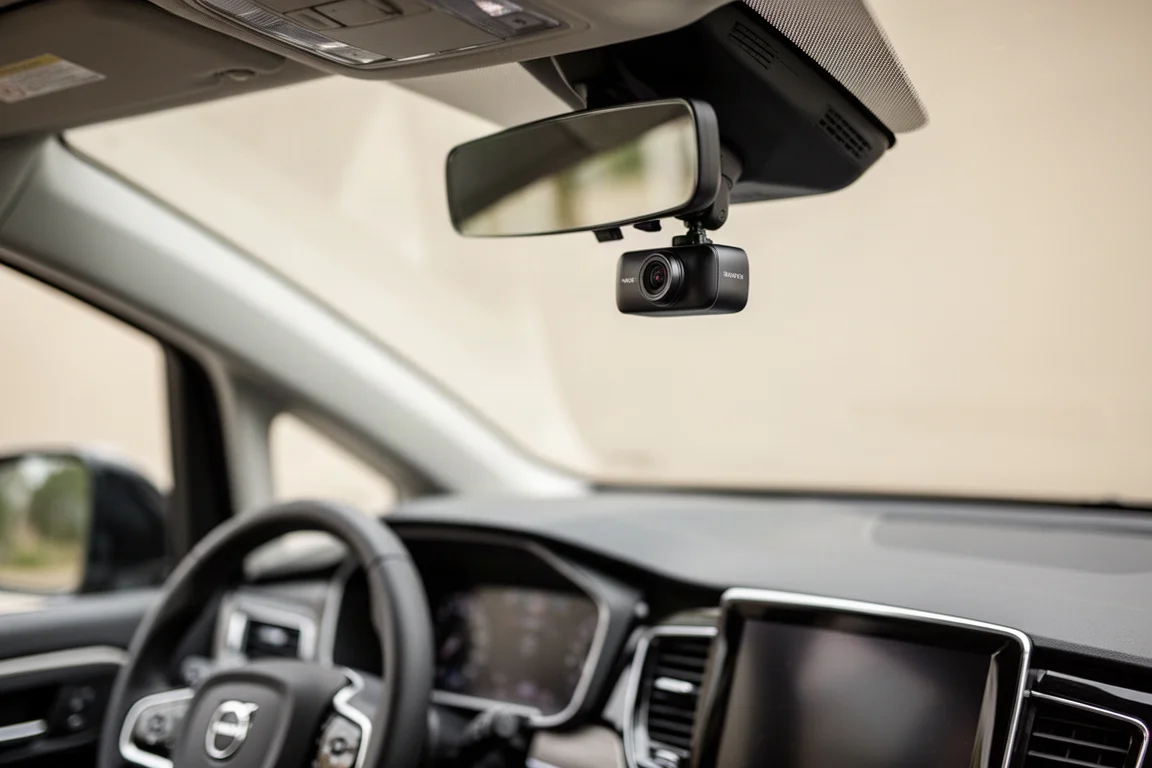
For anyone who needs a dash cam for a short period, the Void S14K offers a practical balance of recording quality and flexibility. The two-channel capability is especially valuable if you want protection from both front and rear incidents.
Powering the Void S14K via OBD2
Instead of using a dedicated dash cam battery pack, this install pulled power directly from the car battery through an OBD2 connector. The connector included with the Void S14K has multiple pins, which is a bit more complex than the simpler two or three pin versions. Still, the setup process was straightforward: plug the connector into the OBD2 port near the pedals, then connect the dash cam cable.
The test vehicle was a plug-in hybrid minivan, which added an extra layer of consideration. Hybrids often require a higher voltage cutoff setting to avoid draining the 12V battery. The recommended setting for hybrids was around 12.7 volts, and the dash cam was configured with no delay for switching between driving and parking modes.
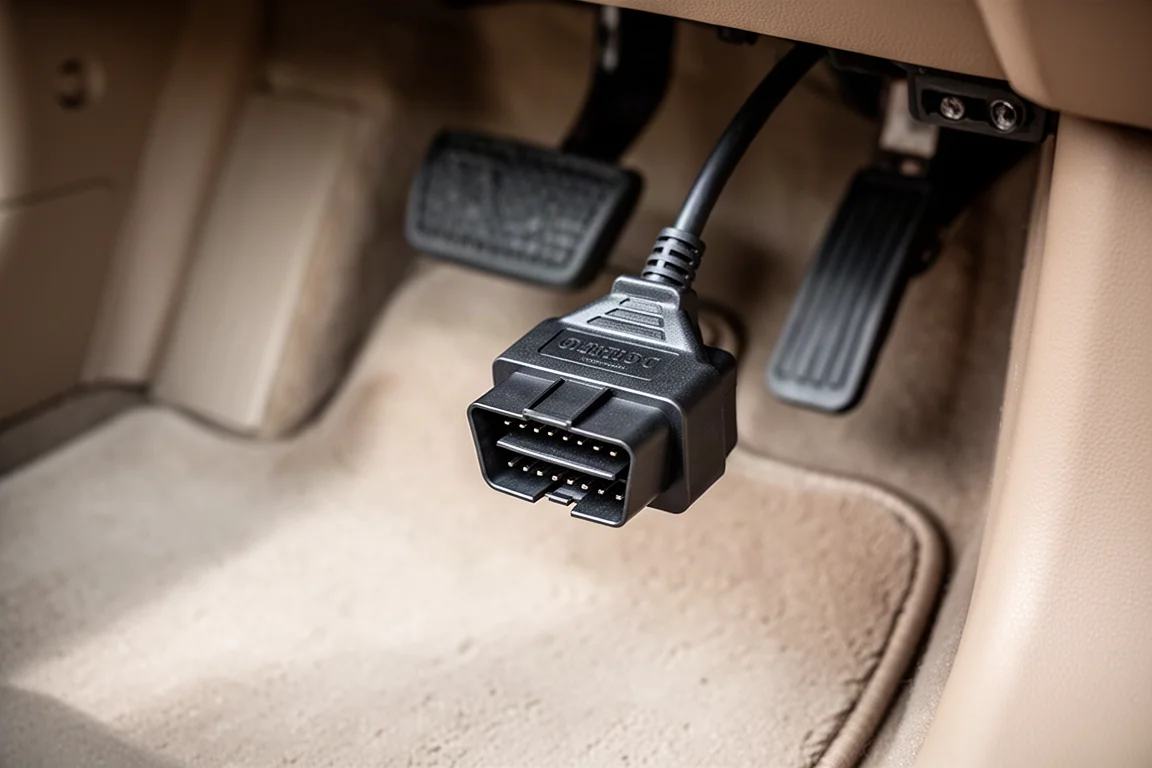
When the car was turned off, the dash cam switched to parking mode after a brief delay. When the engine was powered back on, it returned to normal recording. This confirmed that the OBD2 power method works reliably, even in a hybrid. The main trade-off is cable management. Running power from the OBD2 port requires routing the cable up the headliner and over to the dash cam, which takes a bit more effort than using a battery pack that can sit near the center console.
Installing the Rear Camera
The rear camera cable for the Void S14K is approximately 20 feet long, which was enough to reach the back of the minivan. The cable includes a quick release connector, making it easy to disconnect the rear cam if needed. For a temporary install, the cable was run along the trim and under the floor mat rather than being fully hidden.
Placement of the rear camera matters, especially in rainy conditions. The rear wiper was turned on to see exactly where it cleans, and the camera was mounted just below the brake light, within the wiper’s cleaning arc. This ensures the lens stays clear during wet weather. The rear camera was also positioned to avoid the rear defroster lines, reducing the risk of damage when the tape is removed later.
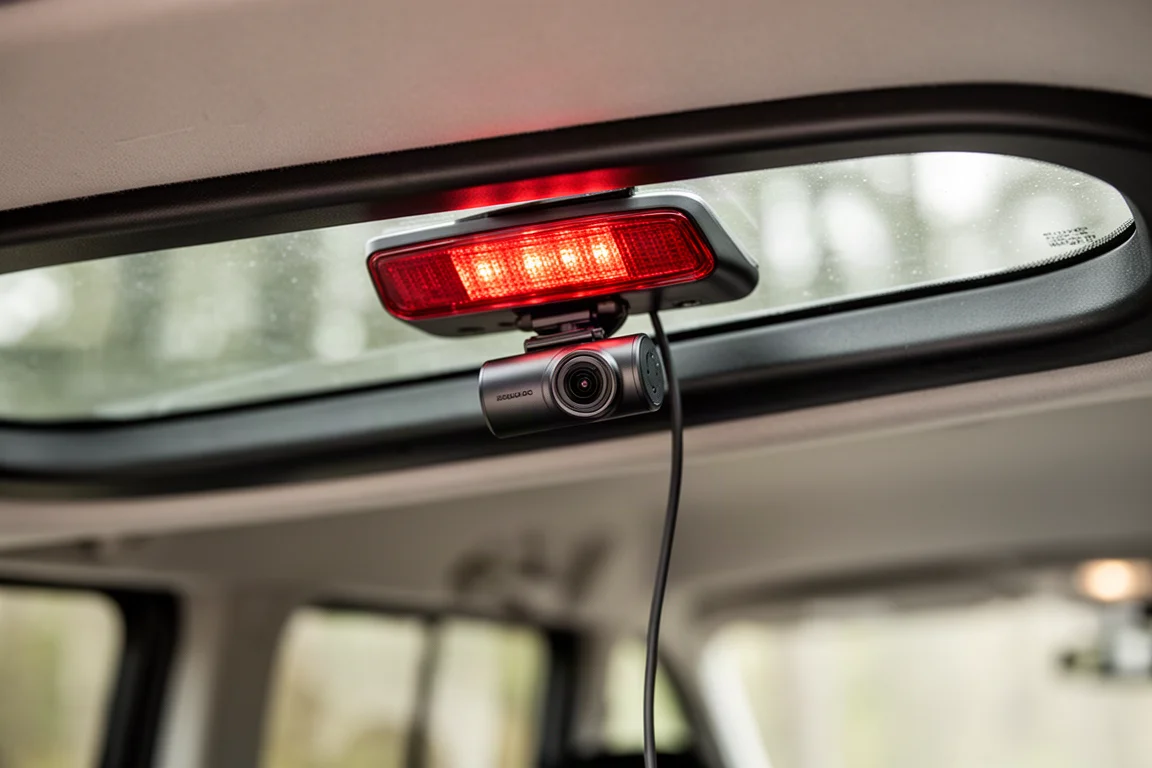
For aiming, the rear camera was angled slightly downward. This provides better visibility of vehicles approaching from behind, which is useful in a rear-end collision scenario. The front camera, by contrast, was set with the horizon level for a more natural view.
Configuring the Void S14K
The Void S14K had previously been used as a front-only camera, so the settings needed to be updated to enable the rear channel. In the camera settings menu, the rear cam was turned on, and the system prompted a switch to two-channel mode. This required formatting the memory card, after which both front and rear cameras showed a blue indicator, confirming they were active.
The companion app makes it easy to check camera angles and adjust positioning. Using the live view, the rear camera was fine-tuned to get the horizon right. The app also allows switching between front, rear, and combined views.
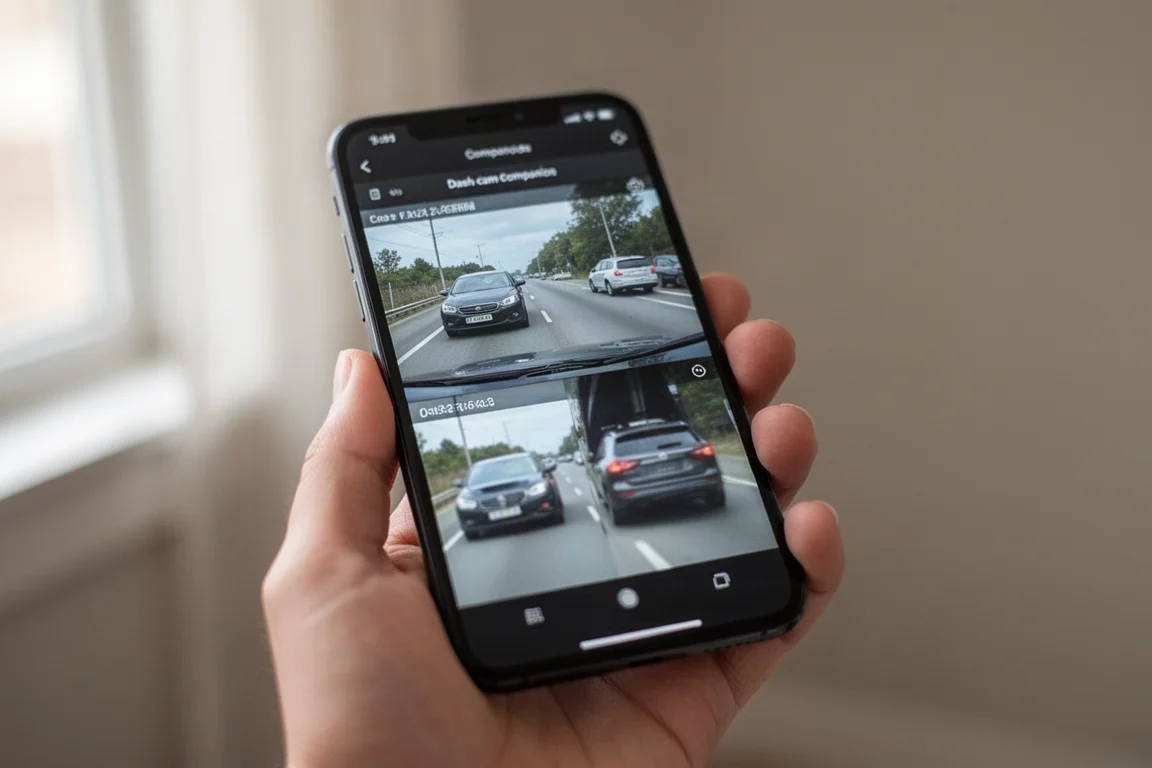
Firmware at the time of testing was version 1.4.2, which was the latest available. The power off voltage setting was adjusted to 12.7 volts for the hybrid vehicle, and the dash cam successfully entered parking mode when the car was turned off. This confirmed that the voltage setting was appropriate for the vehicle’s battery state.
Who This Product Is For
The Void S14K is a good fit for drivers who want a dual-channel dash cam with high-resolution recording and parking mode protection. It is especially useful for rental cars or temporary vehicles where a permanent hardwire install is not practical. The OBD2 power option eliminates the need for a separate battery pack, though it does require a bit more cable routing.
This dash cam also suits owners of hybrid or plug-in hybrid vehicles, provided the voltage cutoff is set correctly. The ability to adjust this setting gives flexibility across different vehicle types.
Things to Consider Before Buying
The Void S14K uses permanent double-sided tape for mounting, which is not ideal if you plan to move it between vehicles frequently. You will need to supply your own temporary tape for short-term installs.
The OBD2 connector has multiple pins, which is more complex than simpler connectors. It works, but it is worth checking compatibility with your vehicle before committing to this power method.
Cable management for a temporary install is less tidy than a permanent one. Running the cable from the OBD2 port to the dash cam requires care to avoid interfering with the pedals or steering column.
Buying Advice
If you need a dash cam for a rental car or a short-term situation, the Void S14K delivers solid recording quality and reliable parking mode through OBD2 power. The two-channel setup provides coverage in both directions, which is a meaningful safety upgrade over a front-only camera.
For hybrid owners, the adjustable voltage cutoff is a useful feature, though you may need to experiment with the setting to find what works for your vehicle. The companion app simplifies aiming and configuration, making the initial setup less fiddly.
Conclusion
The Void S14K proved to be a dependable choice for a temporary two-channel dash cam install. It powered correctly through the OBD2 connector, switched smoothly between driving and parking modes, and captured clear footage from both front and rear cameras. The main compromises are the permanent mounting tape and the extra cable routing required without a battery pack, but neither is a dealbreaker for short-term use.
For anyone looking for full dash cam protection in a rental car or a vehicle they do not own, the Void S14K is a practical option worth considering.
Product link
View more details for Void S14K
This product is mentioned in the review. Check the specifications, options, and compatibility before buying.
View more details for Void S14KFurther reading
Related Reviews
Dash Cams
70mai 4K T800 Dash Cam Review: Three-Channel Coverage With 4K Front and Rear
A three-channel dash cam with 4K front and rear recording, dual Sony Starvis 2 sensors, and optional 4G connectivity for remote vehicle tracking.
Dash Cams
70mai M310 Review: A $33 Dash Cam That Covers the Basics
The 70mai M310 is an ultra-budget dash cam that records at 1296p, offers basic parking modes, and works with a Wi-Fi app. Here is how it performs and who it suits.
Dash Cams
Best Dash Cam Black Friday Deals 2026: Top Picks Across Every Price Point
A practical guide to the best dash cam deals this Black Friday, covering front-only, multi-channel, cloud-connected, and budget-friendly options.