Sports Tech
Oakley Meta Vanguard vs Meta Hstn: Which AI Sports Glasses Make Sense for You
A close look at Oakley Meta's two AI glasses: the new sports-focused Vanguard with Garmin and Strava integration, and the everyday Hstn it builds on.
Introduction
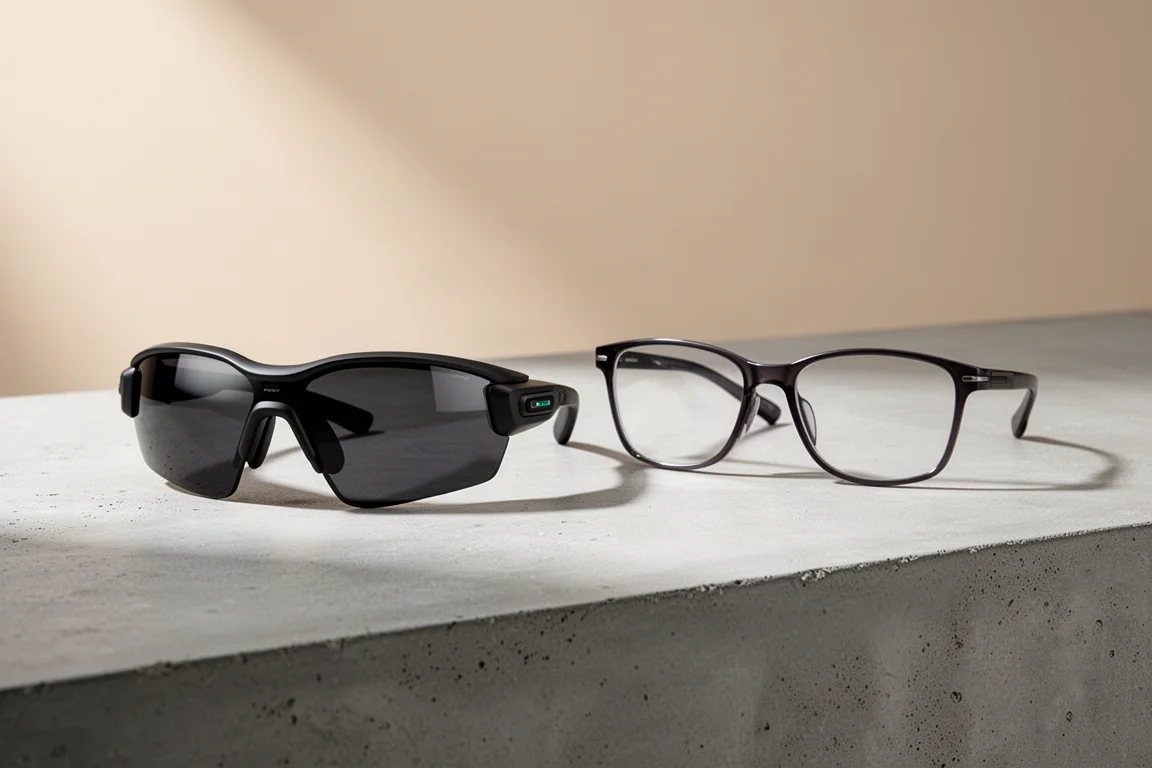
AI glasses have been quietly moving from novelty to genuinely useful, largely because they finally look like normal eyewear. Oakley Meta has pushed that idea further with two distinct models: the everyday Meta Hstn and the new sports-focused Meta Vanguard. The Vanguard takes the core features of the Hstn and layers on sports upgrades, including a wraparound design, louder speakers, improved water resistance, a wider field of view with a centered camera, and Garmin and Strava integration. This comparison looks at how the two differ and who each one is actually for.
Oakley Meta Vanguard: Built for Sport First
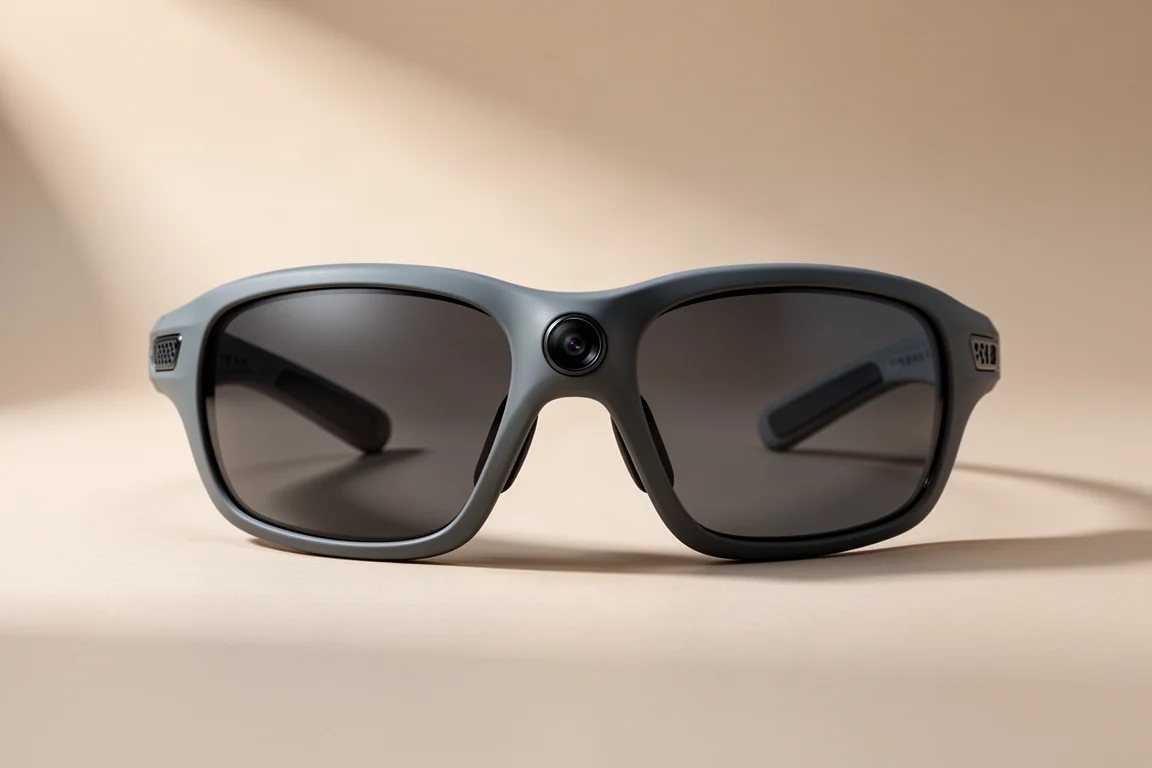
The Vanguard draws design inspiration from Oakley’s wraparound sport sunglasses, which helps block out sun and wind. It comes in four frame and lens combinations, including black and white framed options, with interchangeable lenses. Replacement lenses run $85, and a low-light option is planned for the future. One important note: there is no prescription option for the Vanguard at the moment.
Fit and security are strong points. Even on a larger head, the snug fit stayed put during running, road biking, and mountain biking, helped by grippy nose pads and three included nose pad sizes for high or low bridge fits. The frame does not flex much like regular sunglasses, but it stayed secure even on rough terrain. At 67g it is heavier than the 51g Hstn, though it caused no noticeable head fatigue and did not slip down the face.

Water resistance steps up significantly too, with an IP67 rating over the Hstn’s IPX4. That means the Vanguard should handle a heavy downpour and a very sweaty workout. Controls have also been adapted for sport: the capture button moved to the underside of the temple, which makes sense when wearing hats or helmets, and there is a customizable action button alongside it that can trigger Meta AI features, accessibility controls, real-time stats, or alternative capture modes.
Oakley Meta Hstn: The Everyday Alternative
The Hstn remains the more conventional option, with a standard eyewear shape that blends in better for daily wear. It weighs 51g, which is noticeably lighter than the Vanguard, and it supports prescription lenses, something the Vanguard currently does not offer. Its IPX4 rating covers everyday splashes but not the heavier exposure the Vanguard is built for.
The camera sits on the left side of the frame rather than in the center, which makes footage look slightly offset. When cycling, the practical workaround is shifting the head slightly to the right to center the image. Its field of view is 100 degrees versus the Vanguard’s 122 degrees.
For audio, the Hstn’s speakers are about 6 dB quieter. In practice that meant running the volume slider around 60 to 70 percent on an iPhone to match roughly 50 percent on the Vanguard. That said, the Hstn was still perfectly audible at speeds around 20 mph; the Vanguard’s extra volume mainly matters at higher speeds or in more wind.

Camera and Image Quality
Both glasses use a 12 megapixel sensor capable of photos and up to 3K vertical video. The Vanguard adds slow motion modes at 1080p 60fps and 720p 120fps, plus a hyperlapse feature. In 3K at 30fps you can record up to 3-minute clips, and 1080p 30fps allows up to 5-minute clips. The 720p 120fps slow-motion mode is a dedicated mode, triggered by asking Meta to record slow motion or via the action button, recording 1 minute of real-time footage that plays back as a 4-minute clip.
Stabilization options vary by mode: 1080p 30fps offers low, medium, and high settings, while 1080p 60fps and 3K 30fps are fixed at medium. In practice, cycling footage was buttery smooth in any mode, while running still shows some up-and-down movement, though clips remain very usable. Medium stabilization was strong enough for nearly everything in 3K.

Image quality shows strong dynamic range, handling sunset shadows and direct sun well without looking artificial. Footage sized onto a 4K timeline looks detailed, though the limits of a 12 megapixel sensor show at native resolution. Low light is where artifacts can appear at sunrise or sunset when the ISO pushes up, though only on some clips. For social sharing the quality is excellent; for wall-worthy prints, a phone or dedicated camera is still better. A bonus for existing owners: slow motion modes, 60fps recording, and hyperlapse are rolling out to second-generation Meta glasses and the Hstn via software update, though the wider field of view and centered camera remain Vanguard-only hardware advantages.
Garmin and Strava Integration
The headline sports feature is Garmin integration through the Meta AI app. With a compatible Garmin device, you can hear real-time stats during your activity, use auto capture to record clips at intervals and key moments, and use the built-in LED to flag when you fall outside workout targets like heart rate or pace.
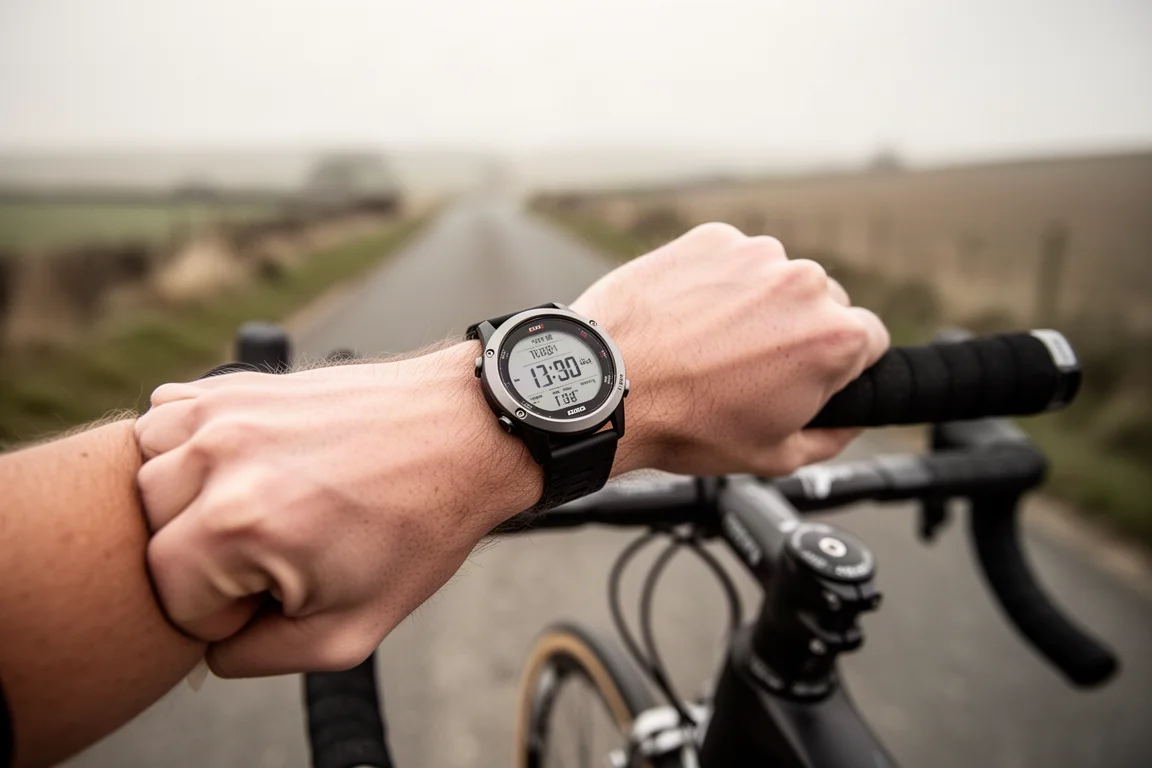
Auto capture announces itself when you start an activity on your Garmin, recording clips at every split or interval plus other moments based on stats like speed, heart rate, and total ascent. Once you save the activity and sync, footage lands in a library for that activity and an automatic highlight reel is generated with your Garmin stats overlaid. The customizable action button can also be assigned to hearing real-time stats on demand, such as asking Meta for your heart rate, average power, speed, total ascent, or descent.
There are practical limitations worth knowing. Real-time stats, auto capture, and the LED indicator all require your phone present, since the chain runs watch to Garmin Connect to the Meta AI app to the glasses. Bluetooth is required, but mobile data is not, so stats and auto capture still work with cellular and Wi-Fi off. The LED target indicator turns red inside the glasses when you drift outside a target zone. If you do not own a Garmin, you can still pair the Vanguard directly to a Garmin watch or other device as Bluetooth headphones to listen to music without your phone. The “key moments” auto capture picks can feel random, and more customization over when clips are recorded would be welcome.
Strava integration works differently: stats from any activity saved in Strava can be overlaid onto clips you took, including indoor activities. It also works with workouts recorded on other devices that sync to Strava, such as an Apple Watch. However, real-time stats, auto capture, and the LED indicator are Garmin-only features. Notably, the Garmin and Strava integration is also arriving for Meta Ray-Ban and Meta Hstn owners via the same software update.
Battery, Charging and Storage
The Vanguard is rated for up to 9 hours of use, plus an additional 36 hours from the charging case when listening to music, which drops the total to around 6 hours. Real-world testing showed about 11% per hour listening to music without recording, around 15% per hour with auto capture only, and 20 to 30% per hour when combining auto capture with music, depending on how much footage was recorded.
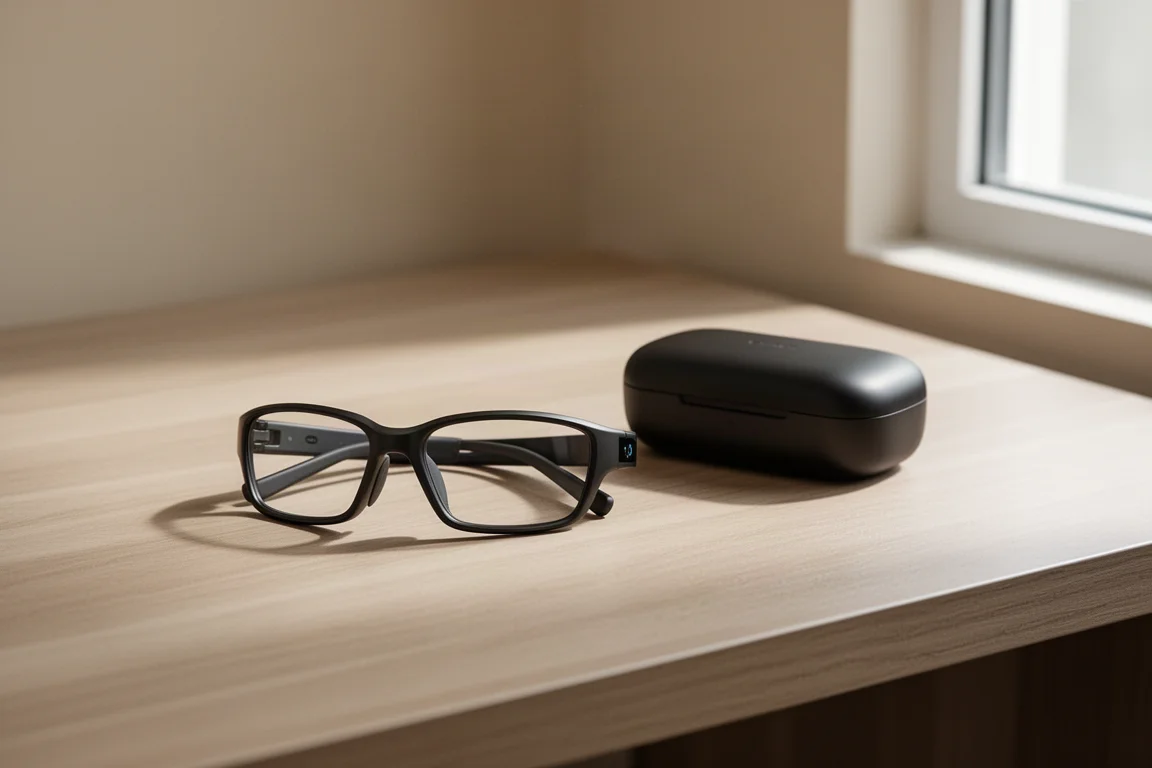
Quick charging helps: 20 minutes in the case gets the glasses to about 50%. One caution is that moisture and charging do not mix, so dry the glasses of sweat before stowing them. Storage is 32GB for photos and videos, and you can capture photos and videos without your phone nearby, using the capture button or voice commands like asking Meta to record. Phone connectivity is still needed for some smart AI features.
Speakers are rated 6 dB louder than the Hstn and sound surprisingly good for an open-ear design, with clear highs and good mids, though open-ear designs only offer so much bass. Five microphones handle calls and voice commands well in wind, provided you speak at normal volume rather than raising your voice, which causes audio clipping. Voice commands to Meta became hit and miss at speeds above 15 to 20 mph without raising your voice.
Which One Should You Buy
The Vanguard is the clear pick for athletes who want an all-in-one of quality sunglasses, headphones, and a convenient first-person camera, especially those in the Garmin ecosystem who value auto capture. Its centered camera, wider 122-degree field of view, IP67 rating, and louder speakers directly address the Hstn’s weak spots for sport. The main trade-offs are the 67g weight, no prescription lens support, and vertical-only video, which rules out longer-form or horizontal action-camera-style shooting. The Hstn makes more sense for everyday wear, lighter weight, and prescription lens needs, and it gains the Garmin and Strava software features through update anyway.
Conclusion
The Oakley Meta Vanguard is one of the more surprising pieces of sports tech to arrive recently. It is not a perfect product, and the vertical-only capture is a genuine limitation, but for sharing social-ready footage of runs and rides with minimal effort, it is hard to beat. For anyone already invested in the Meta glasses ecosystem with an Hstn or Ray-Ban pair, the incoming software update brings much of the sports functionality along, while the Vanguard’s hardware advantages remain its own.
Further reading
Related Reviews
Sports Tech
Garmin Edge MTB Review: A Rugged Bike Computer Built for Mountain Bikers
Garmin has released the all-new Edge MTB, a rugged bike computer designed specifically for off-road riding. We take a deep dive into its features, durability, and real-world performance.
Sports Tech
Garmin Tacx Alpine Gradient Simulator Review: Elevating Your Indoor Cycling Experience
The Tacx Alpine is a premium gradient simulator that automatically adjusts your bike's front-wheel height to mimic real-world slopes. We take a detailed look at its features, compatibility, and overall performance.
Sports Tech
Wahoo KICKR BIKE PRO Review: A New Benchmark for Indoor Riding
Wahoo's new KICKR BIKE PRO adds built-in handlebar game controls, a premium saddle, and a more refined ride feel. Here is whether this flagship smart bike is worth the investment.