Power Tools
Makita DWD181 Multi-Surface Scanner Review: Seeing Through Walls and Concrete
An 18V/14.4V cordless scanner that locates rebar, cables, pipes, and studs in concrete, block walls, plasterboard, and even wooden floors.

Introduction
Some tools earn a permanent spot in the truck. Others are so specialized that even the people who buy them admit they are not an impulse purchase. The Makita DWD181 multi-surface scanner sits firmly in the second category, and that is exactly why it is interesting. It rolls across concrete, block walls, and plasterboard, and tells you what is hiding underneath: rebar, cables, plastic pipes, metal and timber studs.
What the DWD181 Is
The DWD181 runs on Makita’s 18V platform, with 14.4V support as well. It comes in a MakPac-style case with space for the tool, one battery, and a charger, though the tool-only version keeps the price somewhat more approachable. Either way, this is not a cheap tool, and Makita clearly positions it for tradespeople rather than weekend picture hangers.

Physically, it is a rolling unit with four small wheels on the back (they really do resemble toy car wheels), side lasers to keep your scan line level, and lights around the target area at the bottom where detection happens. The color screen measures 4.1 inches and is bright and easy to read, though it is fairly reflective, which can make it tricky to see outdoors in direct light.
Detection Modes and What They Find
Powering it up presents a choice between single detection and multi-detection. In single detection, you pick dry concrete, wet concrete, partition wall, or radar. The concrete modes look for rebar, mesh, and embedded services. The partition wall mode finds studs, cables, and plastic pipes behind plasterboard.
Depth capability depends on the material. Metal is detectable up to 180mm. Plastic pipes and cabling reach around 120mm. Wood is limited to about 25mm, so a single layer of plasterboard is fine, but double layers may make finding timber studs a bit iffy. Makita claims an accuracy of plus or minus 5mm, which is realistic to work with: just leave an extra margin either side of anything you need to avoid.
One practical tip worth learning early: scanning in both directions pays off. Sometimes a pass in one direction misses something that a return pass picks up clearly. Slow, steady rolls also matter; push too fast and the tool warns you rather than guessing.
In testing, it found an electrical cable embedded in a concrete block wall at 4.1cm depth with an audible beep and an on-screen marker. Studs in an internal partition wall stood out as big, obvious spikes, and running the unit down the wall located nogs (or dwangs, depending on where you are from) just as clearly.
The Radar View
The radar mode is the DWD181’s party trick, and the hardest to read at first. Instead of dots and beeps, it shows a cross-section slice of what is beneath the scan line, layered like the geophysics scans you might have seen on archaeology shows. Once you learn to interpret it, it reveals things the simpler modes miss.
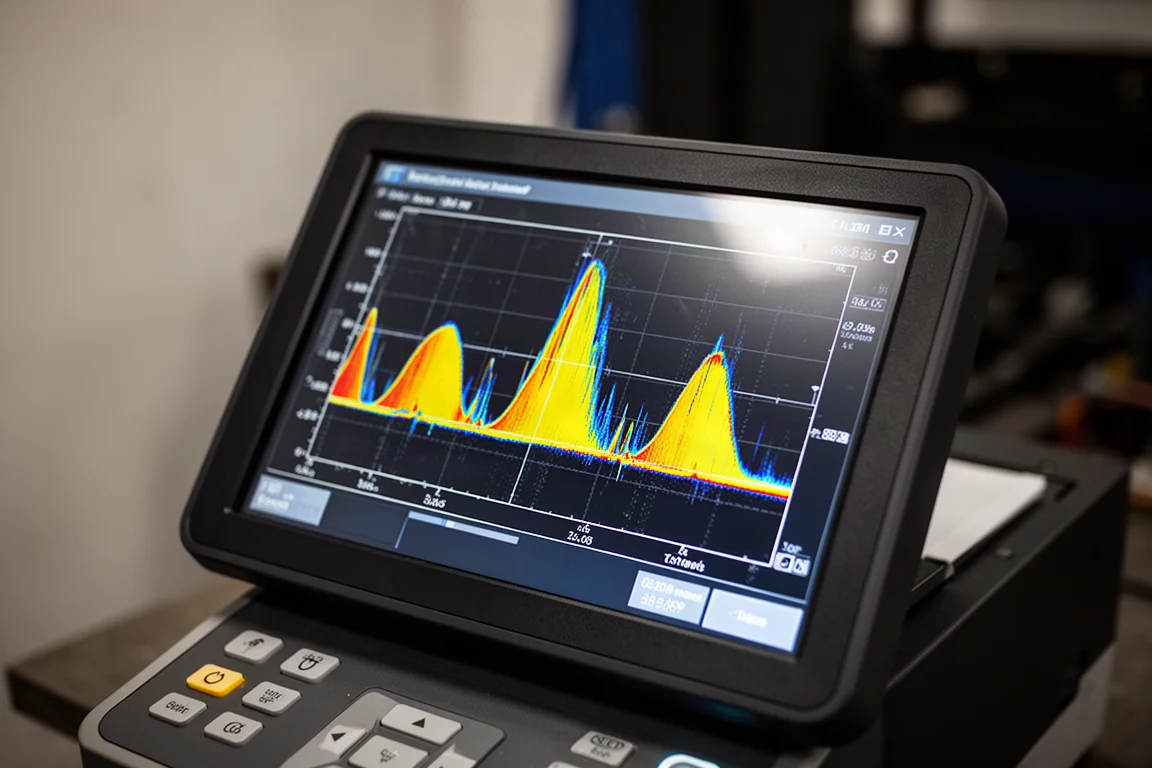
Scanning a workshop floor showed three clear peaks that turned out to be rebar or mesh in the slab. Switching to dry concrete mode confirmed each peak with a dot marking it as steel. The multi-detection mode builds on this with three stacked scan strips, which makes it possible to work out the direction rebar is running: three dots in a straight line means one direction, a diagonal arrangement means another.
Multi-Detection Mode
Multi-detection saves three consecutive scan passes on screen, letting you compare slices and map out how reinforcement runs through a slab or wall. It is the mode that turns the scanner from a point-and-beep detector into something closer to a mapping tool.
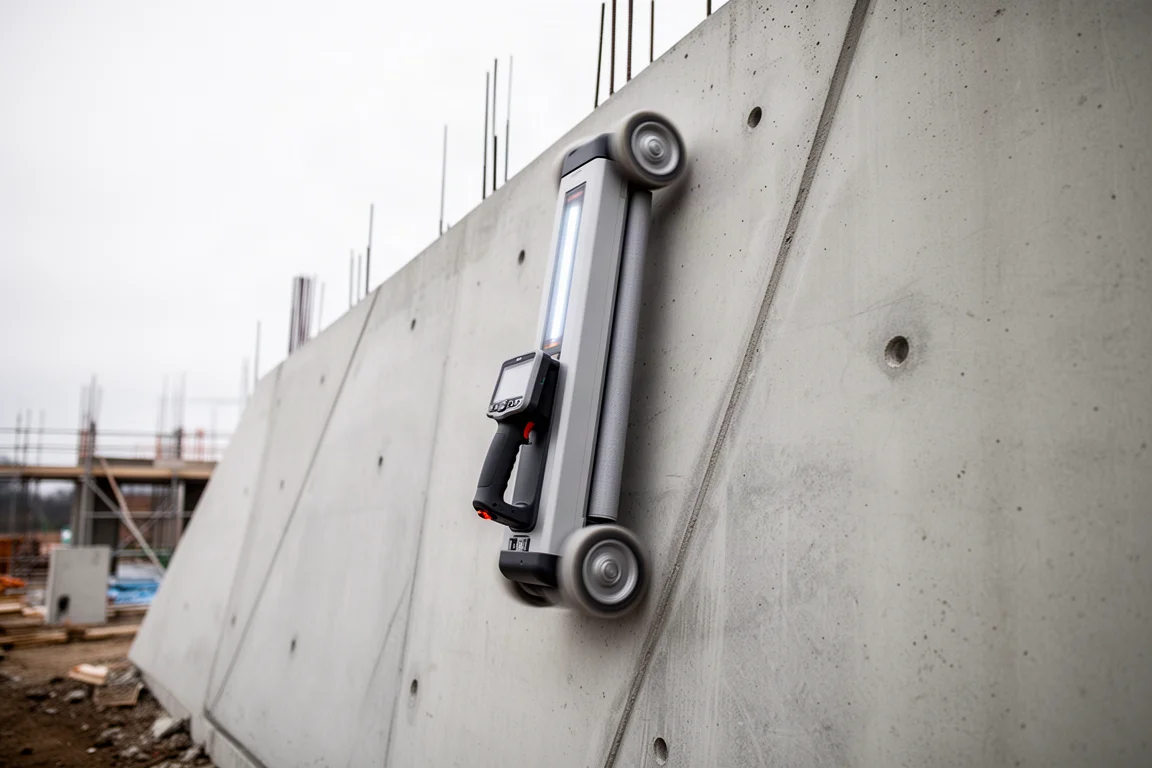
Scanning vertically across a tilt slab wall showed the dense rebar pattern you would expect, and the amount of steel in a typical floor slab is genuinely impressive once you can see it drawn out. Settings are handled through a dedicated menu: you can toggle the lights, laser, and beep, adjust screen brightness across three levels, set sleep and off timers, switch between 18V and 14.4V battery profiles, change units (inches as decimals or fractions, or centimeters, though oddly there is no millimeter option), and change the language.
Battery Life and Durability
With a 6Ah battery, Makita claims around 28 hours of runtime. That figure was not independently tested, but even a fraction of it would outlast a long working day. Durability is IP54 rated, so it handles dust and splashes, but it is not a leave-it-out-in-the-rain tool, which given the price is not something you would want to do anyway. The operating temperature range is -10 to +40 degrees Celsius.
Wooden Floors and Carpet
One of the more surprising tests: the DWD181 sees through wooden floors. Rolling it across floorboards found the joists, confirmed by the visible nail heads lining up with the on-screen red centerline. It even works through carpet, though the results are a little harder to make out. If you need to drill down through carpet without hitting a joist, that capability alone justifies the tool for some trades.
It will pick up much more than the jobs it was designed for, too. Anyone who spends time with one ends up scanning everything: mattress springs, fridge doors, whatever is within reach. It is that kind of tool.
Things to Consider Before Buying
This is a specialized instrument, and the honest assessment is that most people should not buy one. It is expensive, and unless you are drilling into concrete, block walls, or suspended floors regularly, it will sit in the case. For concreters, formworkers, electricians chasing cables in masonry, and anyone doing structural fixings, though, it replaces guesswork with a screen. The reflective display is a minor annoyance in bright outdoor light, and the depth gauge display tops out at 25cm even though the practical detection ceiling for metal is 180mm.
Buying Advice
If your work involves putting fixings into concrete or finding services behind walls every day, the DWD181 is one of the most capable tools of its type, and the radar mode alone sets it apart from basic stud finders. If you only occasionally need to hang something on a stud, a far cheaper detector will do. Availability varies by region, so check local Makita dealers and online listings before committing.
Conclusion
The Makita DWD181 is a genuinely impressive piece of kit that does things no ordinary stud finder can: rebar in slabs, cables in block walls, joists under carpet. It is a professional’s tool through and through, priced and built accordingly. For the right trade, it is a confidence purchase. For everyone else, it is a fascinating glimpse of what is under your feet.
Product link
View more details for Makita DWD181 Multi-Surface Scanner
This product is mentioned in the review. Check the specifications, options, and compatibility before buying.
View more details for Makita DWD181 Multi-Surface ScannerFurther reading
Related Reviews
Power Tools
Best 1-Inch Pistol Impact Wrenches: Three Heavy-Duty Options Compared
We compare three 1-inch pistol impact wrenches, from a budget-friendly Harbor Freight model to a premium Caterpillar unit, to help you choose the right one.
Power Tools
Best 3/4-Inch Impact Wrenches 2026: Five Contenders Compared
We compare five 3/4-inch impact wrenches across price and performance, from a budget Amazon option to Snap-on's most powerful model yet.
Power Tools
Best Budget Cordless Tools 2026: Walmart Finds That Punch Above Their Price
We tested five cordless tools from Walmart, including a high-torque impact wrench that trades blows with Milwaukee and a $35 duster that outperforms its price class.