Monitors
ASUS ROG PG27AQWP-W Review: Tandem OLED Meets 540 Hz
A 27-inch 1440p OLED monitor with Tandem panel tech, a 540 Hz refresh rate, and serious motion clarity for competitive gamers.
Introduction
Tandem OLED is here, and with it come promises of higher brightness, lower power usage, increased color volume and gamut coverage, and a 60% longer lifespan than standard OLED panels. The ASUS ROG PG27AQWP-W is one of the first monitors to put this new panel technology to work, and it does so in a striking way.
This 27-inch monitor offers 1440p at up to 540 Hz, or 720p at up to 720 Hz, making it a compelling piece of hardware for competitive gamers. It also brings a futuristic silver design that is likely to be polarizing. This review digs into the measurements, the real-world performance, and whether this monitor makes sense for you.
Design and Build
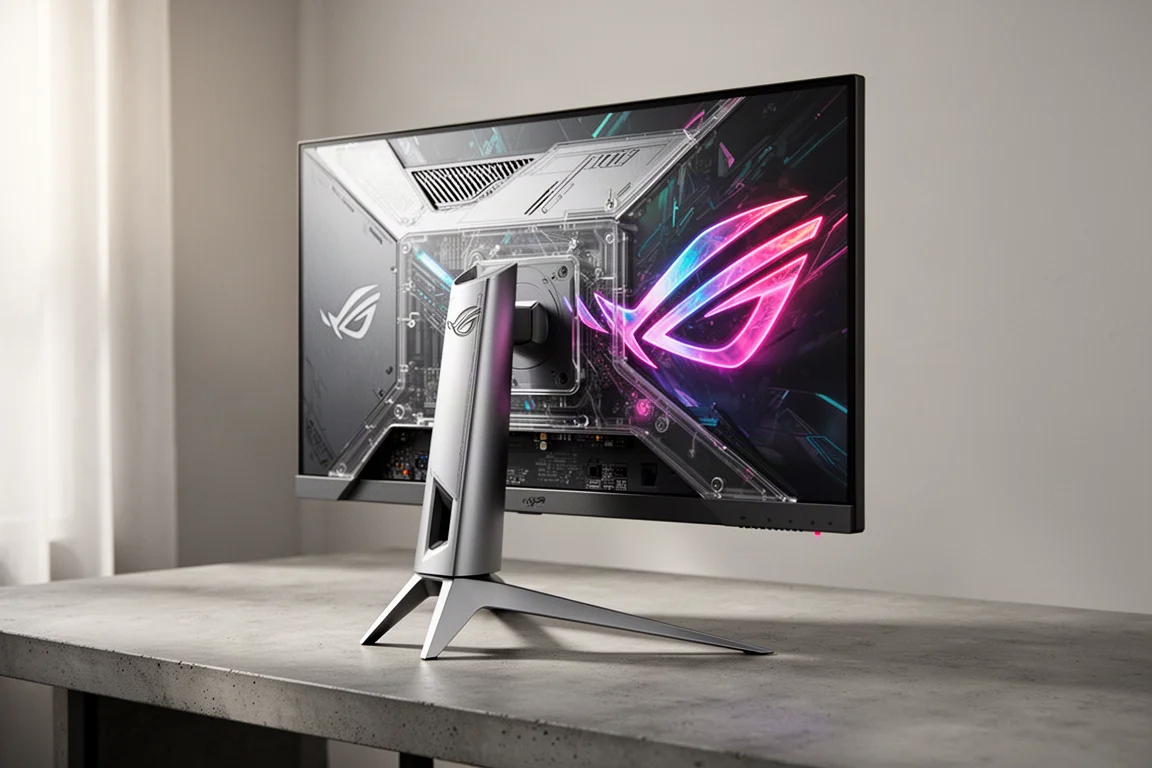
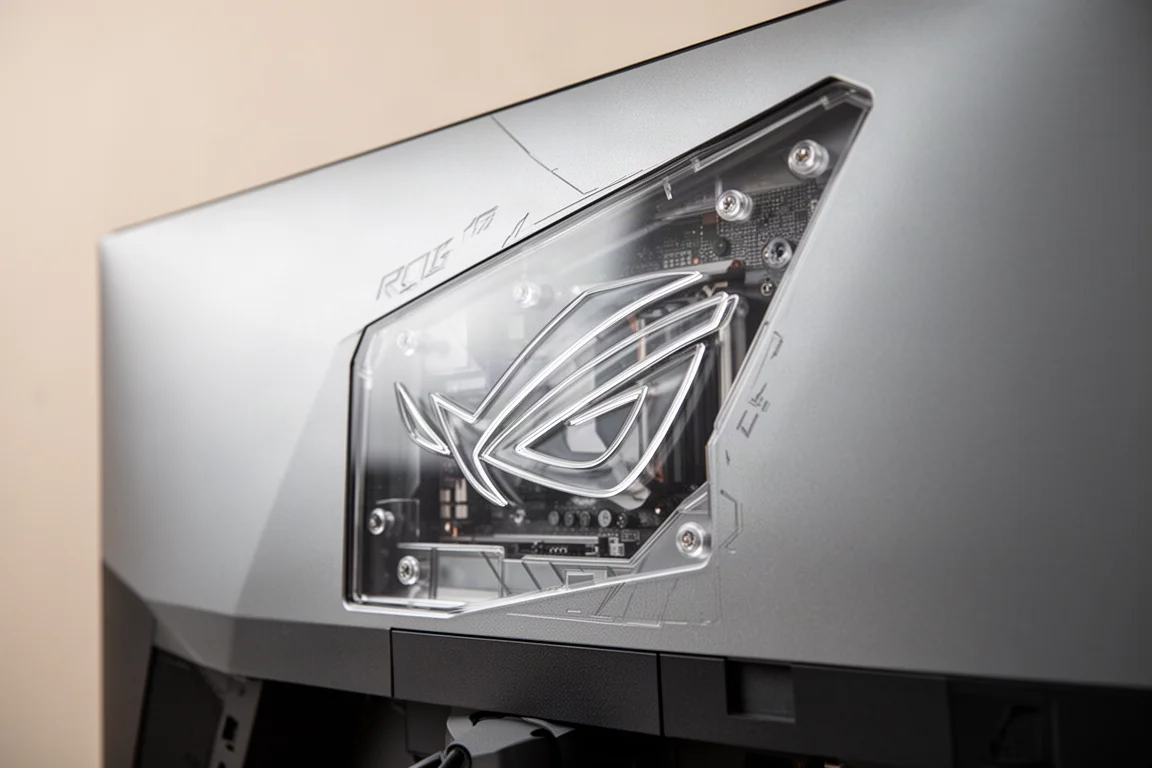
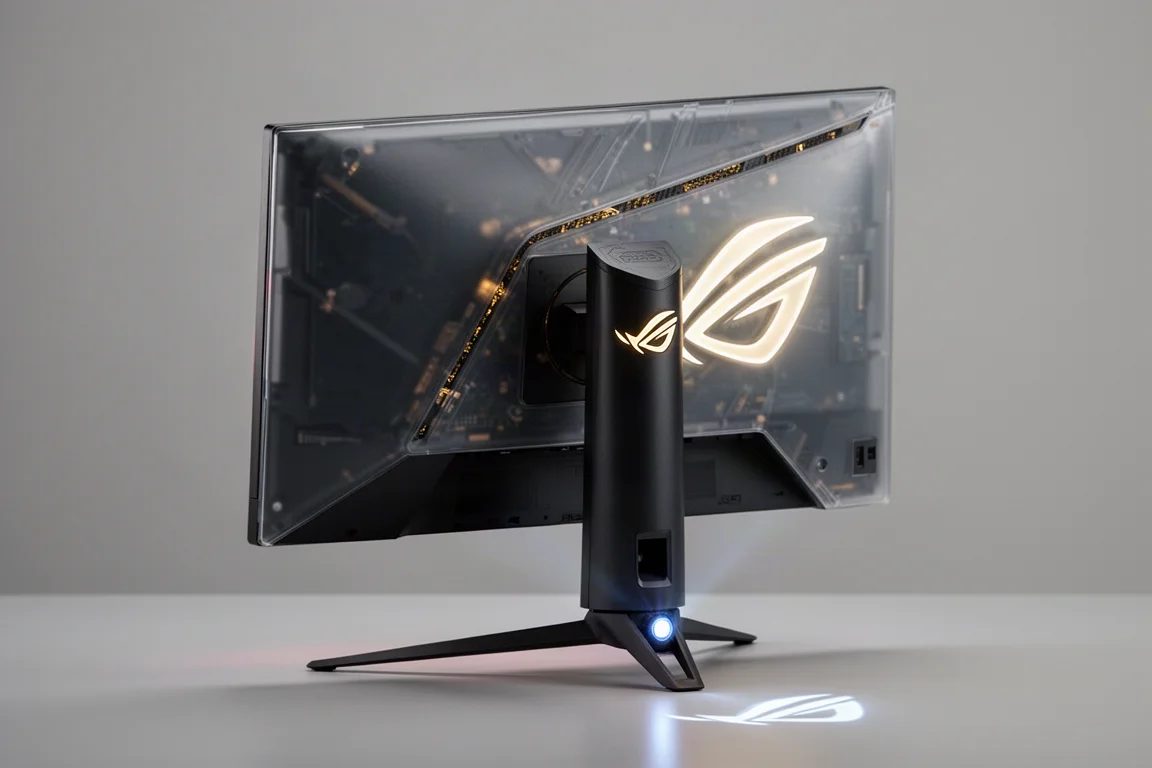
The first thing you notice is the silver colorway and design features that create a retro-future aesthetic. A section of the rear case is completely transparent plastic with stylized internals, and the ROG eye logo sits on the rear with a variety of lighting options. The stand follows the PG style with an elevated leg design, lighting, and downward projection. You can change the brightness or turn the lighting off, but the stand lighting is limited to a single color.
The stand includes all the usual PG features, including going fully vertical. Some users may prefer the XG stand with its smaller base, since part of the leg on these stands can end up on top of a mouse pad without a desk riser. A monitor arm is easy to use thanks to the included mounting puck.
One notable detail is that this is one of the few ASUS OLED panels that does not use an external power brick, suggesting the Tandem panel does not generate excessive heat inside the case.
Panel Technology and Brightness
Tandem OLED goes by several names, including four-stack, because it now uses four layers: white and individual RGB, all producing light at the same time. Each layer does not need to be driven as hard, which brings benefits beyond power consumption.
The first benefit is brightness. This panel achieves a peak full-screen SDR brightness of 340 nits. The previous brightest OLEDs topped out at 265 nits, so this is a massive 28% increase. Brightness is no longer an issue for OLED displays, and this level makes ELMB viable, which is discussed later.
Color volume and color coverage also get a bump. LG’s latest third-generation OLED came with DCI-P3 coverage of 98%. QD-OLED has always had a slight advantage, with the best tested example coming in at 99.2%. This monitor puts up 99.7%. Color volume measurements show a massive improvement over third-generation W-OLED, though QD-OLED still takes the lead based on measurements.
Color Accuracy and Coating
Color accuracy is decent for a factory calibration. In SDR, the average delta ITP is just over four, where three is generally the target. Factory grayscale calibration is strong, with gamma at 2.187 against a goal of 2.2. Only the darkest blacks are a little higher than they should be. White point is 6431 against a target of 6500, with no obvious color skew. Delta ITP variance is 2.17, which is great performance.
The coating on this panel is the new true black glossy coating seen on the latest dual-mode 32-inch 4K monitors. It does not have the grain seen on matte W-OLEDs, and it offers superior viewing angles without getting hazy. It also avoids the raised black issue seen on QD-OLED, where highlight levels in a room can make blacks look gray or purple. It cuts down on ambient reflections, though it is still a large black mirror, so direct reflections can be a challenge. Black levels look amazing, and this is easily the best coating seen on OLED so far.
Performance at 540 Hz
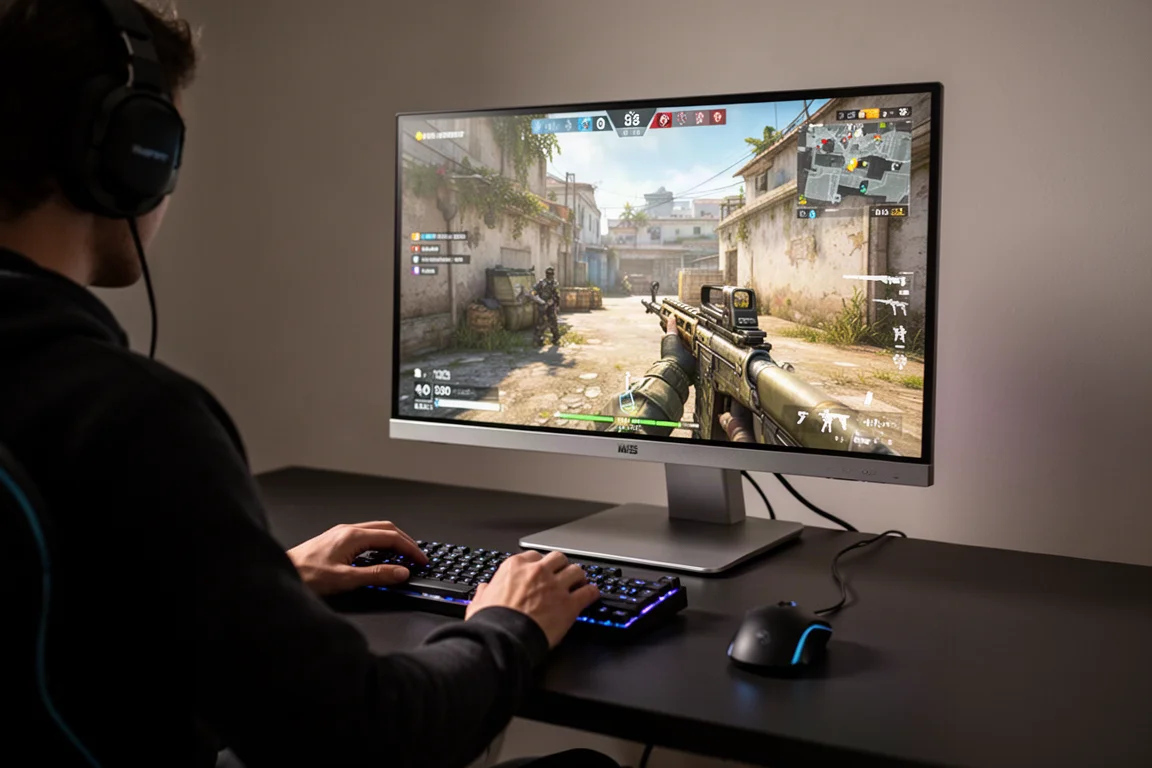
The big feature of this monitor is harnessing improved OLED specs at 540 Hz and 1440p. The materials state that a 50-series GPU is needed to take advantage of 540 Hz at 1440p, but it was possible to get this monitor to run 540 Hz at 1440p on a 40-series card. Whether a 40-series card will actually hit frame rates like this is another conversation. It functions, but it is really limited.
There are no options for custom resolution, so the best experience requires a 50-series card that can take advantage of DisplayPort 2.1. This monitor uses DisplayPort 2.1a, the full 80 Gbps version, and includes a cable that is long enough to use. You also get two HDMI 2.1 inputs, a headphone jack, and a KVM setup, but no USB-C for a laptop and no speakers. The included accessories come in a zipper pouch with the DisplayPort cable, an HDMI cable, and a USB-B cable.
For those who want to disable DSC, 540 Hz at 1440p with 10-bit color is a huge amount of bandwidth. If you disable DSC and retain 10-bit RGB color, the max frame rate is 180 Hz. With 10-bit 4:2:2 or 8-bit, you can go all the way to 500 Hz. Custom resolutions need to be set up in the NVIDIA control panel because they are not displayed by default. Normally, the monitor shows 540 Hz and then essentially 270 Hz.
ELMB and Motion Clarity
The 270 Hz number is important because it allows for ELMB, the OLED tech that provides greatly improved motion clarity. It is similar to DyAc on a ZOWIE monitor, but it is not backlight strobing because OLEDs do not have a backlight. On OLED, it is called black frame insertion: a live frame, then a black frame, then a live frame, and so on.

This has a profound effect on motion clarity, but it forces the panel to run at half of the native refresh rate and cuts brightness by around 50%. With the increased brightness from Tandem, that still leaves 172 nits peak full-screen SDR, meaning it is no longer a glorified tech demo. It is actually viable to use.
Motion blur at 540 Hz is seriously impressive, but the game needs to be running at a locked 540 FPS to get results this good. Only a handful of games will do that at 1440p, such as CS, Valorant, and Overwatch. A fair amount of competitive games can manage a locked 270 FPS. At 270 Hz without ELMB, motion blur is noticeable. With ELMB on, the clarity is essentially the same as 540 Hz, with all the benefits of OLED and at a decent usable brightness. It will not feel as smooth as 540 Hz, but it looks great.
ELMB comes with a list of things you cannot use at the same time, so it is best used on PC rather than console, where you would have to trade off variable refresh rate and HDR. ELMB also does not work in dual mode.
Dual Mode: 720 Hz at 720p
This monitor does 720 Hz at 720p. The reason for 720p rather than 1080p is math: 1440p is a direct derivative of 720p, exactly four times the size, the same way 4K is exactly four times as large as 1080p.
The motion blur in this mode is unlike anything seen before. It is like looking at a still frame. With a one-to-one lock at 720 FPS, it is a wild experience that makes it clear why people talk about a thousand hertz being the promised land for refresh rate.
The resolution, however, looks awful. The aliasing is bad, even when rendering at two times the panel resolution or using upscaling. This mode is almost specifically for CS players. It is complete with the 4:3 display mode and 24.5-inch 16:9 simulated. The aspect control stuff works regardless of mode. The simulated 24.5-inch 540 Hz mode looks great with no weird scaling issues, but ELMB cannot be used with it, so there are decisions to make on a game-by-game basis.
Input Latency and VRR
Input latency is very solid at 540 Hz, giving 1.2 milliseconds against a perfect theoretical of 0.94 milliseconds. Because this is OLED, there is still the same sub-0.1 millisecond gray-to-gray response. Speed is not going to be an issue here.
There is VRR flicker, which seems to be a reality with OLED. There is a single-level toggle for flicker reduction that restricts the range of the variable refresh rate, but it does not seem to do much.
HDR Performance
HDR on this monitor is legit, a side effect of the increased brightness and color volume with Tandem, helped along by the true black coating. Of the available modes, console HDR and display HDR true black 500, not 400, are the ones to go with because they both have nailed accuracy. The max brightness in these modes is around 600 nits on both, all the way until you get to a 25% window, where the usual fall-off appears.
This monitor has adjustable HDR, meaning you can bump brightness and other settings like saturation. In console HDR mode with brightness maxed, it can hit 1459 nits max 1% brightness, which is impressive. This is more of a tech demo because running it like this sacrifices accuracy, but the option is there to adjust it however you want.
Subjectively, it is a solid experience. Even without hitting a 1000-nit one and 2% with everything working together, it is a great HDR experience.
Burn-In and Longevity
One of the big talking points with Tandem is a 60% increase in lifespan over previous-generation tech. There is no way to verify that claim, but when you look at using less power, producing less heat, and distributing the load across four layers instead of three, it seems like a logical side effect.
The amount of OLED care features baked into ASUS monitors is deep. This one also has new proximity detection that puts a black screen up if you walk away and pops back on when you return. That is great for people who get up and leave the display on for a while.
Text looks really good here, which is not usually the case at 1440p. There is clear pixel edge that is not noticeable unless you zoom all the way in. Text on this panel is preferred over QD-OLED, which still has some green and purple fringing around the edges sometimes.
Real-World Comparison
For a subjective real-world comparison, a 27-inch third-generation W-OLED with matte coating, this fourth-generation Tandem with true black gloss, and a 27-inch 4K QD-OLED running in 1440p were set up in the same mode with the same settings at max brightness.
At first look, the Tandem was actually the least favorite because all that brightness made it look a little washed out versus the other two. It did not have quite the same deep black contrast feel normally associated with OLED. Dropping the brightness to 85 seems to get the closest match. Pulling it down any further starts to impact highlights too much. Colors also seem a little more saturated on the third generation.
The difference between the Tandem and the QD-OLED is more striking. The QD-OLED is a touch warmer in color, the blacks seem darker, and the headlight seems brighter. The most obvious difference is that colors are much more saturated out of the box on QD-OLED, especially the reds. Which one you prefer is a matter of taste, but for gaming, many will lean toward more saturated colors. On both panels, saturation can be adjusted in SDR. Bringing Tandem up 30% or bringing QD-OLED down 30% produces essentially the same image.
In a dim or dark environment, QD-OLED gets the nod for contrast, the difference between the darkest and lightest areas. With a lot of ambient light in the room, the Tandem performs a bit better because it retains its black levels better.
In HDR, it flips, and Tandem looks the best. Less overall brightness but more saturated colors, with windows calibrated for HDR on both monitors.
The big takeaways: Tandem still has more brightness overhead than anything seen so far. It also comes with colors looking much more neutral out of the box, though you can dial it up if you want because it has the color volume. When running Tandem in the areas of brightness that the other two cannot achieve, it negatively impacts the perception of contrast. An easy fix to the black levels is to bump the gamma to 2.4, which instantly fixes black levels, but highlights feel dull. The monitor does not measure correctly when you do this, so it is not really a fix, and it is only apparent in SDR mode. HDR looks amazing, but this is a sample size of one and a super early factory copy, so ASUS may still have some tweaking to do.
Buying Advice
This particular monitor is going to be for a very specific user. It is not an all-rounder. There is another 27-inch Tandem model coming out at the same time that tops out at 280 Hz at 1440p, with an XG stand and presumably a lower price point.
Even though a 27-inch 1440p has traditionally been the sweet spot, with a higher-end GPU, the immersion of 4K 32-inch has become more enjoyable lately. With the new dual-mode monitors, switching back and forth between 4K 32-inch and high refresh 1440p is no longer necessary. Unless you are sold on QD-OLED, you may want to hold off on a new purchase if 32-inch is what you want, because Tandem seems to universally clear third-generation W-OLED. Even without the increased brightness from Tandem, QD-OLED still seems to be a very viable contender. OLED in general is already a phenomenal looking monitor technology, so if you have one you like already, there is no rush to replace it with Tandem.
Conclusion
The ASUS ROG PG27AQWP-W is a remarkable piece of hardware that showcases what Tandem OLED can do. The 540 Hz refresh rate, improved brightness, and excellent motion clarity make it a standout for competitive gamers who can drive those frame rates. The true black coating is the best seen on OLED so far, and HDR performance is genuinely impressive.
It is not an all-rounder, and the silver design will be polarizing. The 720p dual mode is a niche feature, and the lack of USB-C and speakers may be dealbreakers for some. But for the right user, this monitor delivers an experience that is hard to match.
Product link
View more details for ASUS ROG PG27AQWP-W
This product is mentioned in the review. Check the specifications, options, and compatibility before buying.
View more details for ASUS ROG PG27AQWP-WFurther reading
Related Reviews
Monitors
ASUS ROG Swift OLED PG27AQDP G Edition 20 Review: A 540 Hz Tandem OLED Gaming Monitor
The ASUS ROG Swift OLED PG27AQDP G Edition 20 brings a tandem OLED panel, 540 Hz refresh rate, and striking 20th anniversary design to competitive gaming.
Monitors
BenQ EX271QZ Review: A 27-Inch QD-OLED Gaming Monitor Built for Immersion
The BenQ EX271QZ pairs a 27-inch QD-OLED panel with a 500 Hz refresh rate, aiming to deliver both competitive performance and rich, story-driven visuals.
Monitors
Best Budget Monitors for Video Editing, Photo Editing, and Gaming: 8 Practical Options Under $500
Eight color-accurate monitors under $500 that balance editing precision with gaming performance, from entry-level 1080p to 4K OLED options.